Buying Guide
Best 3D Printers: How to Choose the Right 3D Printer for Your Needs
There is no single best 3D printer for everyone. Compare top current 3D printers by workflow, build volume, enclosure, multi-color capability, and price class.
Digital Workshop Guide may earn a commission if you purchase through certain links on this page, at no additional cost to you. Affiliate relationships do not determine our factual conclusions or recommendations. Read the full Affiliate Disclosure.
Shopping for a 3D printer by looking for a single 'best overall' pick is the fastest path to buying a machine that fits someone else's workflow. A 3D printer optimized for fast, reliable PLA prototyping is fundamentally different from a machine built for miniatures, an open-frame printer for hands-on learning, or an enclosed system engineered for temperature-sensitive materials.
The central question is not 'which printer is best?' but 'which printer matches the specific materials, objects, build volume, and level of involvement you want?' This guide compares five top current 3D printers across distinct categories, giving you the facts to narrow down what belongs in your workshop.
Digital Workshop Guide has not personally tested, owned, or measured these printers. Assessments are based on manufacturer specifications, documented capabilities, material compatibility, software ecosystems, warranty information, and clearly identified third-party demonstrations. See our Editorial Policy for details on how we evaluate equipment.
Quick recommendations: if you make X, start here
Before the detailed comparison, here is a quick way to orient. Match what you plan to make to the machine category that suits it:
- Easiest overall automated workflow and high speed: Look at Bambu Lab coreXY platforms (e.g., P1S / A1 series). They emphasize automated calibration, high acceleration, and integrated multi-color ecosystems.
- Open, repairable ecosystem and proven reliability: Consider Prusa Research (e.g., MK4S). Prusa emphasizes open-source design, long-term parts availability, extensive documentation, and exceptional support.
- Entry-level budget printing for beginners: Look at Creality Ender or Elegoo Neptune series. They provide an accessible price point to learn FDM printing fundamentals with strong community support.
- Microscopic detail, miniatures, and figurines: Choose a high-resolution MSLA resin printer (e.g., Elegoo Mars or Saturn series). Resin vat photopolymerization delivers surface smoothness FDM cannot match.
Compare the machines at a glance
The table below summarizes the 5 machines by laser type, best-fit use, working area, and approximate price class. Use it to narrow the field, then read the individual profiles for the trade-offs that matter to your work.
| Printer | Type / Enclosed | Best For | Build Volume | Price Class |
|---|---|---|---|---|
| Bambu Lab P1S | FDM / Enclosed | Fast, automated multi-color & enclosed FDM | 256 × 256 × 256 mm | $500–$1,000 class |
| Prusa MK4S | FDM / Open Frame | Reliability, repairability, open-source support | 250 × 210 × 220 mm | $500–$1,000 class |
| Bambu Lab A1 Mini | FDM / Open Bedslinger | Beginner-friendly compact multi-color FDM | 180 × 180 × 180 mm | Under $300 class |
| Creality Ender-3 V3 | FDM / Open Bedslinger | Budget-conscious entry into high-speed FDM | 220 × 220 × 250 mm | Under $300 class |
| Elegoo Saturn 4 Ultra | Resin / MSLA Enclosed | Ultra-fine detail for miniatures & jewelry | 218.88 × 122.88 × 220 mm | $300–$500 class |
Price classes are approximate and descriptive — not temporary sale prices. Confirm current pricing and regional availability with the manufacturer. Working areas are approximate and drawn from manufacturer documentation.
How we evaluated these machines
Digital Workshop Guide has not personally tested these machines. We have not owned, operated, measured, or reviewed them hands-on, and we do not claim to. This comparison is a research-based assessment, not a hands-on test. It is based on:
- Manufacturer-published specifications (build volume, maximum motion speed, nozzle temperature, bed leveling)
- Documented material compatibility (PLA, PETG, TPU, ABS/ASA, specialty photopolymer resins)
- Software and ecosystem integration (slicer compatibility, cloud/local workflow, multi-material systems)
- Enclosure and hardware thermal management (open-frame vs enclosed chamber)
- Bed leveling and calibration automation (strain gauges, eddy current sensors, auto-Z offset)
- Maintenance, documentation, and long-term parts availability
- Price positioning, described as an approximate class rather than temporary promotional sales
Where we reference third-party information, we identify it as such. See our Editorial Policy for how we approach research and publishing.
The machines, in detail
Each profile below opens with a quick scan — what the machine is best suited for, its laser type and work area, a short assessment, and a link to the manufacturer. Select View full details on any machine to expand its full specifications, considerations, and trade-offs. You can keep several open at once to compare.
$500–$1,000 class
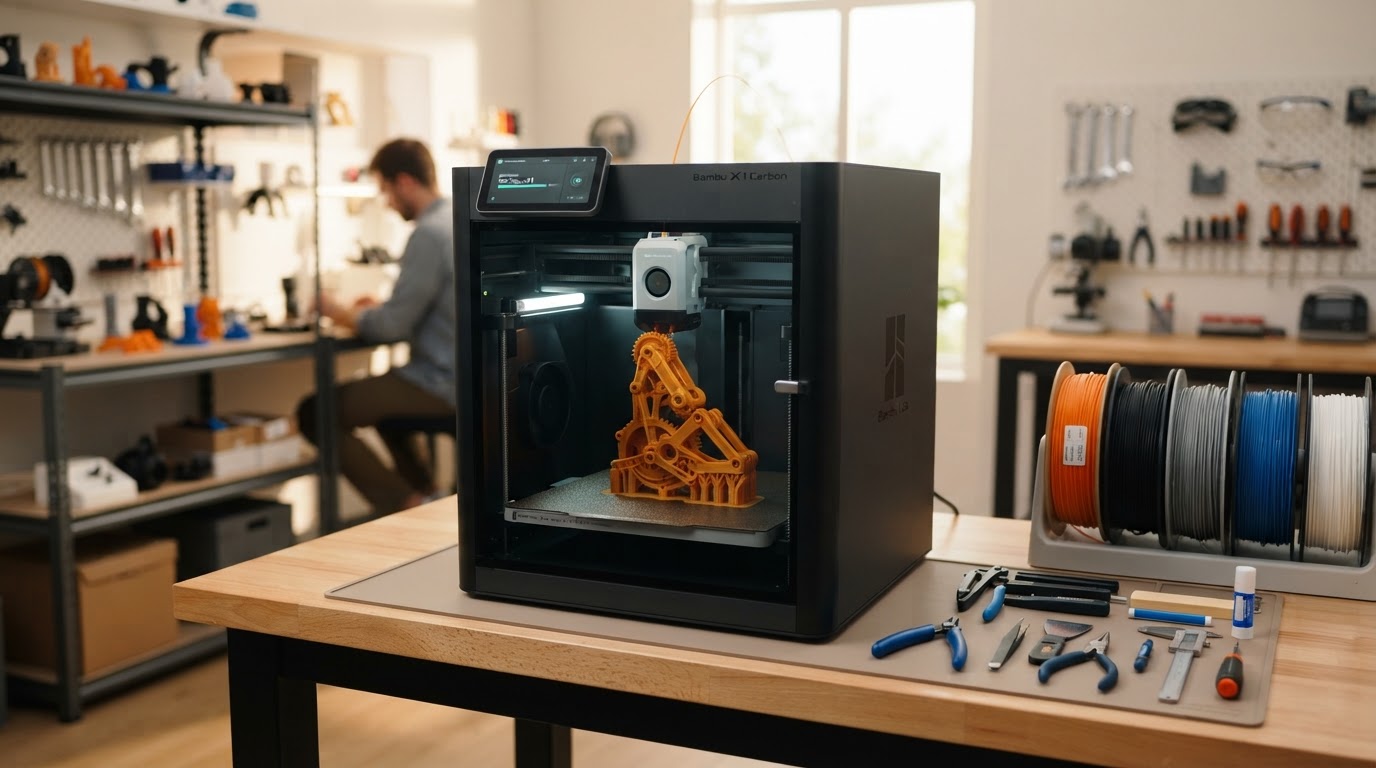
Bambu Lab P1S
- Laser
- FDM (CoreXY)
- Power
- Enclosed
- Work area
- 256 × 256 × 256 mm (~10.1 in cube)
Best suited for
Makers and small shops wanting a fast, enclosed printer that handles ABS/ASA and optional multi-color printing with minimal manual tuning.
The P1S delivers a fully enclosed CoreXY chamber, direct-drive extruder, and optional AMS multi-color integration at an accessible prosumer price. It automates bed leveling and Z-offset, making high-speed printing reliable out of the box.
$500–$1,000 class
Prusa MK4S
- Laser
- FDM (Bedslinger)
- Power
- Open Frame
- Work area
- 250 × 210 × 220 mm (~9.8 × 8.3 × 8.7 in)
Best suited for
Print farms, educators, and serious makers who prioritize open-source repairability, quiet operation, and rock-solid first-layer consistency.
Prusa Research's MK4S builds on a decade of open-source refinement. Featuring the Nextruder with load-cell automatic first-layer calibration, quick-swap nozzles, and PrusaSlicer integration, it is built to run reliably for thousands of hours.
Under $300 class
Bambu Lab A1 Mini
- Laser
- FDM (Cantilever)
- Power
- Open Frame
- Work area
- 180 × 180 × 180 mm (~7.1 in cube)
Best suited for
Beginners, students, and hobbyists with limited space who want automated bed leveling, quick-swap nozzles, and optional multi-color printing.
The A1 Mini redefines budget 3D printing. Despite its small 180mm cube volume, it includes active flow compensation, full auto-leveling, and seamless integration with the AMS Lite multi-color feeder, making 3D printing as close to plug-and-play as FDM gets.
Under $300 class
Creality Ender-3 V3
- Laser
- FDM (CoreXZ)
- Power
- Open Frame
- Work area
- 220 × 220 × 250 mm (~8.7 × 8.7 × 9.8 in)
Best suited for
Budget-conscious buyers and tinkerers who want a standard 220mm build volume and modern high-speed printing for under $300.
Creality's Ender-3 V3 brings CoreXZ motion technology, direct-drive extrusion, and 600mm/s maximum speeds to the entry-level market. It keeps the open budget roots of the Ender series while eliminating old frustrations like manual bed leveling knobs.
$300–$500 class
Elegoo Saturn 4 Ultra
- Laser
- Resin (MSLA)
- Power
- Enclosed UV Vat
- Work area
- 218.88 × 122.88 × 220 mm (~8.6 × 4.8 × 8.7 in)
Best suited for
Miniature painters, tabletop gamers, jewelers, and sculptors who need microscopic surface detail that no FDM printer can replicate.
Resin printing is about surface detail, and the Saturn 4 Ultra delivers it with a 12K mono LCD. Its tilt-release vat mechanism drastically increases print success rates and speed, while automatic leveling removes the guesswork from resin vat setup.
FDM vs Resin: Which Technology Belongs in Your Workshop?
Before selecting a specific 3D printer, you must choose between the two dominant consumer technologies: FDM (Fused Deposition Modeling) and Resin (MSLA / Vat Photopolymerization). They use completely different materials, post-processing steps, and physical processes.
FDM printers melt spools of plastic filament (PLA, PETG, TPU, ABS) and extrude them layer by layer. FDM is clean, easy to manage at a workbench, and ideal for functional parts, workshop organizers, brackets, prototypes, and larger objects.
Resin printers use liquid photopolymer resin cured by UV light emitted through a high-resolution LCD screen. Resin achieves microscopic surface detail that FDM cannot match, making it the clear choice for tabletop gaming miniatures, jewelry masters, and detailed figurines. However, resin requires chemical handling, nitrile gloves, washing in alcohol, UV curing, and dedicated room ventilation.
For a complete deep-dive on these trade-offs, read our dedicated guide: FDM vs Resin 3D Printing.
- FDM Printing: Best for functional parts, workshop tools, brackets, larger models, and general maker projects. Uses dry filament spools with minimal chemical cleanup.
- Resin Printing: Best for tabletop miniatures, detailed figurines, and jewelry models. Requires liquid resin, protective gloves, IPA washing, and UV curing station.
- Open-Frame FDM: Great for PLA, PETG, and TPU. Cheaper and quieter, but vulnerable to drafts when printing ABS or ASA.
- Enclosed FDM: Retains chamber heat for ABS, ASA, and nylon filaments. Helps contain fan noise and fumes during long prints.
What Do You Actually Want to Make?
Matching your intended projects to printer capabilities prevents buying the wrong machine:
- Functional workshop parts & brackets: Choose an FDM printer. PETG or ABS filament provides structural toughness, impact resistance, and thermal durability.
- Tabletop miniatures & D&D figurines: Choose an MSLA resin printer. A 12K resin printer captures fine armor textures, faces, and weapon details that FDM layer lines obscure.
- Multi-color decorative models & toys: Choose an FDM printer with an integrated multi-material system (like Bambu AMS). It automatically switches filament colors during printing.
- Large cosplay props & helmet pieces: Look for a large-format FDM printer (300mm+ build volume) or plan to split models across a standard 256mm build plate.
- Outdoor fixtures & automotive brackets: Choose an enclosed FDM printer that can reliably handle ASA or Polycarbonate filaments, which withstand UV exposure and heat.
- Flexible seals, gaskets & phone cases: Choose a direct-drive FDM printer capable of extruding flexible TPU filament smoothly.
The Real Cost Beyond the Printer Sticker Price
When budgeting for your first 3D printer, account for the essential accessories and consumables required for a complete setup:
- Filament or Resin Stock: Plan on $15–$25 per 1kg spool of PLA/PETG, or $25–$40 per 1kg bottle of photopolymer resin to start testing and calibrating.
- Resin Wash and Cure Station: Resin prints require a dedicated isopropyl alcohol (IPA) wash bucket and a 405nm UV curing lamp/station ($80–$150).
- PPE and Safety Gear for Resin: Nitrile gloves, safety goggles, organic vapor masks, and silicone mats are mandatory for safe liquid resin handling.
- Filament Storage & Dry Boxes: Hygroscopic filaments like PETG, TPU, and Nylon absorb moisture from air and require sealed dry boxes or active filament dryers ($30–$80).
- Spare Nozzles and Build Plates: Brass nozzles wear out when printing abrasive glow-in-the-dark or carbon fiber filaments. Hardened steel nozzles or spare PEI sheets are smart spares.
- Slicer Software: Most top slicers (PrusaSlicer, Bambu Studio, OrcaSlicer, ChituBox) are free, but premium pro licenses exist for specialized CAD tools.
Slicer Software and Ecosystem Integration
A 3D printer is only as good as the slicer software that prepares your 3D digital models for printing. Slicers slice 3D CAD files (.STL, .3MF, .OBJ) into thin 2D horizontal layers and generate G-code instructions for the printer motors.
Modern integrated slicers like Bambu Studio and PrusaSlicer feature pre-configured print profiles for specific machines and filaments. They handle auto-orienting parts, generating support structures, managing infill density, and estimating print times automatically.
If you choose an open-source FDM printer, OrcaSlicer and PrusaSlicer provide advanced calibration tools like pressure advance tuning and flow rate tests. For resin printing, ChituBox and Lychee Slicer dominate, offering automatic support generation and anti-aliasing settings.
Workspace, Fumes, and Noise Requirements
Before ordering a 3D printer, measure your workbench and plan for room ventilation. FDM printers printing PLA or PETG produce minimal odor and can safely run in a home office or bedroom, though high-speed cooling fans create ambient motor noise.
When printing ABS, ASA, or Nylon on FDM printers, micro-particulates and VOCs (volatile organic compounds) are released. These materials require an enclosed chamber with active HEPA/carbon filtration or ducting to an outside window.
Resin printers emit noticeable chemical odors and VOCs from liquid photopolymers. Resin setups belong in a dedicated garage, workshop, or well-ventilated room equipped with an extraction fan. Never set up a resin printer in an enclosed bedroom or near food preparation areas.
Understanding 3D Printer Types in Practice
Seeing how modern auto-leveling, CoreXY motion, and resin vat separation work in real time helps clarify hardware specs.
How to Choose Your First 3D Printer
Selecting the right printer comes down to honest evaluation of what you want to make and how much time you want to spend maintaining the hardware.
If you want a fast, automated FDM printer for functional parts, toys, and multi-color models with minimal manual tuning, the Bambu Lab P1S (enclosed) or Bambu Lab A1 Mini (compact) are market benchmarks.
If you want 100% open-source hardware, long-term repairability, quiet operation, and rock-solid reliability backed by open documentation, the Prusa MK4S is unmatched.
If you are on a strict sub-$300 budget and want a full-sized FDM workspace to learn printing fundamentals, the Creality Ender-3 V3 offers modern CoreXZ features for low cost.
If your primary goal is printing tabletop gaming miniatures, high-detail sculptures, or jewelry with flawless surface smoothness, choose an MSLA resin printer like the Elegoo Saturn 4 Ultra.
Keep reading
- 3D Printing Topic Hub
- 3D Printers for Beginners Guide
- FDM vs Resin 3D Printing Comparison
- How Much Does a 3D Printer Cost?
More laser guides are being researched — including Best 3D printers for miniatures and Best 3D printers for small business. We publish researched content deliberately rather than as thin placeholder pages, so those links activate only when each article is complete.