Buying Guide
Best CNC Routers: How to Choose the Right Machine for Your Workshop
Compare top CNC routers for woodworking, makers, small shops, and aluminum by bed size, motion system, spindle power, and budget.
Digital Workshop Guide may earn a commission if you purchase through certain links on this page, at no additional cost to you. Affiliate relationships do not determine our factual conclusions or recommendations. Read the full Affiliate Disclosure.
Quick Recommendations: At a Glance
Matching a CNC router to your projects depends on material needs, available workspace, rigid construction, and total budget. Here is how leading current desktop and small-shop CNC machines compare.
- Heavy-duty prosumer workstation: Carbide 3D Shapeoko 5.1 Pro — Industrial linear guide rails on all axes with ball screw motion, hybrid T-slot bed, and optional VFD spindle for serious production.
- High-precision Masso ecosystem: Onefinity Elite Series — Standalone Masso Touch controller, closed-loop stepper motors, heavy tubular steel rails, and seamless expansion capabilities.
- Rigid all-aluminum desktop precision: Genmitsu 3030-PROVer Max — Full metal frame with linear rails and ball screws in a compact desktop footprint ideal for brass, aluminum, and detailed prototyping.
- Approachable budget desktop entry: SainSmart Genmitsu 4040-PRO — Accessible entry price with sturdy dual-steel Y-axis shafts, generous 400 × 400 mm bed, and simple GRBL controller workflow.
- Accessible hobbyist benchtop option: FoxAlien Masuter Pro — Enclosed linear rail Z-axis upgrade, versatile spindle clamp options, and large 400 × 400 mm cutting area for home makers.
Compare the machines at a glance
| Machine | Motion / Drive | Best For | Work Area | Price Class | Spindle | Software |
|---|---|---|---|---|---|---|
| Shapeoko 5.1 Pro | Linear Rails + Ball Screws | Large woodworking, signmaking, and production | Up to 48 × 48 in (4x4) or 48 × 24 in (4x2) | $3,000–$4,500 class | Carbide Compact or VFD Spindle | Carbide Create & Motion |
| Onefinity Elite Series | Tubular Steel Rails + Ball Screws | Standalone touch workflow & precision cutting | 32 × 32 in (Woodworker) to 48 × 48 in (Foreman) | $3,500–$4,200 class | Router or 80mm Spindle Mount | Masso Touch Standalone |
| Genmitsu 3030-PROVer Max | Linear Rails + Ball Screws | Compact metal, brass, and fine desktop cutting | 11.8 × 11.8 in (300 × 300 mm) | Under $1,000 class | 300W DC Spindle / Trimming | GRBL / Candle / LightBurn |
| Genmitsu 4040-PRO | Dual Steel Shafts + Belt/Screw | Budget-conscious beginners cutting wood/plastics | 15.7 × 15.7 in (400 × 400 mm) | Under $600 class | 775 Spindle or Trim Router | GRBL / Candle |
| FoxAlien Masuter Pro | Linear Rail Z + Steel Shafts | Entry-level maker crafts & relief carving | 15.7 × 15.7 in (400 × 400 mm) | Under $600 class | 60W Spindle or 65mm Router | GRBL / GrblControl |
How we evaluated these machines
Digital Workshop Guide evaluates CNC routers based on manufacturer-published specifications, structural frame materials, motion drive systems (belts vs lead screws vs ball screws), spindle power options, software controller compatibility, and documented material capabilities. We do not fabricate hands-on testing claims or publish numerical ratings.
The machines, in detail
$3,000–$4,500 class
Shapeoko 5.1 Pro
- Drive
- Linear Rails + Ball Screws
- Spindle
- Carbide Compact Router or 65mm VFD Spindle
- Work area
- 48 × 48 in (4x4) / 48 × 24 in (4x2)
Best suited for
Serious woodworkers, signmakers, and small businesses needing production speed and large sheet capacity.
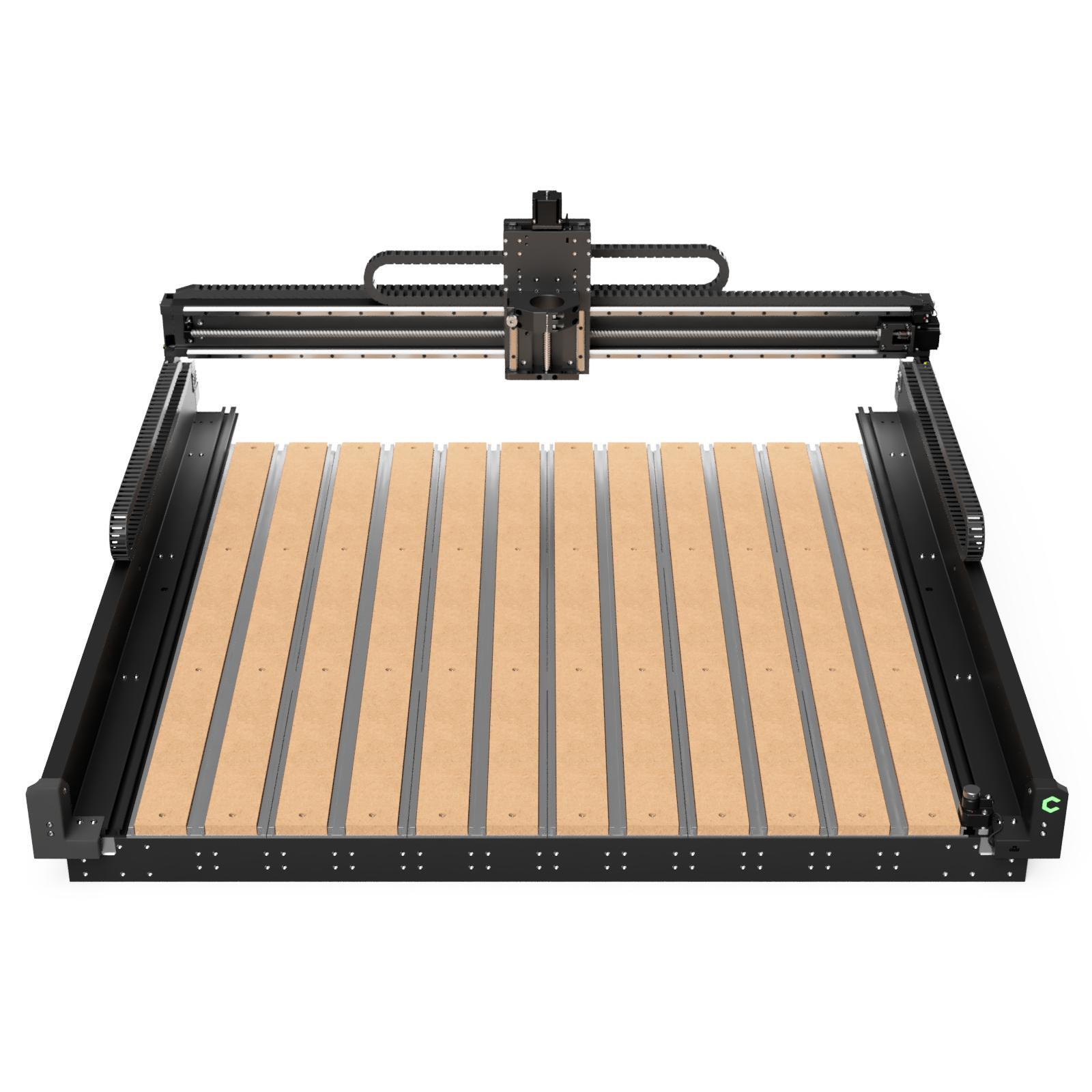
The Shapeoko 5.1 Pro represents Carbide 3D's flagship desktop/workshop machine. Built around heavy precision-machined aluminum extrusions, HG-15 linear rails, and 16mm ball screws on every axis, it delivers exceptional rigidity and speed for large-scale production work.
Specifications
- Motion Drive
- HG-15 Linear Rails + 16mm Ball Screws
- Bed Design
- Integrated T-Slot Hybrid Table with clamps
- Work Area Options
- 2x2, 4x2, and 4x4 ft bed sizes
- Spindle Compatibility
- 65mm trim router or 65mm VFD spindle kit
- Software Included
- Carbide Create (CAD/CAM) & Carbide Motion
- Warranty
- 1-Year Warranty + 60-Day 'Mistakes on Us' coverage
Why consider it
- Ballscrews and linear guide rails eliminate belt stretch and deflection during aggressive cuts.
- Open front-to-back bed allows indexing and tiling longer material sheets.
- Includes BitSetter automatic tool offset sensor and LED gantry lighting out of the box.
- Backed by Carbide 3D's comprehensive US-based support and 1-on-1 video training.
What to consider before buying
- Substantial machine footprint and weight require a sturdy, dedicated workbench.
- Higher entry cost when paired with optional VFD spindle and air extraction accessories.
Who should probably choose something else
Hobbyists with tight space constraints or tight budgets under $1,000 who only do occasional light crafts.
$3,500–$4,200 class
Onefinity Elite Series
- Drive
- Tubular Steel Rails + Ball Screws
- Spindle
- 65mm Router or 80mm Spindle Mount
- Work area
- 48 × 48 in (Foreman) / 48 × 32 in (Journeyman)
Best suited for
Prosumer shops and small businesses wanting a standalone touchscreen controller and closed-loop motor reliability.
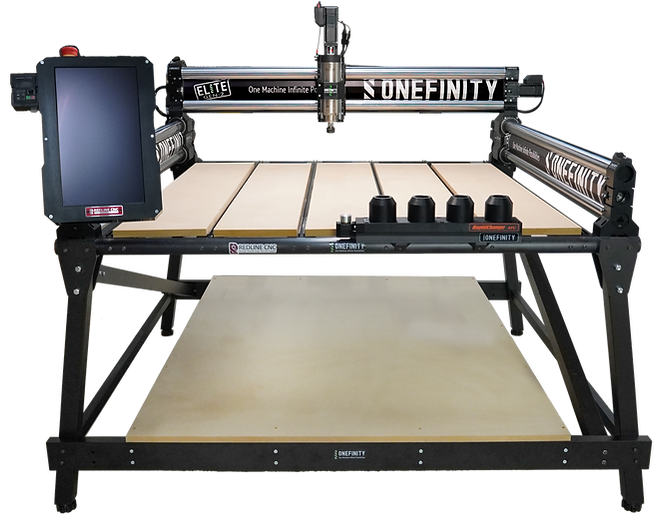
Onefinity's Elite Series pairs massive steel tube rails and precision ball screws with a Masso Touch standalone 15-inch industrial controller. Closed-loop stepper motors prevent missed steps, offering a computer-free control workflow.
Specifications
- Controller
- Masso Touch 15-inch Capacitive Industrial Touchscreen
- Motors
- Closed-loop 1.2Nm stepper motors with error recovery
- Z-Axis Travel
- Z-20 Heavy Duty slider with 165mm travel
- Homing Sensors
- 4 Infrared Homing Sensors with auto-squaring
- Spindle Support
- Choice of 65mm or 80mm heavy-duty mount
- Software Included
- Carveco Maker (1-Year Subscription)
Why consider it
- Standalone Masso Touch screen operates without needing a dedicated laptop in the dusty shop.
- Closed-loop motors detect and prevent lost steps during heavy cuts.
- Thick hollow-steel gantry tubes offer high torsional stiffness.
- Built-in automatic router and vacuum power relay outlets.
What to consider before buying
- Requires a sturdy table setup and assembly effort prior to calibration.
- Wasteboard frame (QCW) is sold separately or built by the user.
Who should probably choose something else
Woodworkers who prefer an all-in-one desktop enclosure or traditional GRBL computer control.
Under $1,000 class
Genmitsu 3030-PROVer Max
- Drive
- Linear Rails + Ball Screws
- Spindle
- 300W DC Spindle (Upgradable to Trim Router)
- Work area
- 300 × 300 × 93 mm (~11.8 × 11.8 in)
Best suited for
Makers and prototyping engineers looking for desktop precision metal, brass, and hardwood machining.
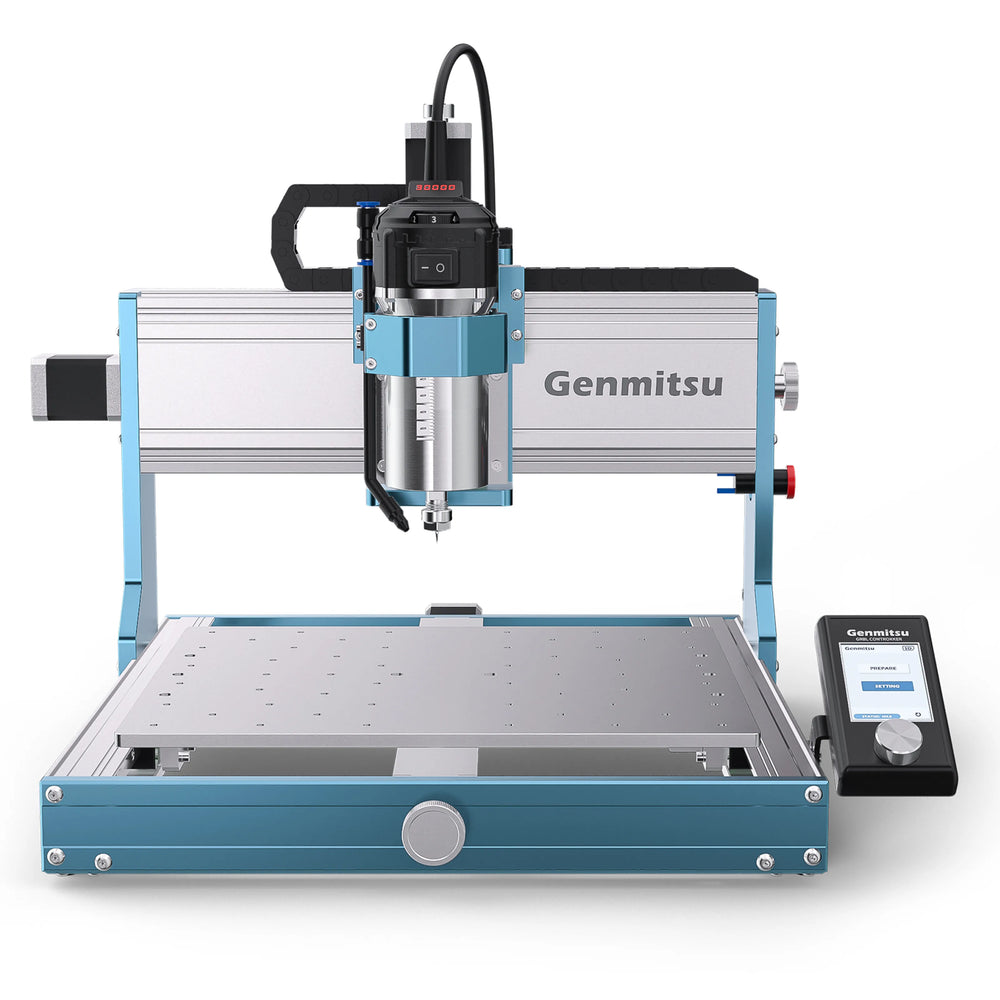
The 3030-PROVer Max brings industrial-grade mechanical components—all-metal frame, dual linear rails, and precision ball screws on every axis—into a compact desktop footprint. It is engineered specifically for rigid cutting in aluminum, brass, acrylic, and hardwoods.
Specifications
- Frame Construction
- Heavy-duty full aluminum alloy frame
- Motion Drive
- Dual Linear Guide Rails + Precision Ball Screws
- Z Axis Travel
- 93 mm vertical clearance
- Spindle Included
- 300W DC Spindle (supports 65mm router mount)
- Control System
- 32-bit GRBL offline controller + USB
- Safety Features
- Emergency stop switch and limit switches
Why consider it
- Linear rails and ball screws provide rigid precision for non-ferrous metals and fine engraving.
- Compact footprint fits comfortably on standard workbench surfaces.
- Arrives pre-assembled for rapid setup in under 30 minutes.
- Strong upgrade path with modular 65mm router mounts.
What to consider before buying
- 11.8 × 11.8 inch work area is restricted for larger woodworking projects or signs.
- Stock 300W spindle is quiet but slower for thick hardwood material removal.
Who should probably choose something else
Users focused on large signs, furniture parts, or full-sized sheet materials.
Under $600 class
Genmitsu 4040-PRO
- Drive
- Dual Steel Shafts + Lead Screws
- Spindle
- 775 Spindle (Supports 65mm Trim Router clamp)
- Work area
- 400 × 400 × 78 mm (~15.7 × 15.7 in)
Best suited for
Beginners and craft makers wanting an affordable, spacious desktop router for wood, MDF, and plastic.
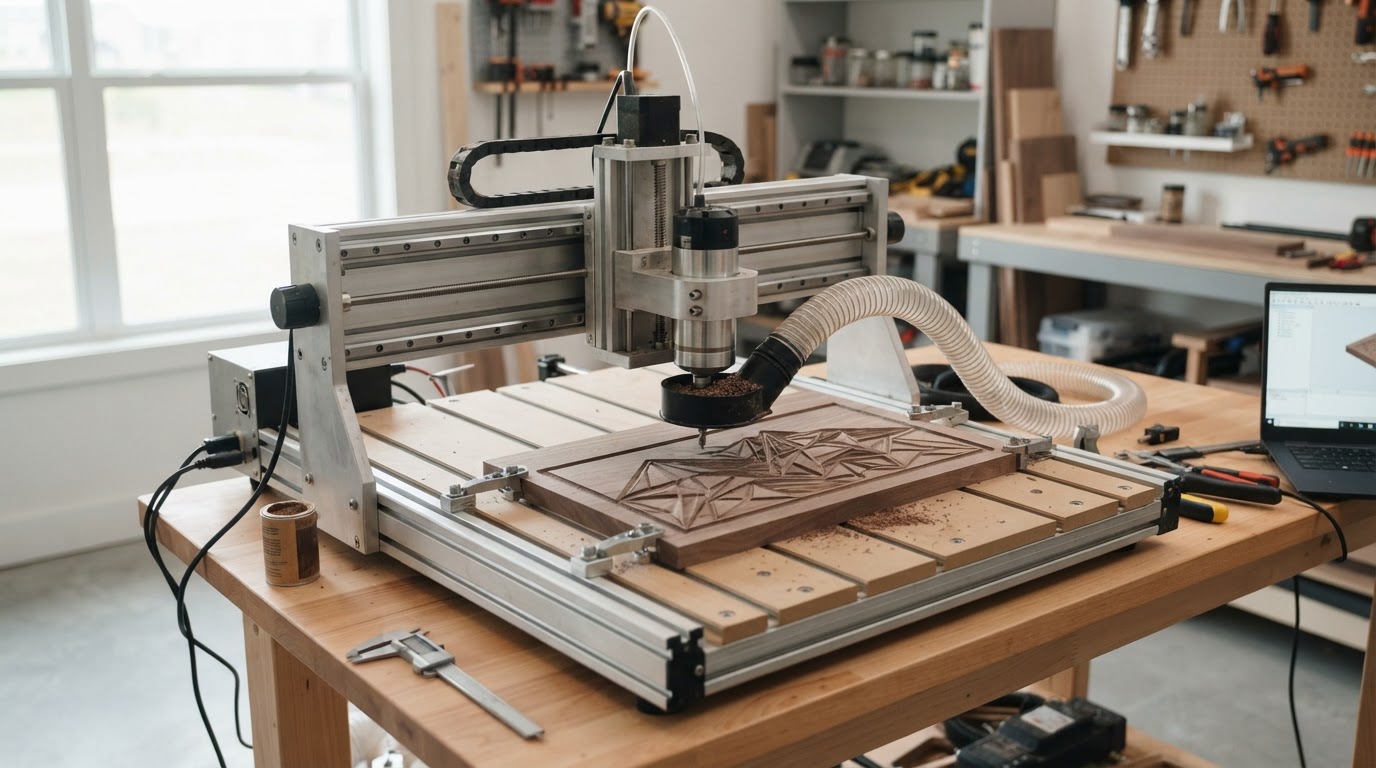
SainSmart's Genmitsu 4040-PRO offers a generous 400 × 400 mm cutting area on a budget. Featuring dual-steel Y-axis shafts, heavy aluminum structural extrusions, and an easy modular assembly, it is one of the most popular starter CNCs on the market.
Specifications
- Work Area
- 400 × 400 × 78 mm (~15.7 × 15.7 × 3.0 in)
- Frame Material
- Aluminum extrusions & steel linear shafts
- Drive System
- Lead screw driven on all axes
- Control Board
- 32-bit GRBL controller with offline module support
- Spindle Clamp
- Includes 42mm clamp + optional 65mm router clamp
- Assembly Time
- Approximately 20–30 minutes
Why consider it
- Excellent price-to-size ratio for learning CAD/CAM and cutting wood craft items.
- Dual Y-axis guide shafts increase stability over older light-duty desktop kits.
- Easy path to add a 65mm trim router (such as a Makita) for substantially higher cutting power.
- Large community ecosystem and accessible GRBL control software.
What to consider before buying
- Lead screw and shaft drive is best suited to wood, plastics, and light brass—not heavy aluminum milling.
- Dust boot and trim router clamp are optional add-ons.
Who should probably choose something else
Production businesses or buyers who require ball screws and linear guide rails for heavy metal cutting.
Under $600 class
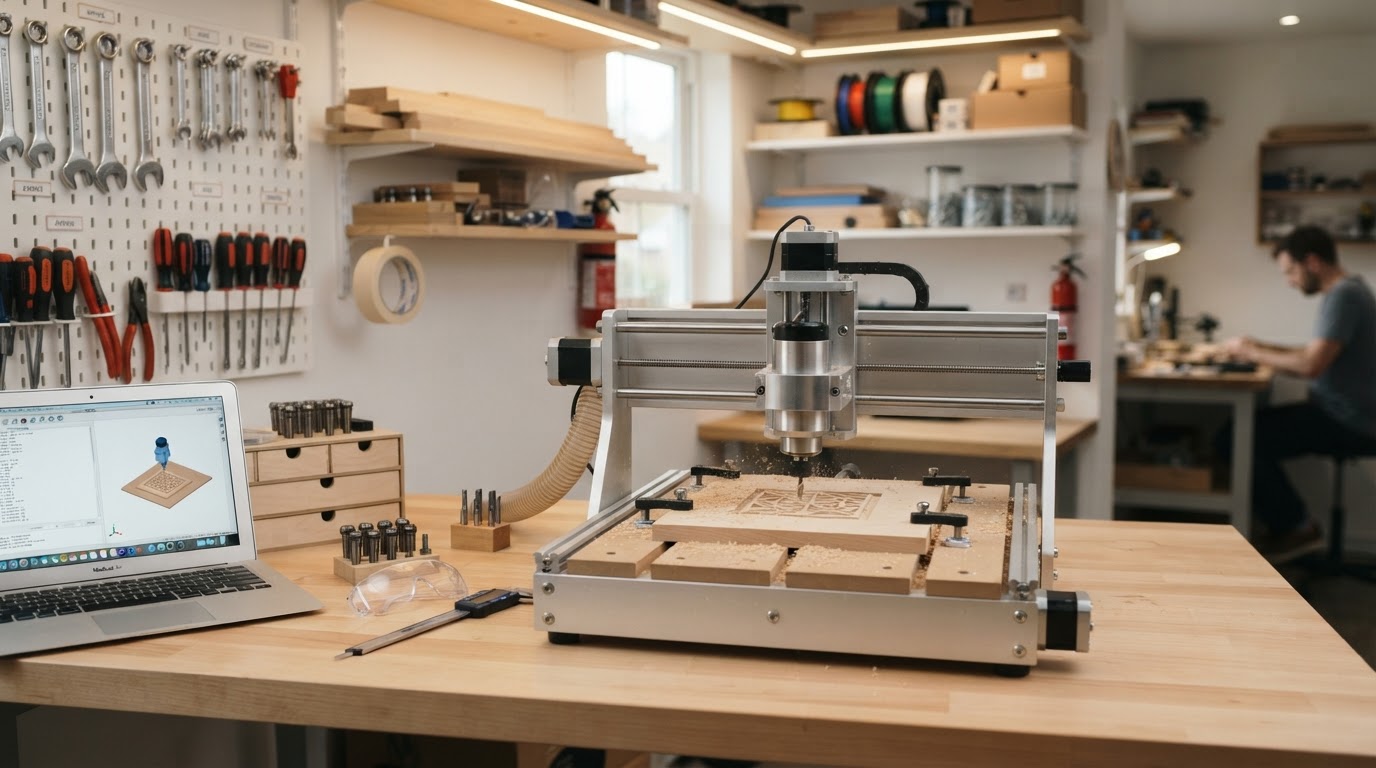
FoxAlien Masuter Pro
- Drive
- Linear Rail Z-Axis + Shafts
- Spindle
- 60W Stock Spindle (Includes 65mm & 52mm clamps)
- Work area
- 400 × 400 × 60 mm (~15.7 × 15.7 in)
Best suited for
Hobbyists and home crafters looking for an easy-to-assemble benchtop machine for carving and relief work.
The FoxAlien Masuter Pro upgrades the entry-level desktop CNC class by incorporating a linear rail Z-axis module and an all-metal main gantry structure. It ships largely pre-assembled and includes dual spindle clamps out of the box.
Specifications
- Work Area
- 400 × 400 × 60 mm (~15.7 × 15.7 in)
- Z-Axis Design
- Linear guide rail module for improved rigidity
- Spindle Clamps
- Includes both 52mm and 65mm router clamps
- Frame
- All-aluminum structure with hybrid spoilboard
- Controller
- GRBL control board with offline touchscreen support
- Assembly
- Pre-assembled main modules, ~30 min total
Why consider it
- Linear rail Z-axis reduces flex during surface carving and V-bit engraving.
- Includes 65mm clamp in the box, allowing immediate drop-in of a trim router.
- Sturdy metal frame construction compared to acrylic/plastic entry machines.
- Straightforward GRBL software integration.
What to consider before buying
- 60mm Z-clearance limits deep workpiece stock or tall vice clamping.
- Belts/lead screws require periodic tensioning for optimal accuracy.
Who should probably choose something else
Users needing tall Z clearance or continuous heavy industrial milling.
What Type of CNC Router Do You Actually Need?
Choosing a CNC router starts with identifying your primary materials and project sizes. A machine optimized for cutting 4x8 ft cabinet sheets requires vastly different space, power, and frame construction than a benchtop machine used for carving small wooden boxes or engraving brass plates.
Key use-case categories include: - **Woodworking & Signmaking:** Focus on usable bed dimensions (such as 4x2 ft or 4x4 ft), spindle power, and effective dust collection. - **Crafts & Hobby Prototyping:** A 400 × 400 mm bed with GRBL control gives plenty of working area for learning toolpaths without consuming an entire room. - **Small Business Production:** Prioritize ball screw motion, linear guide rails, and closed-loop or VFD spindle systems that run reliably without lost steps. - **Aluminum & Metal Machining:** Rigid aluminum or steel construction, linear guide rails, and high-torque spindles are essential to handle lateral cutting forces without chatter.
Key Machine Specifications Explained
Understanding CNC terminology helps you evaluate manufacturer spec sheets objectively:
- **Motion Drive (Belts vs. Screws):** Belt-driven machines offer fast travel speeds at low cost but can stretch under heavy cutting loads. Lead screws and ball screws offer superior mechanical advantage and rigidity for cutting hardwoods and metals. - **Linear Rails vs. Steel Shafts:** HG-style linear guide rails distribute cutting forces evenly along a hardened steel track, providing much higher rigidity than smooth round shafts or V-wheels. - **Spindle vs. Trim Router:** Trim routers (like Makita RT0701C) are inexpensive and powerful but noisy. Dedicated VFD spindles offer quiet brushless operation, soft starts, and software-controlled RPM changes. - **Z-Axis Clearance:** Pay attention to vertical travel. Tooling length, collet height, and spoilboards consume Z clearance quickly.
How Much Should You Budget?
Machine purchase price is only one part of getting started in CNC routing. A complete workshop budget should account for essential accessories: - **Cutting Bits & End Mills:** Straight, upcut, downcut, compression, and V-carving bits ($50–$200). - **Workholding & Clamps:** T-track clamps, painters tape/CA glue setups, or vacuum beds ($50–$150). - **Dust Collection:** A shop vacuum with a cyclone separator and dust boot is required to keep chips off linear rails and out of your lungs ($100–$300). - **Design Software:** Many entry machines support free/included software like Carbide Create, Easel, or Candle, while advanced 3D carving may use Carveco or Vectric VCarve.