Buying Guide
Best 3D Printers for Miniatures: What to Look for Before You Buy
Printing detailed tabletop miniatures, gaming figures, and terrain demands different priorities than general 3D printing. Compare the top resin and FDM machines for miniature work.
Digital Workshop Guide may earn a commission if you purchase through certain links on this page, at no additional cost to you. Affiliate relationships do not determine our factual conclusions or recommendations. Read the full Affiliate Disclosure.
Shopping for a 3D printer to make tabletop miniatures, D&D figures, display models, or gaming terrain requires looking beyond generic 'top 10' lists. Miniature printing prioritizes microscopic surface smoothness, crisp facial features, fine armor textures, and delicate support removal over raw speed or massive build volume.
While resin (MSLA/LCD) photopolymerization is the undisputed gold standard for character miniatures and fine details, it introduces liquid handling, chemical washing, UV curing, and workspace ventilation requirements. Meanwhile, modern high-speed FDM printers equipped with fine 0.2 mm nozzles remain a compelling, chemical-free alternative for printing tabletop terrain, scatter pieces, buildings, and large gaming accessories.
Digital Workshop Guide evaluates equipment using verified manufacturer specifications, documented optics and motion mechanics, material compatibility, software support, and safety requirements. We do not pretend to personally own or test these machines unless explicitly documented. See our Editorial Policy for full details on our methodology.
Quick Recommendations
Match your primary miniature printing goal to the machine that best fits your workflow:
- First-time resin printing with entry-level budget: Elegoo Mars 4 Ultra — 9K resolution, 18-micron XY pixel size, and a user-friendly 7-inch setup at an accessible entry price point.
- High-speed automated workflow for fine miniature detail: Anycubic Photon Mono M7 — 14K resolution, 10.1-inch screen, automated light uniformity algorithms, and high-speed resin compatibility.
- Large-batch miniature printing & large display monsters: Phrozen Sonic Mighty Revo 16K MAX — Massive 14-inch 16K screen, dual-heating chamber, and 2L resin vat for printing entire armies at once.
- Premium prosumer experience with built-in heating & flip hood: Uniformation GKTwo 8K — Heated vat matrix, flip-up hood mechanism, and slide-in build plate designed specifically for painter-focused workflows.
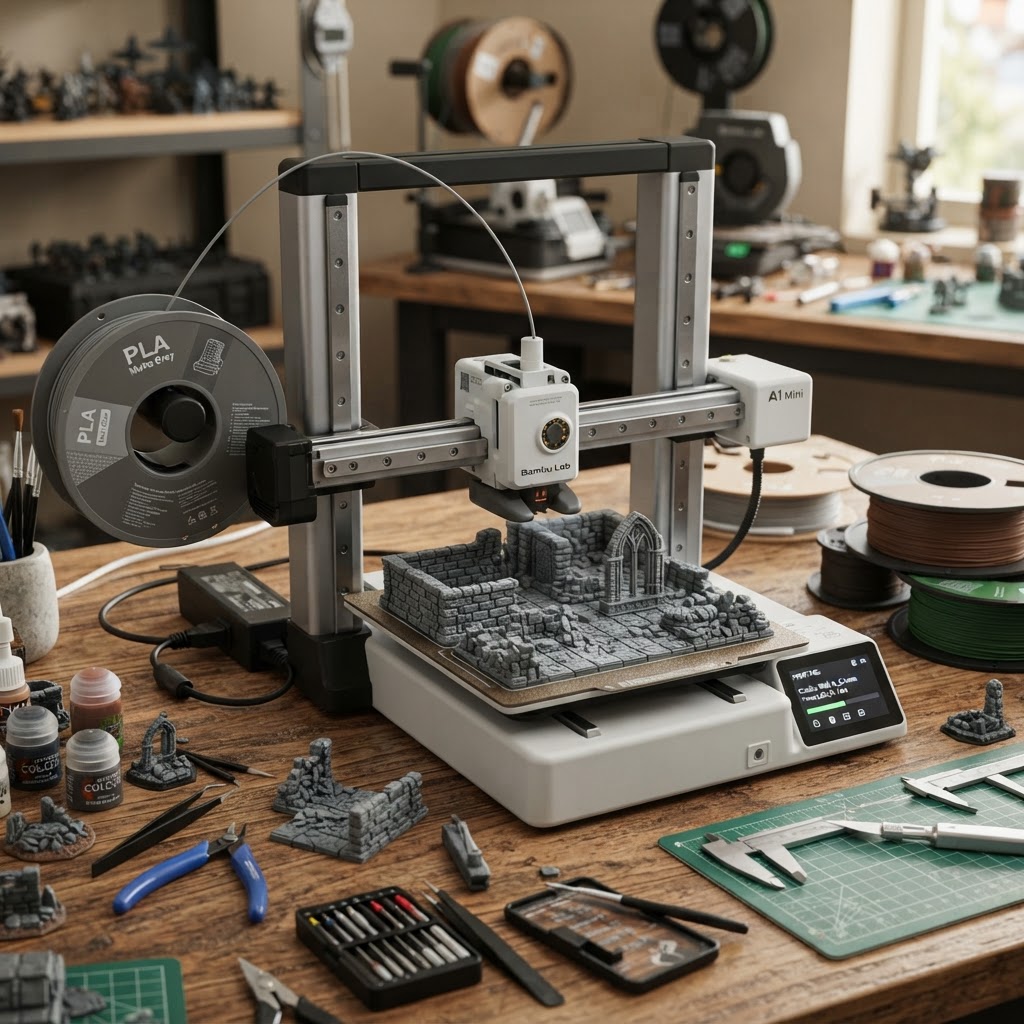
- FDM alternative for terrain, buildings, and zero-resin handling: Bambu Lab A1 Mini — Compact bedslinger that excels at printing tabletop terrain, structures, and bases without chemical post-processing when paired with a 0.2 mm nozzle.
Compare the printers at a glance
The table below compares the 5 selected miniature 3D printers across printing technology, build volume, detail-related specifications, and price class.
| Printer | Technology | Best For | Build Volume | Detail Spec | Price Class |
|---|---|---|---|---|---|
| Elegoo Mars 4 Ultra | Resin (MSLA 9K) | Accessible first resin printer for sharp character details | 153.36 × 77.76 × 165 mm | Under $300 class | |
| Anycubic Photon Mono M7 | Resin (MSLA 14K) | Automated high-speed batch miniature production | 223 × 126 × 230 mm | $300–$500 class | |
| Phrozen Sonic Mighty Revo MAX | Resin (MSLA 16K) | Large display models & full-army batch printing | 302.4 × 161.98 × 300 mm | $1,000+ prosumer class | |
| Uniformation GKTwo 8K | Resin (MSLA 8K) | Premium workflow with built-in vat heating & flip hood | 228 × 128 × 245 mm | $700–$1,000 class | |
| Bambu Lab A1 Mini | FDM (Open Bedslinger) | Tabletop terrain, structures, and zero-resin printing | 180 × 180 × 180 mm | Under $300 class |
Price classes are approximate and descriptive — not temporary sale prices. Confirm current pricing and regional availability with the manufacturer. Working areas are approximate and drawn from manufacturer documentation.
How we evaluated these printers
Digital Workshop Guide evaluates equipment using a transparent, research-driven methodology. We do not claim to have personally tested or owned these machines. Our conclusions are based on:
- Verified manufacturer optical specifications (screen resolution, physical screen size, XY pixel size in microns)
- Light engine uniformity and optical collimation systems (Fresnel lenses, ParaLED, COB light matrices)
- Leveling accuracy, Z-axis linear rail rigidity, and lead screw pitch consistency
- Thermal management features (built-in chamber heaters, heated resin vats, and temperature monitoring)
- Vat design, release film system (nFEP/PFA, ACF, tilt-release mechanics, and quick-swap frames)
- Software ecosystem compatibility (ChituBox, Lychee Slicer, Voxeldance, PrusaSlicer, Bambu Studio)
- Workspace requirements, ventilation, washing/curing consumables, and replacement parts availability
- Approximate market price class rather than temporary promotional sales
Learn more about our independent research process in our Editorial Policy.
Product Profiles
Each profile below covers why the machine belongs in this guide, its miniature-printing strengths, verified specs, workflow considerations, and who should consider a different model.
Under $300 class
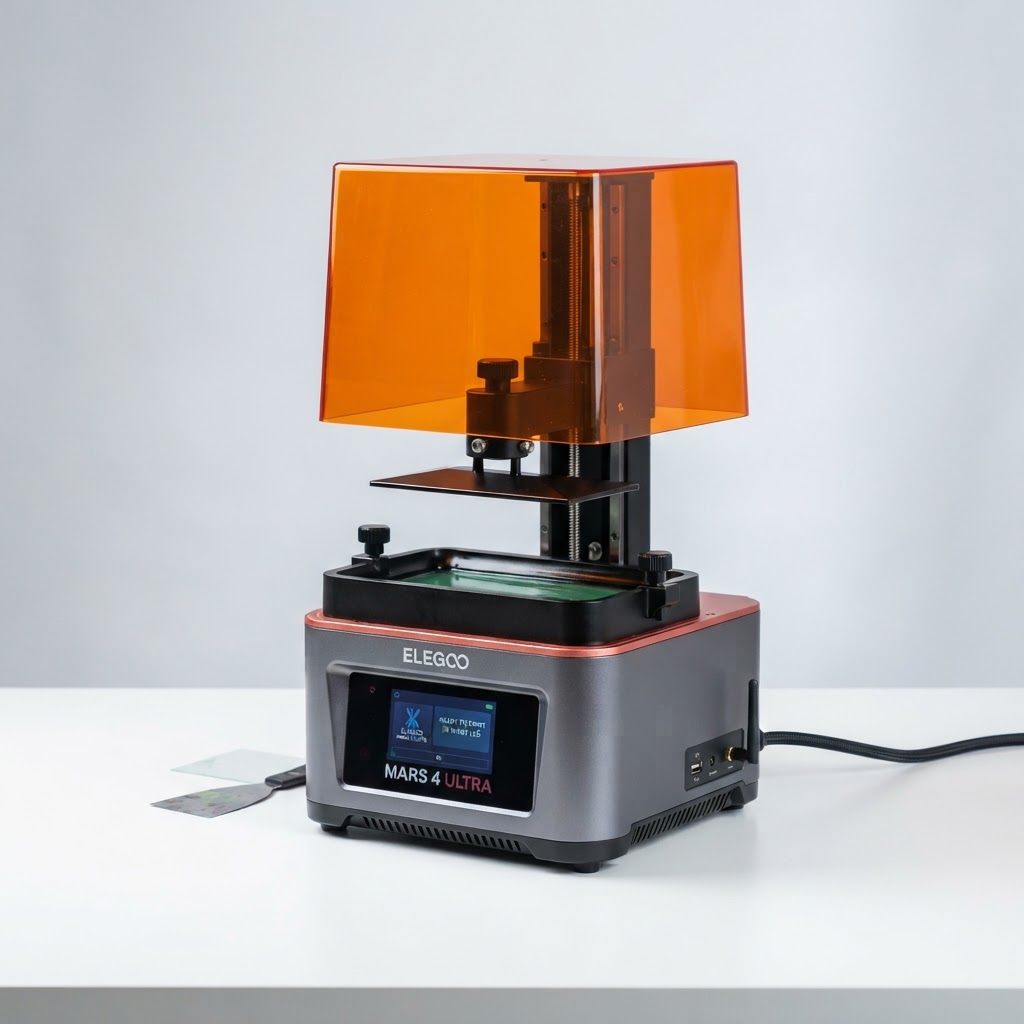
Elegoo Mars 4 Ultra
- Laser
- Resin (MSLA 9K)
- Power
- Enclosed UV Vat
- Work area
- 153.36 × 77.76 × 165 mm (~6.0 × 3.0 × 6.5 in)
Best suited for
Beginners and hobbyists who want sharp 28mm–32mm character miniatures at an affordable price point.
The Mars 4 Ultra packs a 7-inch 9K monochrome LCD (8520 × 4320) into a compact desktop frame. Its 18 × 24 micron XY resolution produces crisp facial features, chainmail textures, and sharp weapon edges, while COB light collimation ensures uniform exposure across the bed.
$300–$500 class
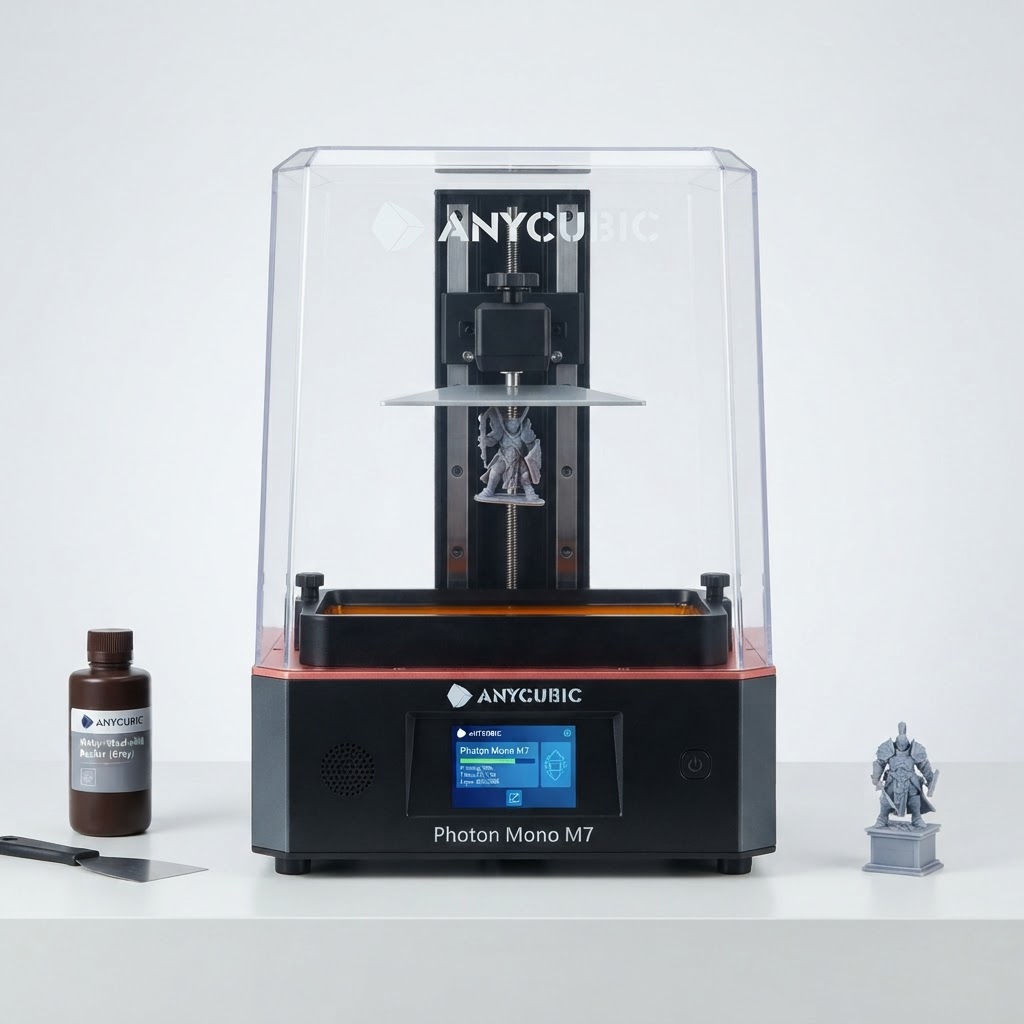
Anycubic Photon Mono M7
- Laser
- Resin (MSLA 14K)
- Power
- Enclosed UV Vat
- Work area
- 223 × 126 × 230 mm (~8.7 × 4.9 × 9.0 in)
Best suited for
Enthusiasts and tabletop gamers who print multiple squads or miniature batches and want fast print cycles.
The Photon Mono M7 features a 10.1-inch 14K monochrome LCD (13320 × 5120) with a 16.8 × 24.8 micron XY resolution. Combined with LighTurbo 3.0 optical engine and dynamic off-light timing algorithms, it accelerates print speeds up to 130 mm/hr with high-speed resin while maintaining fine detail.
$1,000+ prosumer class
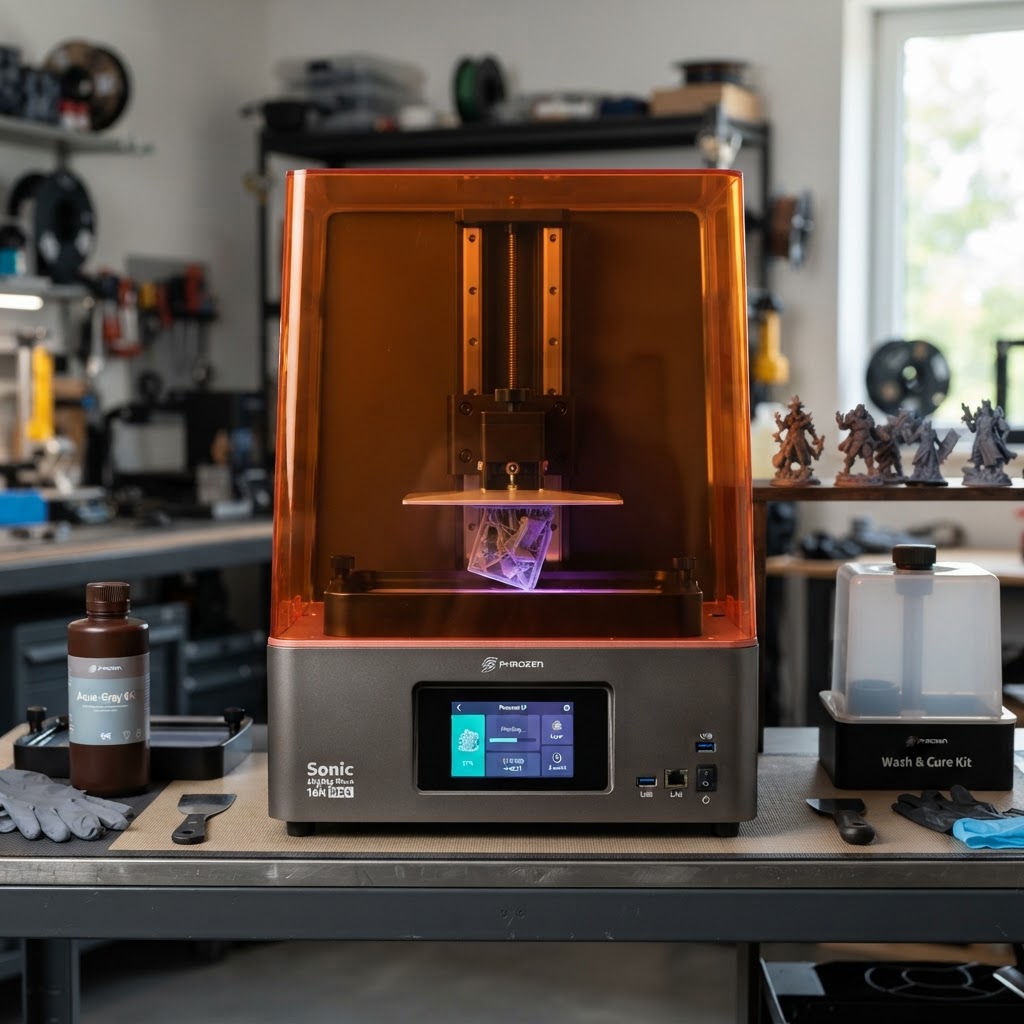
Phrozen Sonic Mighty Revo 16K MAX
- Laser
- Resin (MSLA 16K)
- Power
- Enclosed UV Vat
- Work area
- 302.4 × 161.98 × 300 mm (~11.9 × 6.3 × 11.8 in)
Best suited for
Prosumers, miniature studios, and display painters who print huge monster models or full armies without splitting parts.
The Sonic Mighty Revo MAX features a massive 14-inch 16K screen (15104 × 6230) and an expansive 302.4 × 161.98 × 300 mm build envelope. With a dual-fan chamber heater, 2L resin vat, tool-free quick-release film frame, and pressure-sensing auto leveling, it solves the pain points of large-format resin printing.
$700–$1,000 class
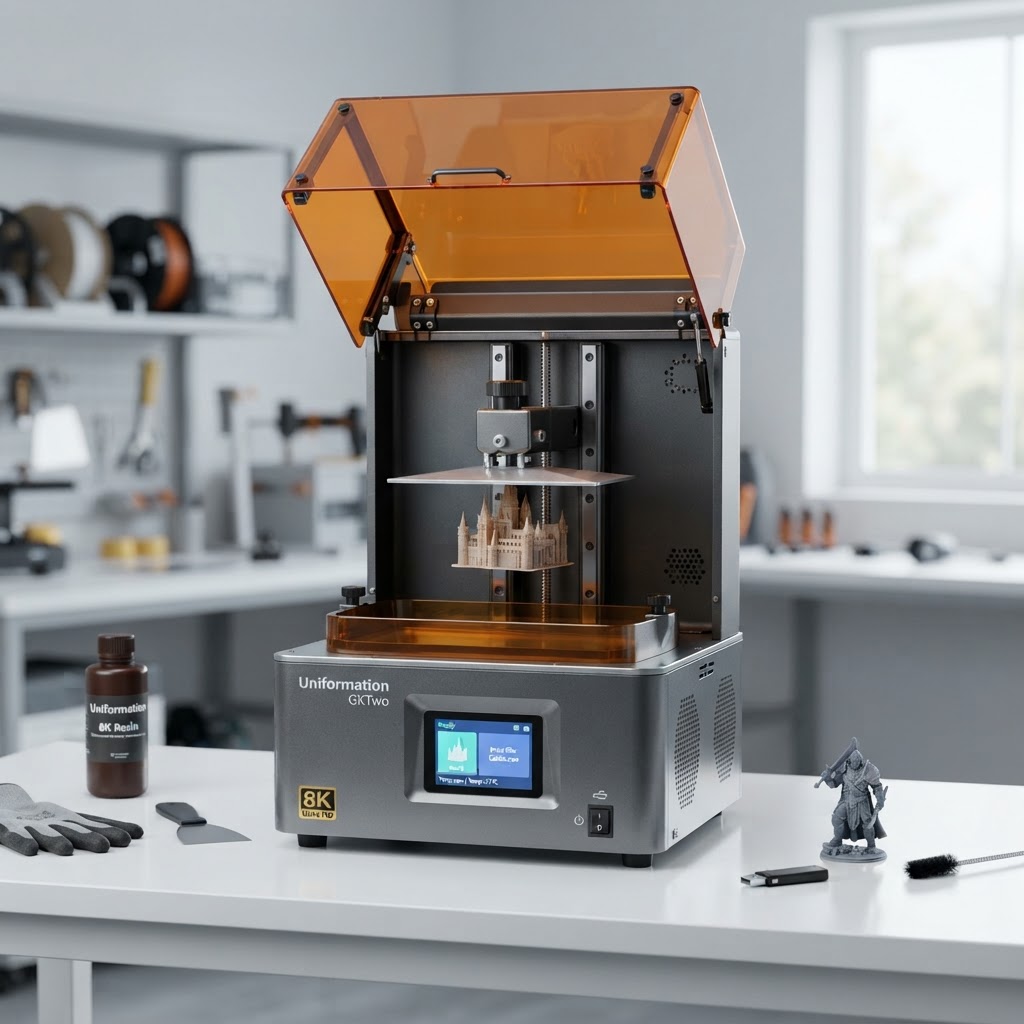
Uniformation GKTwo 8K
- Laser
- Resin (MSLA 8K)
- Power
- Enclosed UV Vat
- Work area
- 228 × 128 × 245 mm (~9.0 × 5.0 × 9.6 in)
Best suited for
Miniature painters and modelers who value a clean, ergonomic, temperature-controlled workflow with zero hassle.
The Uniformation GKTwo 8K is widely praised in the tabletop community for its painter-first engineering. It combines a 10.3-inch 8K screen (29 μm XY resolution) with a built-in 150W PTC matrix heater, a quick-release slide-in build plate, a rear charcoal air purifier, and a vertical flip-up cover.
Under $300 class
Bambu Lab A1 Mini
- Laser
- FDM (Open Bedslinger)
- Power
- Open Frame
- Work area
- 180 × 180 × 180 mm (~7.1 in cube)
Best suited for
Gamers and Dungeon Masters who want to print buildings, dungeon terrain, bases, and gaming accessories without handling liquid resin.
While resin rules character miniatures, the Bambu Lab A1 Mini is the top choice for tabletop terrain and scenery. When equipped with an optional 0.2 mm stainless steel nozzle, it produces remarkably clean 0.06 mm layers for dungeon walls, furniture, and scatter terrain—completely free of liquid chemicals, alcohol washing, or UV curing.
Resin vs FDM for Miniatures: Which Technology Belongs in Your Workshop?
The debate between resin (MSLA/LCD) and FDM (filament) printing comes down to the physical geometry of what you want to make and your willingness to manage liquid chemical post-processing.
Resin printers use UV light to instantly cure thin liquid photopolymer layers (typically 0.02 mm to 0.05 mm thick). Because the UV screen exposes entire layers at once through microscopic LCD pixels (16 to 30 microns wide), resin captures tiny details that plastic filament nozzles physically cannot recreate: skin pores, iris indents on 28mm faces, woven cloth textures, delicate sword blades, and crisp armor filigree.
FDM printers melt plastic filament through a heated nozzle (typically 0.4 mm standard, or 0.2 mm fine). FDM excels at larger geometric shapes, structural strength, low material cost, and zero chemical handling. FDM is the ideal choice for printing modular dungeon tiles, castle ruins, tavern furniture, terrain hills, dragon perches, and storage trays.
If your primary goal is printing detailed 28mm–32mm player characters, monsters, and display busts, resin is the clear choice. If your goal is filling a gaming table with 3D buildings, ruins, and terrain tiles, an FDM printer like the Bambu Lab A1 Mini is far more practical. For a comprehensive comparison of how these two technologies work, read our dedicated FDM vs Resin 3D Printing guide.
What Actually Determines Miniature Quality? (Beyond the 'K' Marketing Numbers)
Printer manufacturers heavily market display screen pixel counts—advertising 8K, 9K, 12K, 14K, and 16K screens. However, a higher 'K' rating does not automatically mean a printer produces sharper miniatures.
Miniature crispness is governed by physical XY pixel size, measured in microns (μm). XY pixel size is calculated by dividing the physical width of the LCD screen by its horizontal pixel count. A 7-inch 9K screen actually has a smaller pixel size (18 microns) than a 15-inch 16K screen (20 microns). Any XY pixel size between 18 and 30 microns is capable of rendering details finer than the human eye can distinguish on a painted 28mm figure.
Beyond pixel size, several critical real-world factors determine your final print quality:
1. Light Collimation: How parallel the UV light travels through the LCD screen. Lenses like COB light matrices and Fresnel collimators prevent light bleed, keeping edges sharp.
2. Resin Formulation: Standard resins can shrink or blur details. High-resolution or 8K/14K resins contain finer pigments and lower light diffusion for crisper edges.
3. Exposure Calibration: Over-exposing by even 0.2 seconds causes details to swell and fill in fine crevices; under-exposing causes thin supports and fingers to fail.
4. Print Orientation & Supports: Angling a miniature 30° to 45° reduces cross-sectional peel force and hides support marks on the rear or underside of the model.
5. Model Sculpting Quality: A printer can only reproduce the digital file. Digital sculpts created specifically for 3D printing (with exaggerated features and sturdy weapons) print far better than raw video game assets.
The Real Resin Workflow: Workspace, Washing, Curing, and Safety
Unlike FDM printers that produce finished, dry plastic parts right off the build bed, resin printing is a multi-step liquid chemical process. Understanding what happens after the print finishes is vital before buying your first machine.
Step 1: Printing & Draining. Liquid photopolymer resin remains in the vat during printing. Once complete, the build plate must be tilted to drain excess liquid resin back into the tank.
Step 2: Washing. The uncured model is covered in sticky liquid resin. It must be washed in 99% Isopropyl Alcohol (IPA) or a dedicated manufacturer washing station (like the Elegoo Mercury or Anycubic Wash & Cure) for 3–5 minutes to dissolve uncured surface resin.
Step 3: Support Removal. Supports are best removed after washing but BEFORE final UV curing, while the resin remains slightly pliable. Immersing the washed model in warm water softens support tips, allowing them to snap off cleanly without leaving deep pit marks.
Step 4: Final UV Curing. The washed, dried model is placed in a 405nm UV curing station for 2–5 minutes. UV light fully polymerizes the resin, bringing the model to its final hardness and strength.
Workspace & Safety Requirements: Liquid resin and IPA fumes require a well-ventilated room, garage, or dedicated workshop exhaust fan. Always wear nitrile gloves and safety glasses when handling liquid resin or uncured models. Liquid resin must never be poured down household drains; uncured waste must be exposed to sunlight to solidify before disposal.
The Real Cost Beyond the Printer: Consumables & Equipment
When budgeting for miniature printing, the purchase price of the 3D printer is only part of the initial investment. Budgeting for essential post-processing equipment and consumables prevents unpleasant surprises.
Key additional startup costs include:
• Photopolymer Resin: Standard or ABS-like resins cost $20 to $35 per 1 kg bottle. Specialty high-speed or water-washable resins cost $30 to $45 per kg.
• Wash & Cure Station: An all-in-one washing bucket and UV curing station (such as the Elegoo Mercury Plus or Anycubic Wash & Cure 3) costs $90 to $150 and is strongly recommended over manual bucket washing.
• Isopropyl Alcohol (IPA): 99% IPA costs roughly $25–$35 per gallon. A wash bucket requires 4–6 liters, which must be refreshed periodically.
• Personal Protective Equipment (PPE): Nitrile gloves (100-pack), safety goggles, silicone mats, and paper towels run $30–$50 for initial supplies.
• Replacement Release Films: Replacement FEP, nFEP, or ACF vat release films cost $15 to $35 for a multi-pack and must be replaced after several months or after an accidental puncture.
To understand long-term power consumption, filament costs, and total cost of ownership across all workshop tools, explore our detailed 3D Printer Cost Guide.
Which Should You Choose?
Use this practical decision framework to choose the machine that aligns with your miniature projects, workspace, and willingness to manage chemical post-processing:
- If you're buying your very first resin printer for 28mm character minis... Choose a compact, high-pixel-density machine like the Elegoo Mars 4 Ultra. It delivers 18-micron detail at a low price point, letting you learn liquid handling without a massive upfront investment.
- If you regularly print entire armies, squads, or high-volume batches... Choose a mid-to-large high-speed printer like the Anycubic Photon Mono M7. Its 10.1-inch 14K screen holds 12–15 figures per batch with fast layer cycles.
- If you print huge centerpiece display monsters or 1/6 scale statues... Choose a large-format flagship like the Phrozen Sonic Mighty Revo MAX. Its 14-inch 16K bed and 300mm Z-height fit massive dragon wings without slicing models into dozens of seams.
- If your workshop is in an unheated basement or cold climate... Choose a machine with active built-in chamber or vat heating, such as the Uniformation GKTwo 8K or Phrozen Sonic Mighty Revo MAX. Heated resin flows properly and prevents cold-weather print failures.
- If you primarily print buildings, dungeon tiles, terrain, or want zero chemical handling... Choose a compact FDM printer like the Bambu Lab A1 Mini with a 0.2 mm fine hotend nozzle. It produces clean terrain tiles and structures with dry, inexpensive PLA filament and zero liquid resin hassle.
Keep Reading
- Best 3D Printers: Broad Commercial Buying Guide
- Best 3D Printers for Beginners
- FDM vs Resin 3D Printing: Complete Technology Guide
- 3D Printer Cost Guide: Real Initial & Ongoing Expenses
- Digital Workshop Guide Editorial Policy
- Affiliate Disclosure
Additional specialized buying guides—such as Best 3D Printers for Schools, 3D Printer Accessories, and Are 3D Printers Worth It?—are currently in research and will activate once published.