Buying Guide
Best 3D Printers for Schools & Classrooms: What Educators Should Consider
Classroom 3D printers must balance reliability, safety, enclosure design, software workflow, and multi-user access. Compare top choices for K-12 classrooms, STEM programs, and libraries.
Digital Workshop Guide may earn a commission if you purchase through certain links on this page, at no additional cost to you. Affiliate relationships do not determine our factual conclusions or recommendations. Read the full Affiliate Disclosure.
Bringing 3D printers into a school, library, or STEM lab turns abstract computer models into tangible, hands-on learning. But choosing a 3D printer for a classroom involves very different priorities than buying a machine for a personal home workshop.
In a classroom, a teacher may have 45 minutes to guide 25 students through a design lesson. A failed print or a complicated manual leveling process doesn't just waste filament — it wastes precious instructional time. Educators need equipment that is exceptionally reliable, safe around students, easy to maintain, and compatible with school software and IT policies.
This guide compares five current 3D printers across distinct classroom scenarios. Digital Workshop Guide has not personally tested, owned, or measured these printers. Assessments are based on manufacturer specifications, documented capabilities, material compatibility, software ecosystems, and clearly identified third-party information. See our Editorial Policy for details on how we evaluate equipment.
Quick Recommendations for Schools
Before the detailed comparison, here is a quick way to orient. Match what you plan to make to the machine category that suits it:
- Best fit for most classrooms and STEM labs: Look at the Bambu Lab P1S. It is fully enclosed, auto-levels, supports optional multi-color, and has a high print success rate that reduces teacher troubleshooting.
- Best fit for open, repairable, local-software workflows: Consider the Prusa MK4S. Prusa emphasizes open-source hardware, 100% local slicing with no cloud account required, long-term parts availability, and proven reliability.
- Best fit for a premium dedicated education ecosystem: Look at the UltiMaker platform (Method / S series). It offers dual-extrusion, heated enclosures, air filtration, and IT-grade fleet management software.
- Best fit for a budget enclosed classroom printer: Consider the FlashForge Adventurer 5M Pro. It is fully enclosed with HEPA air filtration, quick-swap nozzles, and an accessible price point for schools.
- Best fit for larger high-school engineering parts on a budget: Look at the Creality Ender-3 V3 Plus. Its large 300 × 300 × 330 mm build volume suits robotics and engineering projects at a low cost per build volume.
Compare the machines at a glance
The table below summarizes the 5 machines by laser type, best-fit use, working area, and approximate price class. Use it to narrow the field, then read the individual profiles for the trade-offs that matter to your work.
| Printer | Best Suited For | Build Volume | Enclosed? | Price Class |
|---|---|---|---|---|
| Bambu Lab P1S | FDM | Most classrooms & STEM labs | 256 × 256 × 256 mm | $500–$1,000 class |
| Prusa MK4S | FDM | Open repairability & local software | 250 × 210 × 220 mm | $800–$1,200 class |
| UltiMaker Method / S series | FDM | Premium CTE & engineering programs | Varies by model | $2,500+ premium class |
| FlashForge Adventurer 5M Pro | FDM | Budget enclosed classroom printer | 220 × 220 × 220 mm | $400–$600 class |
| Creality Ender-3 V3 Plus | FDM | Larger high-school engineering parts | 300 × 300 × 330 mm | $400–$550 class |
Price classes are approximate and descriptive — not temporary sale prices. Confirm current pricing and regional availability with the manufacturer. Working areas are approximate and drawn from manufacturer documentation.
How we evaluated these machines
Digital Workshop Guide has not personally tested these machines. We have not owned, operated, measured, or reviewed them hands-on, and we do not claim to. This comparison is a research-based assessment, not a hands-on test. It is based on:
- Manufacturer-published specifications (build volume, enclosure, bed leveling, nozzle system)
- Documented classroom-relevant capabilities (enclosure, air filtration, multi-user workflow)
- Software and ecosystem integration (local vs cloud slicing, account requirements, fleet management)
- Safety and supervision considerations (enclosed hot components, noise, ventilation)
- Maintenance, documentation, and long-term replacement-parts availability
- Price positioning, described as an approximate class rather than temporary promotional sales
Where we reference third-party information, we identify it as such. See our Editorial Policy for how we approach research and publishing.
The machines, in detail
Each profile below opens with a quick scan — what the machine is best suited for, its laser type and work area, a short assessment, and a link to the manufacturer. Select View full details on any machine to expand its full specifications, considerations, and trade-offs. You can keep several open at once to compare.
$500–$1,000 class
Bambu Lab P1S
- Laser
- FDM (CoreXY)
- Power
- Enclosed
- Work area
- 256 × 256 × 256 mm (10 × 10 × 10 in)

Best suited for
High-success classroom printing, STEM labs, and multi-color student projects
The Bambu Lab P1S has become a leading choice for K-12 STEM labs and university makerspaces because of its high print success rate, full enclosure, and hands-off automatic calibration. The optional AMS system enables students to print multi-color models without complex manual filament swaps during class time.
$800–$1,200 class
Prusa MK4S
- Laser
- FDM (Bedslinger)
- Power
- Open (optional enclosure)
- Work area
- 250 × 210 × 220 mm (9.8 × 8.3 × 8.6 in)

Best suited for
Schools prioritizing long-term durability, open-source repairability, and local privacy
Prusa Research printers have a long track record in educational institutions. The MK4S uses a load-cell sensor that eliminates manual first-layer adjustment, and its 100% local PrusaSlicer workflow complies with strict school IT and student-privacy mandates without needing cloud accounts or Internet access.
$2,500+ premium class
UltiMaker Method / S Series
- Laser
- FDM (Dual-extrusion)
- Power
- Enclosed (heated chamber)
- Work area
- Varies by model (e.g. Method X ~190 × 190 × 196 mm)

Best suited for
High school engineering, CTE programs, and university makerspaces requiring industrial materials
For CTE, high-school engineering academies, and university robotics labs, UltiMaker provides an enterprise-grade 3D printing ecosystem. Dual-extrusion lets students print complex mechanical assemblies using water-soluble support material, while UltiMaker Cura Enterprise meets corporate and educational IT security standards.
$400–$600 class
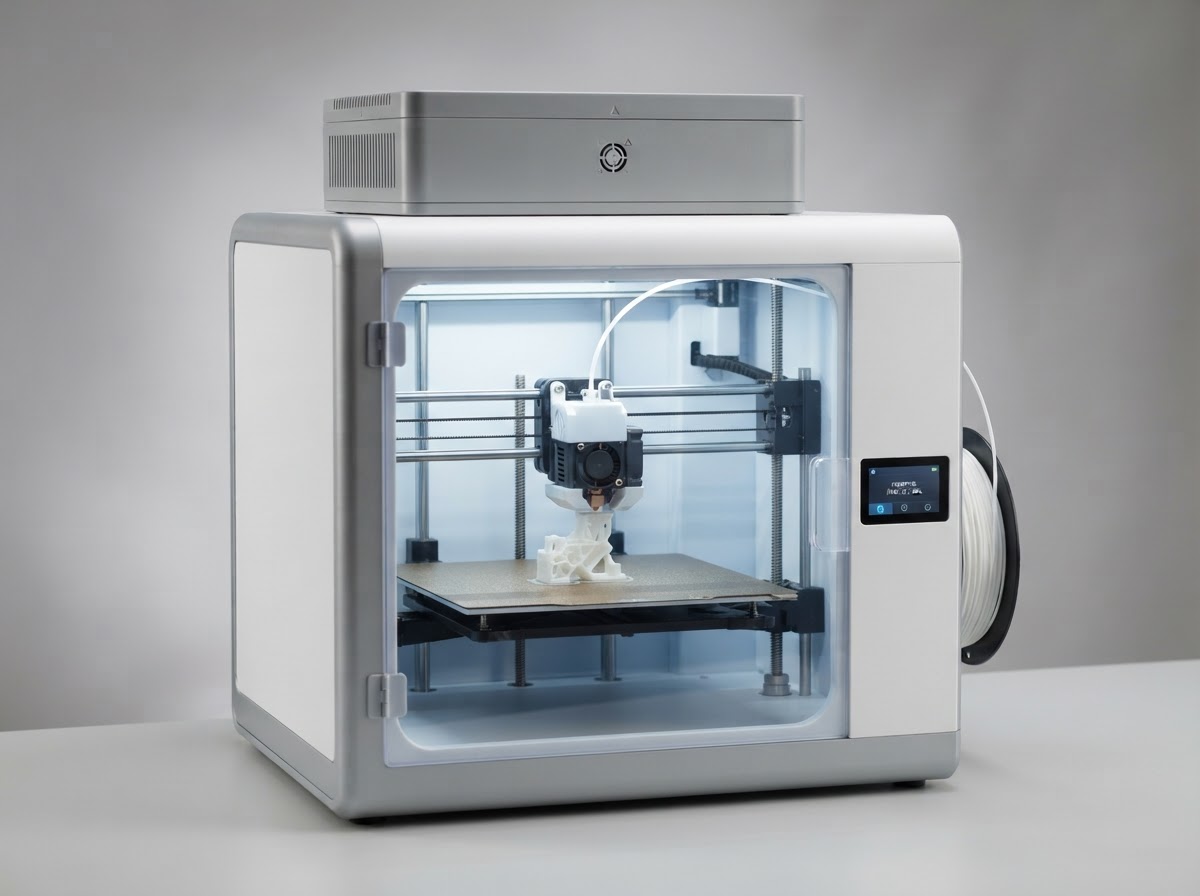
FlashForge Adventurer 5M Pro
- Laser
- FDM (CoreXY)
- Power
- Enclosed
- Work area
- 220 × 220 × 220 mm (8.7 × 8.7 × 8.7 in)
Best suited for
Budget-conscious classrooms needing an enclosed, filtered, easy-to-maintain printer
The FlashForge Adventurer 5M Pro offers a fully enclosed CoreXY design with a built-in HEPA air filter and quick-swap nozzles at a price schools can justify for a first classroom machine. Its enclosed chamber and auto-leveling reduce both safety concerns and teacher setup time.
$400–$550 class
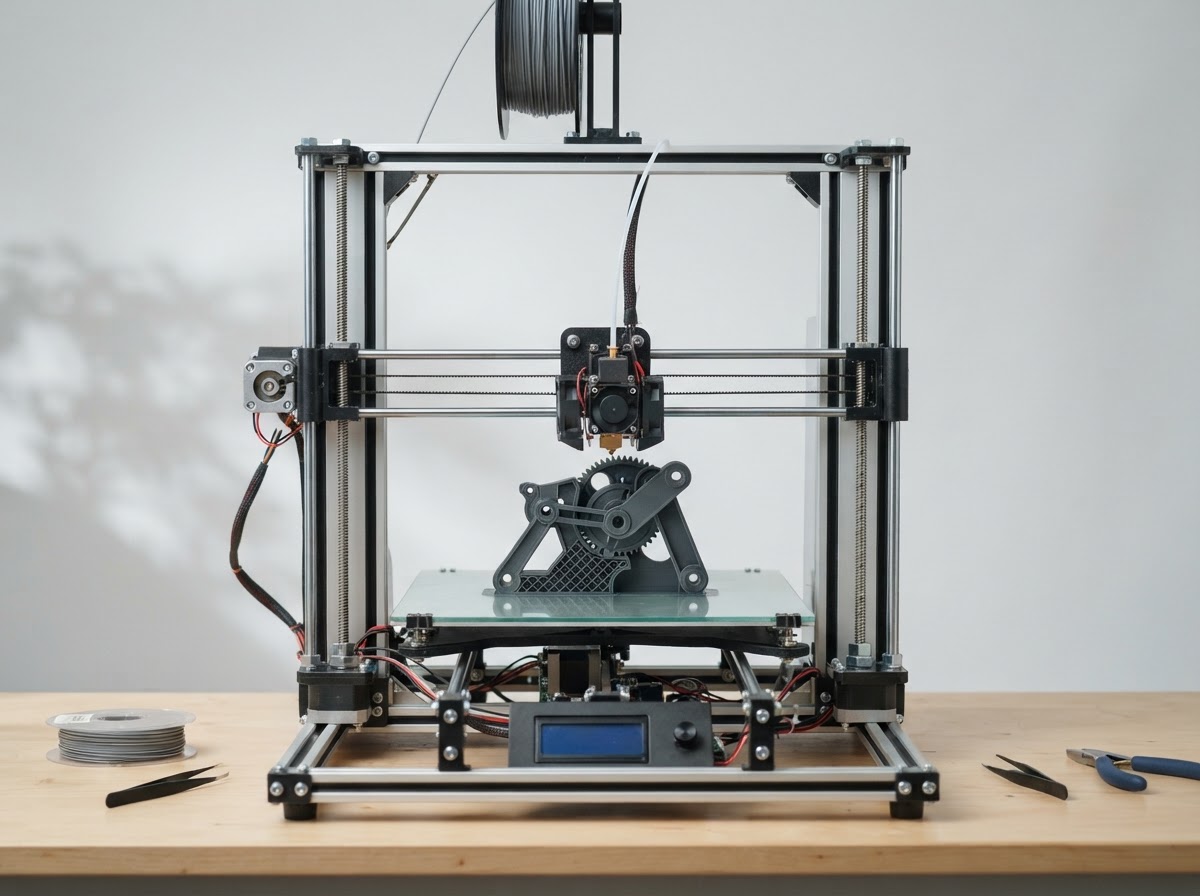
Creality Ender-3 V3 Plus
- Laser
- FDM (CoreXZ)
- Power
- Open-frame
- Work area
- 300 × 300 × 330 mm (11.8 × 11.8 × 13 in)
Best suited for
High school STEM, robotics, and CTE classes needing large build volume on a modest budget
When high-school robotics teams or engineering classes need to print larger structural parts without spending thousands of dollars, the Creality Ender-3 V3 Plus offers an expansive 300 × 300 × 330 mm build volume. Its updated CoreXZ motion system provides high speeds while remaining accessible for student maintenance learning.
FDM vs Resin in Schools
For general K-12 classroom use, FDM (filament) printers are strongly recommended over resin (MSLA/SLA) printers. PLA filament is clean, solid, easy for students to handle, and requires no liquid chemicals, alcohol wash baths, or UV curing stations.
Resin printers can produce extraordinary detail, but they introduce liquid-chemical handling, nitrile gloves, flammable wash solvents, UV curing, and hazardous-waste disposal — requirements that rarely fit an unsupervised K-12 classroom. Resin may only make sense in specialized college-level jewelry, dental, or fine-arts programs equipped with industrial ventilation and strict safety protocols.
For a deeper look at the two technologies, see our FDM vs Resin 3D Printing comparison.
- FDM in schools: Clean PLA handling, no liquid chemicals, durable structural models, and minimal post-processing — ideal for student engineering, robotics, and design projects.
- Resin in schools: Requires gloves, ventilation, alcohol washing, UV curing, and chemical waste disposal. Generally limited to supervised specialized programs, not general classrooms.
What Can Students Make?
Classroom 3D printers support a wide range of educational projects. The right printer characteristics depend on the kinds of objects students will produce.
- Engineering prototypes: Functional brackets, mounts, and mechanisms for robotics, physics, and design challenges.
- Geometric & science models: Tangible models of molecules, cells, topographic maps, and mathematical surfaces.
- Historical & architectural reproductions: Scale buildings, artifacts, and historical objects that make abstract subjects physical.
- Robotics & electronics components: Custom enclosures, sensor mounts, and structural parts for FIRST Robotics and CTE programs.
- Art & design projects: Sculptural forms, jewelry prototypes, and student-designed decorative objects.
The Real Cost of a School 3D Printer
The printer purchase price is only part of a school's budget. Plan for the consumables and accessories that keep a classroom printer running through a full term.
- Filament: PLA is the standard educational material. Budget for multiple spools per term across several student projects.
- Spare build plates & nozzles: Extra plates let one group print while another is cleaned; spare nozzles reduce downtime.
- Maintenance parts: Belts, fans, and extruder components wear over time, especially in high-use labs.
- Storage & drying: Filament storage and optional dry boxes keep material usable between terms.
- Staff time & training: Teacher familiarity with the slicer and machine is often the largest hidden cost — choose a workflow your staff can sustain.
Software and School IT
Software and IT considerations can make or break a classroom 3D printer. Before purchasing, ask whether the printer requires an account, whether slicing can run locally, whether cloud connectivity is mandatory, and whether students need their own logins.
PrusaSlicer runs 100% locally with no account or Internet access, which suits the strictest school IT and student-privacy policies. Bambu Studio supports a LAN-only mode for restricted networks. UltiMaker Cura Enterprise offers IT-approved deployment and fleet management.
Chromebook-only classrooms can use web-based CAD tools like Tinkercad, with a teacher slicing and sending files from a classroom PC. Confirm operating-system support and any network restrictions with your IT department before committing to a printer.
Enclosed vs Open-Frame in the Classroom
Enclosed printers keep hot nozzles and moving axes behind panels, reduce operating noise during lessons, and often include air filtration — strong advantages for elementary and middle-school classrooms and shared libraries.
Open-frame printers cost less and let students see the mechanical drive components, which can be valuable in high-school engineering labs with older, supervised students. They require more careful placement and active supervision around younger students.
There is no universal rule. Environment, student age, materials, placement, supervision policies, and manufacturer guidance all determine which design fits your classroom.
Which Printer Should Your School Choose?
Match the printer to your environment rather than chasing the largest specifications.
If this is a teacher's first 3D printer, an enclosed auto-leveling machine like the Bambu Lab P1S or FlashForge Adventurer 5M Pro minimizes troubleshooting. If your school demands open-source repairability and 100% local software, the Prusa MK4S is the strongest fit. If you run a CTE or engineering program needing industrial materials and dual-extrusion, look at the UltiMaker platform. If you need large parts on a budget for supervised high-school use, the Creality Ender-3 V3 Plus offers exceptional build volume for the price.
For high print volume across many students, two or three dependable machines are usually more effective than one expensive machine — multiple printers let several student groups print simultaneously and provide redundancy when one needs maintenance.
Keep reading
- 3D Printing Topic Hub
- Best 3D Printers: How to Choose
- 3D Printers for Beginners
- FDM vs Resin 3D Printing
- How Much Does a 3D Printer Cost?
More laser guides are being researched — including Best 3D printers for miniatures and 3D printer accessories. We publish researched content deliberately rather than as thin placeholder pages, so those links activate only when each article is complete.