Buying Guide
Best CNC Routers for Aluminum: What to Look For Before You Buy
Which current desktop and small-workshop CNC routers are legitimately capable of machining aluminum? Compare models by frame rigidity, spindle options, work area, manufacturer-documented capability, and price.
Digital Workshop Guide may earn a commission if you purchase through certain links on this page, at no additional cost to you. Affiliate relationships do not determine our factual conclusions or recommendations. Read the full Affiliate Disclosure.
Machining aluminum on a CNC router is entirely practical, but aluminum places fundamentally different demands on a machine than woodworking. While wood forgives minor frame flex and light vibration, aluminum responds to chatter with broken bits, poor surface finish, lost steps, or stalled spindles. Understanding what makes a desktop or small-workshop CNC router genuinely capable of machining aluminum prevents buying a machine that struggles with metal work or overspending on industrial capacity you do not need.
The central distinction is between machines where aluminum machining is an explicitly supported, engineered capability and machines where cutting soft metal is merely possible under delicate, highly constrained conditions. Frame rigidity, linear guides, ballscrews, spindle torque, collet options, workholding, and chip evacuation dictate how effectively a machine cuts non-ferrous metal in everyday shop use.
In this guide, we evaluate current desktop and small-workshop CNC routers with manufacturer-documented aluminum capability. We explain what specifications actually matter for metal cutting, compare top candidate machines across price tiers, and discuss the essential tooling, software, and safety practices required for successful aluminum routing.
Digital Workshop Guide has not personally tested, owned, or operated these machines. Our evaluations are based on current official manufacturer documentation, published technical specifications, documented structural design, verified software support, and clearly identified third-party demonstrations. See our Editorial Policy for how we evaluate workshop technology without fake testing claims.
Quick decision: matching machine capability to your aluminum work
Before the detailed comparison, here is a quick way to orient. Match what you plan to make to the machine category that suits it:
- Heavy-duty aluminum machining, precision metal parts, and production prototyping: Investigate heavy-duty benchtop systems built with ballscrews, linear bearings, heavy-walled extrusions, and water-cooled 80mm spindles. High rigidity and torque minimize chatter during deeper cuts.
- Versatile workshop routing: large wood projects plus regular aluminum panels or brackets: Consider linear-rail / heavy-rail desktop routers with generous work areas and rigid Z-sliders. Ensure the spindle configuration provides adequate low-RPM torque and proper collet options for end mills.
- Compact desktop aluminum prototyping, small brackets, enclosures, and plates: Look at all-aluminum desktop mini-mills or linear-guide desktop routers designed for small metal workholding. A compact work area keeps frame flex to a minimum while maintaining tight tolerances.
- Budget-conscious learning and light non-ferrous metal engraving: Select an all-metal-frame desktop router with linear rails, lead screws or ballscrews, and spindle upgrade capability. Expect lighter pass depths, slower feed rates, and mandatory chip clearing.
Compare the machines at a glance
The table below summarizes the 5 machines by laser type, best-fit use, working area, and approximate price class. Use it to narrow the field, then read the individual profiles for the trade-offs that matter to your work.
| Machine | Work Area | Spindle / Drive | Aluminum Support | Price Class | Best Suited For |
|---|---|---|---|---|---|
| Shapeoko HDM V3 | 1.5kW / 2.2kW VFD Spindle | Dedicated heavy-duty desktop aluminum & metal machining | 690 × 610 × 145 mm (27 × 24 × 5.7 in) | Premium $5,000+ class | |
| Onefinity Gen 2 Elite | Router / 80mm Spindle | Rigid large-format workshop routing across wood and aluminum | 32.25 × 32.25 in (Woodworker) | $2,000–$3,500 class | |
| Shapeoko 5.1 Pro | Carbide VFD Spindle / Router | Large-format sheet routing plus documented aluminum capability | 2 × 2 ft to 4 × 4 ft models | $3,000–$4,500 class | |
| FoxAlien Masuter 3S | 400W Air-Cooled Spindle | Mid-range entry into aluminum brackets, plates, and enclosures | 400 × 400 × 95 mm (15.7 × 15.7 in) | $900–$1,100 class | |
| Genmitsu 3030-PROVer Ultra | 710W Compact Router Spindle | Compact budget desktop aluminum plates, enclosures, and brackets | ~300 × 300 × 93 mm | Under $1,000 class |
Price classes are approximate and descriptive — not temporary sale prices. Confirm current pricing and regional availability with the manufacturer. Working areas are approximate and drawn from manufacturer documentation.
How we evaluated these machines
Digital Workshop Guide has not personally tested these machines. We have not owned, operated, measured, or reviewed them hands-on, and we do not claim to. This comparison is a research-based assessment, not a hands-on test. It is based on:
- Official manufacturer documentation explicitly supporting or documenting aluminum machining capability
- Structural rigidity indicators: frame construction (billet aluminum, heavy extrusions), rail type (HG linear rails vs smooth rods/belts), and drive motion (ballscrews, lead screws, heavy belts)
- Spindle and router options: wattage, RPM range, collet size (ER11/ER16/ER20), and cooling mechanism (air-cooled, water-cooled spindle with VFD)
- Usable work area and Z-axis travel relevant to stock thickness and workholding clearance
- Workholding flexibility: T-slot hybrid tables, aluminum spoilboards, and vise/clamp mounting options
- Current manufacturer warranty coverage, documentation quality, and software/controller ecosystem
- Price positioning described as an approximate class rather than temporary promotional prices
- Clearly identified third-party demonstrations and manufacturer machining guides, attributed as such
Where we reference third-party information, we identify it as such. See our Editorial Policy for how we approach research and publishing.
The machines, in detail
Each profile below opens with a quick scan — what the machine is best suited for, its laser type and work area, a short assessment, and a link to the manufacturer. Select View full details on any machine to expand its full specifications, considerations, and trade-offs. You can keep several open at once to compare.
Premium $5,000+ class
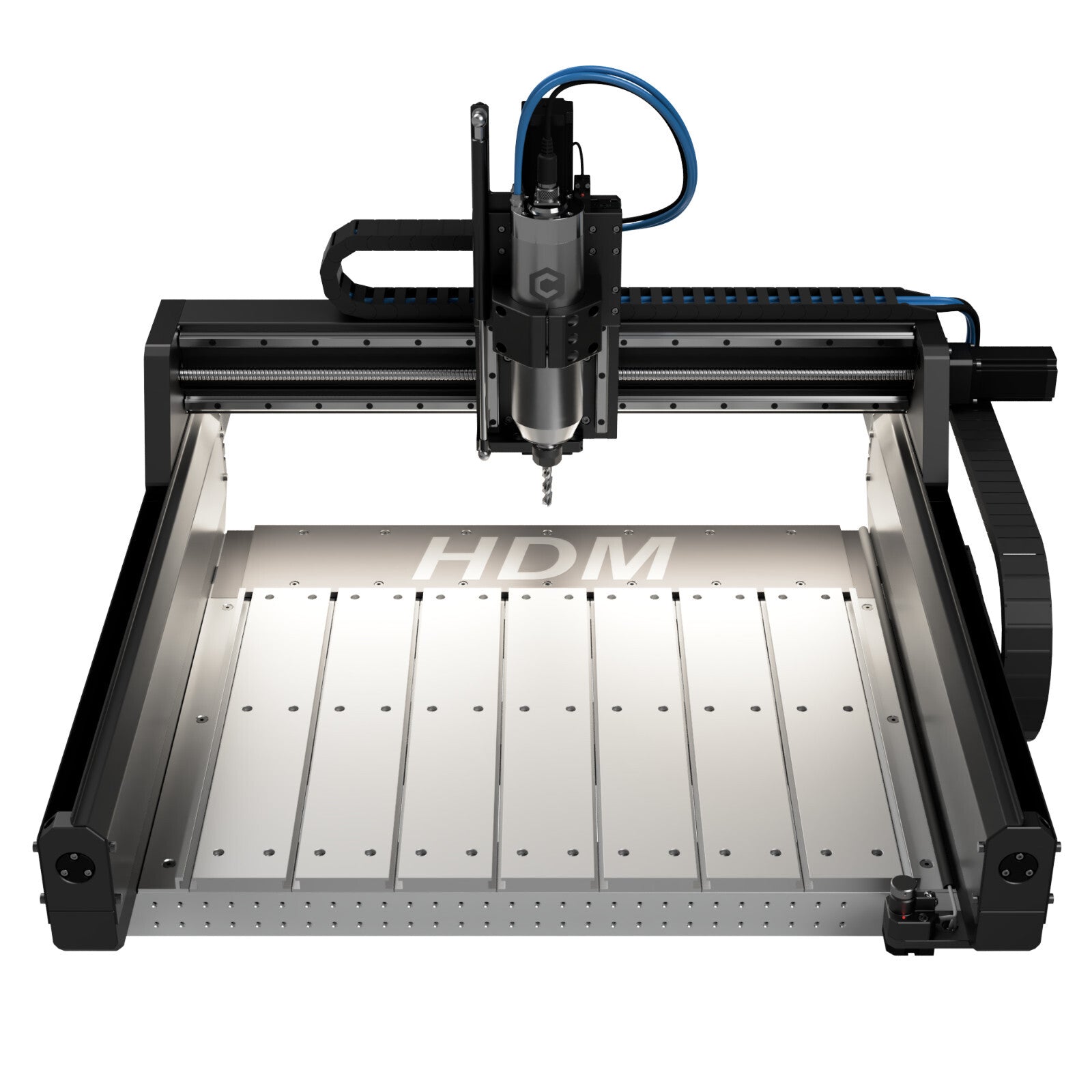
Carbide 3D Shapeoko HDM V3
- Laser
- 1.5kW (110V) or 2.2kW (220V) VFD Spindle
- Power
- 16mm Ballscrews + HG15 Linear Bearings
- Work area
- 690 × 610 × 145 mm (27.25 × 24 × 5.7 in)
Best suited for
Demanding aluminum machining, precision parts, and rapid prototyping without industrial space requirements.
The Shapeoko HDM V3 (Heavy-Duty Machine) represents Carbide 3D's most rigid CNC platform. Engineered specifically around metal cutting, it replaces belts with 16mm ballscrews and linear guide rails, powered by an 80mm water-cooled VFD spindle and closed-loop CW3000 chiller system.
$2,000–$3,500 class
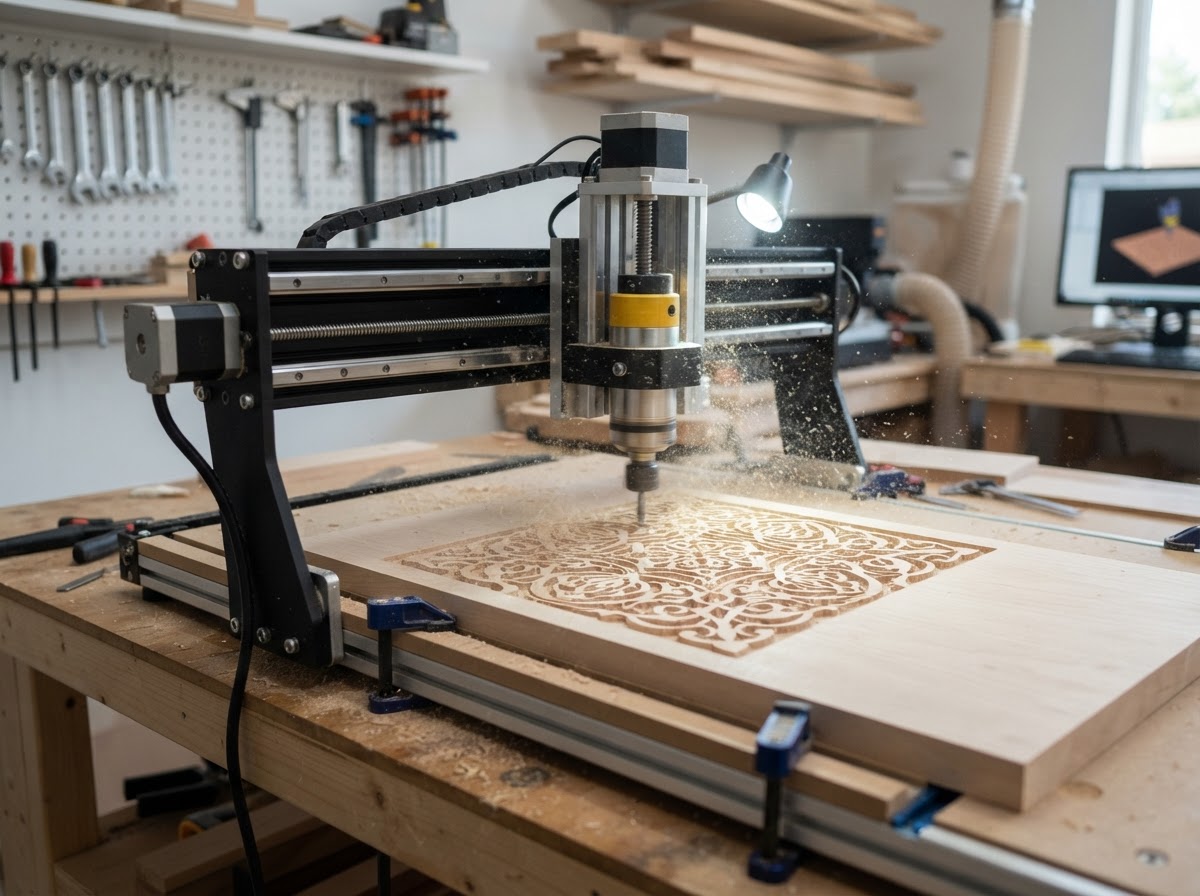
Onefinity Gen 2 Elite Series
- Laser
- Router mount (65mm/80mm) or Redline Spindle
- Power
- 16mm Ballscrews + 35mm Heavy Linear Steel Tubes
- Work area
- Available in 32.25 × 32.25 in (Woodworker) & 48.25 × 48.25 in (Foreman)
Best suited for
Woodworkers and makers who want a large cutting bed capable of handling aluminum sheet, plates, and brackets.
The Gen 2 Elite Series is Onefinity's flagship CNC router line. Built around massive 35mm hollow steel rail tubes, 16mm ballscrews, and closed-loop stepper motors, it combines high structural rigidity with the standalone Masso Touch industrial controller.
$3,000–$4,500 class
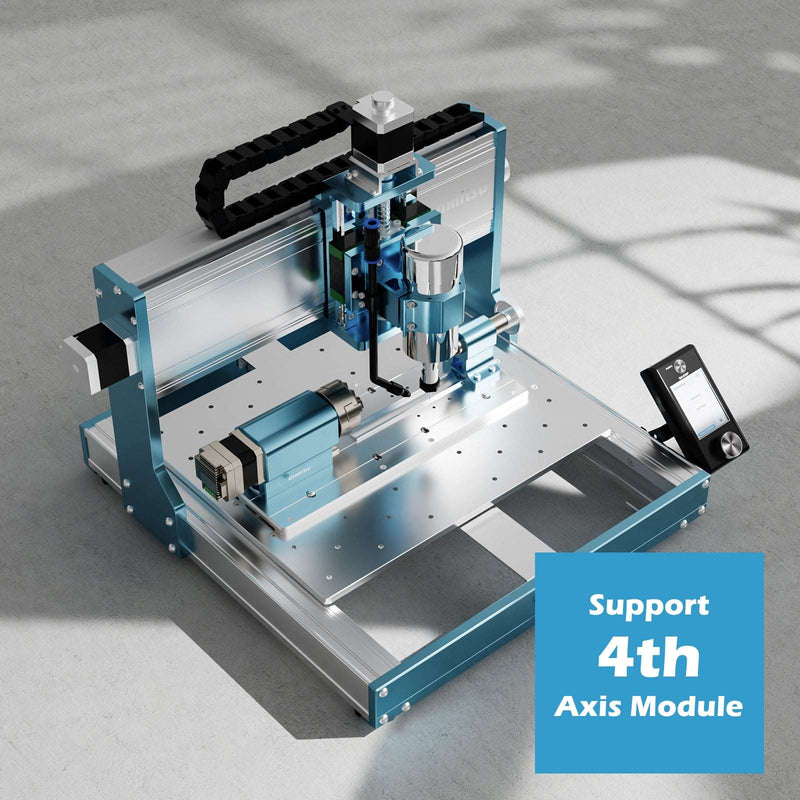
Carbide 3D Shapeoko 5.1 Pro
- Laser
- Carbide VFD Spindle or Router Mount
- Power
- HG15 Linear Guide Rails + Ballscrews
- Work area
- Available in 2×2 ft, 4×2 ft, and 4×4 ft sizes
Best suited for
Shops that need large-bed sheet cutting for wood and plastics along with documented capability for aluminum plate.
The Shapeoko 5.1 Pro is Carbide 3D's large-format production router. Built with custom heavy aluminum extrusions, HG-style linear rails, and ballscrews on every axis, Carbide 3D explicitly highlights cutting aluminum, brass, and plastics alongside hardwoods.
$900–$1,100 class
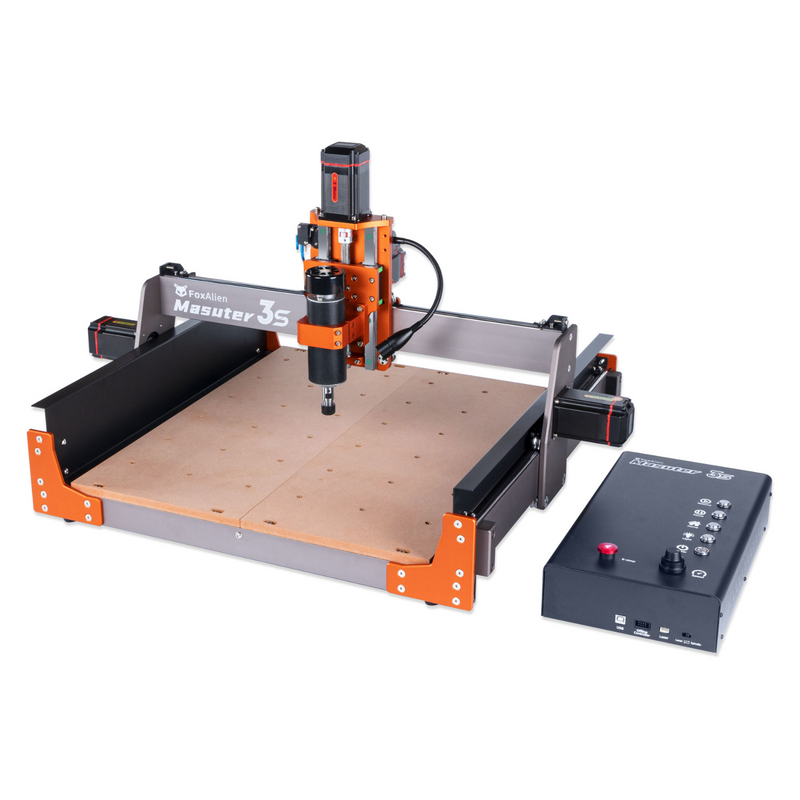
FoxAlien Masuter 3S
- Laser
- 400W Air-Cooled Spindle Motor
- Power
- NEMA 23 Closed-Loop Stepper Motors
- Work area
- 400 × 400 × 95 mm (15.7 × 15.7 × 3.7 in)
Best suited for
Makers and small shops wanting a mid-range entry into aluminum brackets, enclosures, and plates without spending over $1,500.
The Masuter 3S is FoxAlien's upgraded desktop CNC platform. Built with an all-metal structure, 400W spindle, and closed-loop stepper motors that prevent lost steps, FoxAlien explicitly documents the Masuter 3S for carving and cutting soft metals like aluminum alongside wood and acrylic.
Under $1,000 class
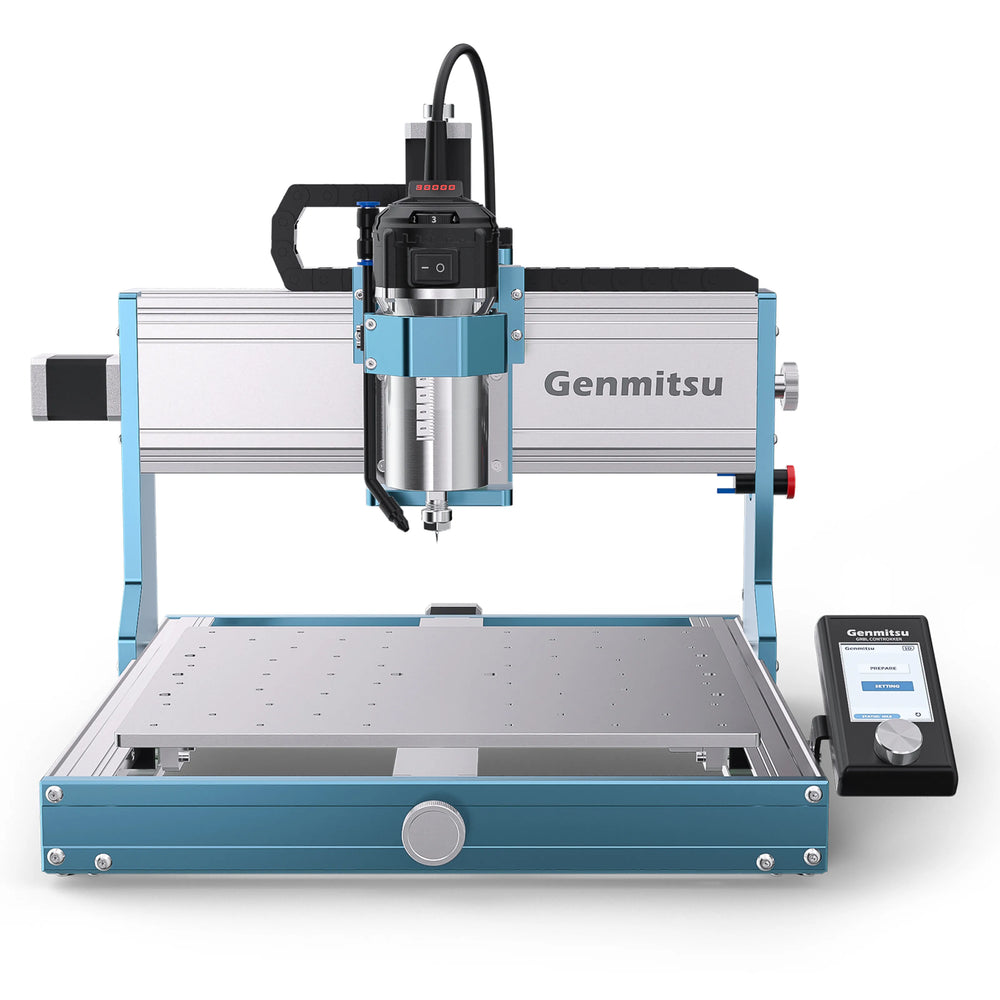
SainSmart Genmitsu 3030-PROVer Ultra
- Laser
- 710W Compact Router Spindle (Digital Display)
- Power
- Linear Guide Rails + Precision Ballscrews
- Work area
- 300 × 300 × 93 mm (~11.8 × 11.8 × 3.6 in)
Best suited for
Beginners, hobbyists, and educators machining small aluminum parts, faceplates, brackets, and PCBs on a budget.
The Genmitsu 3030-PROVer Ultra is SainSmart's upgraded high-precision desktop router. Built on an all-aluminum frame with dual linear guide rails and ballscrews on all three axes, it includes a 710W compact router spindle and 93mm pass-through height engineered for soft metal precision.
What Makes a CNC Router Good for Aluminum?
Machining non-ferrous metals like aluminum requires a clear understanding of the mechanical forces involved. When a spinning end mill engages aluminum, the cutting edge experiences resistance that attempts to flex the cutter, spindle, gantry, and frame. If any component in that chain yields under force, the bit chatters, leading to poor surface finish, premature tool wear, or broken end mills.
Evaluating a CNC router for aluminum work comes down to four core hardware pillars: frame rigidity, motion components, spindle torque, and workholding capability.
- Frame Rigidity & Mass: Heavy aluminum castings, thick-walled steel tubes, and solid billet gantries resist deflection under load. Lighter aluminum extrusions paired with plastic wheel rollers flex under lateral cutting forces.
- Linear Bearings vs Smooth Rods: Square-profile linear guide rails (like HG15 series) distribute cutting loads across multiple recirculating ball bearings, offering far greater stiffness than round smooth rods or V-wheels.
- Drive Mechanisms: Ballscrews vs Belts: Precision ballscrews provide rigid, non-compliant power transmission without stretch. While heavy-duty reinforced belts can route aluminum with light passes, ballscrews deliver superior positioning accuracy under load.
- Spindle Power & ER Collets: A 1.5kW to 2.2kW VFD-controlled water-cooled spindle maintains high torque at moderate RPMs, reducing chatter. ER collets (ER11, ER16, ER20) provide tight runout tolerances essential for carbide end mills.
Common Aluminum Projects for CNC Routers
A CNC router opens up diverse commercial and prototyping applications in aluminum plate, sheet, and extrusions:
- Custom Control Panels & Faceplates: Precision-milled instrument panels, audio equipment faceplates, and custom switch bezels with clean chamfered edges and engraved labeling.
- Electronics Enclosures & Heat Sinks: Custom aluminum boxes, mounting plates, and heat-dissipating structures for robotics, automotive, and audio projects.
- Brackets, Adaptors & Motor Mounts: Functional mechanical components, custom motor plates, drone arms, and automotive brackets cut from 6061-T6 aluminum plate.
- Architectural Signage & Nameplates: Durable metal signs, brass/aluminum badges, dimensional lettering, and outdoor architectural plaques.
- Fixtures, Jigs & Soft Jaws: Custom aluminum workholding fixtures, alignment plates, and vise jaws designed to hold specific production parts.
The Real Cost Beyond the CNC Router
Purchasing the machine is only one part of an aluminum machining budget. Successful metal cutting requires specialized tooling and support accessories:
- Single-Flute Carbide End Mills: Aluminum requires end mills designed for soft metals — typically 1-flute or 2-flute O-flute carbide bits that allow large chip clearance to prevent chip welding.
- Mist Lubrication / Air Blast System: An air-blast or alcohol-mist coolant system clears hot chips from the cut channel and cools the bit, preventing melted aluminum from galling the cutting edge.
- Rigid Workholding & Clamping: Aluminum cannot be held loosely. T-slot tables, low-profile toe clamps, machinist vises, or vacuum beds are necessary to hold plates flat.
- Measuring Tools & Precision Calipers: Digital calipers, dial indicators, and touch probes ensure accurate stock zeroing and bore measurement.
- Eye, Ear, and Respiratory Protection: Routing aluminum creates sharp flying metal chips and high-frequency noise. Safety glasses, hearing protection, and chip containment shields are essential.
Software & Toolpath Strategies for Aluminum
Machining aluminum on a desktop CNC router relies heavily on smart toolpath programming (CAM). Unlike wood, where a simple full-depth contour pass might succeed, metal machining demands controlled chip loads and progressive material removal.
Adaptive clearing (or trochoidal milling) toolpaths — available in software like Fusion 360, Vectric, and Carveco — keep constant tool engagement, allowing faster feed rates with lighter radial cut depths. This reduces cutting forces, manages heat, and dramatically extends tool life on desktop machines.
CNC Router vs. CNC Mill for Aluminum Work
Buyers often wonder whether to purchase a CNC router or a compact CNC mill for aluminum projects. Both machines remove metal, but they solve different problems.
A CNC router excels at processing large aluminum sheets, thin plates, control panels, and wider 2.5D parts where a large work area is required. A dedicated CNC mill (like a Tormach or benchtop mill) features a heavy cast-iron frame and higher Z-clearance, making it superior for deep 3D block milling, steel, and heavy vise work within a compact travel envelope.
Aluminum Alloy Matters: 6061 vs. 6063 vs. 5052
Not all aluminum cuts the same way on a CNC router. Material composition and heat treatment dictate how the metal behaves under a cutting tool:
- 6061-T6 Aluminum: The gold standard for CNC machining. It chips predictably, resists gumming, and produces excellent surface finishes with proper feeds and speed.
- 6063 Aluminum: Commonly used in extruded architectural tubing. It is softer and stickier than 6061, requiring lubrication and sharp single-flute bits to avoid chip welding.
- 5052 Aluminum: A popular sheet metal alloy for bending and enclosures. Excellent corrosion resistance, but gummy under end mills — requires light passes and active air blast.
Keep reading
- CNC Router Prices: What to Expect at Every Price Level
- CNC Routers Topic Hub
- Digital Workshop Guide Editorial Policy
- Affiliate Disclosure
More laser guides are being researched — including Best CNC Routers, Desktop CNC Routers: A Beginner's Guide and CNC Mill vs CNC Router: What's the Difference?. We publish researched content deliberately rather than as thin placeholder pages, so those links activate only when each article is complete.