Buying Guide
Best Laser Engravers for Wood: Choosing the Right Machine for Engraving and Cutting
The right wood laser depends on whether you want to engrave detailed surface art, cut wooden crafts, or run production batches. Compare diode and CO2 machines by optical power, work area, and price.
Digital Workshop Guide may earn a commission if you purchase through certain links on this page, at no additional cost to you. Affiliate relationships do not determine our factual conclusions or recommendations. Read the full Affiliate Disclosure.
Wood is the most popular material for laser engraving and cutting, but buying the highest-wattage machine you can find is rarely the right starting point. A 20W diode, a 40W diode, and a 55W or 80W CO2 laser interact with wood in fundamentally different ways. Matching the machine to your projects — surface art, ornaments, signs, or production cutting — prevents overspending on power you do not need or buying a machine that struggles with your thickness targets.
The central question is whether your workflow centers on detailed surface engraving, moderate cutting of craft plywood, or frequent cutting of thicker lumber. A lower-powered diode can produce razor-sharp surface engraving on hardwood, while higher optical power or CO2 technology becomes essential when cutting thickness and throughput matter.
If you are choosing a laser primarily to make products for sale, see our guide to laser engravers for small businesses.
Digital Workshop Guide has not personally tested, owned, or measured these machines. The assessments below are based on manufacturer specifications, documented material compatibility, software support, enclosure design, work area, warranty statements, available accessories, and clearly identified third-party demonstrations. See our Editorial Policy for how we research and evaluate workshop technology.
Quick recommendations: if you make X, start here
Before the detailed comparison, here is a quick way to orient. Match what you plan to make to the machine category that suits it:
- Surface engraving, fine detail, and lighter craft cutting: Focus on spot size, positioning accuracy, and software control. High optical wattage is not required for crisp surface detail on hardwoods and veneers.
- General-purpose woodworking: signs, ornaments, cutting boards: Consider a 20W to 40W enclosed diode machine. It offers enough optical power to cut thin craft plywood while keeping a desktop-friendly footprint.
- Frequent or thicker wood cutting (1/4 in / 6 mm and above): Look closely at 40W+ diode or CO2 lasers equipped with dedicated air assist. CO2 lasers process wood faster and handle thicker stock with cleaner edges.
- Production runs, large wooden signs, and sheet layouts: Prioritize working bed size, passthrough capability, air assist, and LightBurn compatibility so you can batch-cut efficiently without bottlenecks.
Compare the machines at a glance
The table below summarizes the 4 machines by laser type, best-fit use, working area, and approximate price class. Use it to narrow the field, then read the individual profiles for the trade-offs that matter to your work.
| Machine | Laser Type | Best For | Work Area | Price Class |
|---|---|---|---|---|
| xTool S1 40W | Diode (blue) | Enclosed diode wood cutting and detailed craft engraving | ~19.6 × 12.6 in | $1,000–$2,000 class |
| Creality Falcon2 Pro 40W | Diode (blue) | Large-area enclosed diode wood projects on a budget | ~400 × 415 mm | $1,000–$2,000 class |
| xTool P2S | CO2 | Thicker wood cutting, acrylic signage, and camera alignment | ~23.6 × 12 in bed | $2,000–$3,000 class |
| OMTech Maker AF2028-80 | CO2 | Dedicated workshop wood cutting and cabinet/craft production | ~20 × 28 in bed | $3,000–$4,000 class |
Price classes are approximate and descriptive — not temporary sale prices. Confirm current pricing and regional availability with the manufacturer. Working areas are approximate and drawn from manufacturer documentation.
How we evaluated these machines
Digital Workshop Guide has not personally tested these machines. We have not owned, operated, measured, or reviewed them hands-on, and we do not claim to. This comparison is a research-based assessment, not a hands-on test. It is based on:
- Manufacturer-published specifications (laser type, optical power, spot size, speed, work area)
- Documented wood compatibility across hardwoods, plywood, MDF, and veneers
- Air-assist integration and smoke management design critical to clean wood cutting
- Enclosure and safety design relevant to a home or small-shop workspace
- Software support including LightBurn and manufacturer-native applications
- Warranty terms as stated in current manufacturer documentation
- Price positioning, described as an approximate class rather than temporary promotional prices
- Clearly identified third-party demonstrations and comparisons, attributed as such
Where we reference third-party information, we identify it as such. See our Editorial Policy for how we approach research and publishing.
The machines, in detail
Each profile below opens with a quick scan — what the machine is best suited for, its laser type and work area, a short assessment, and a link to the manufacturer. Select View full details on any machine to expand its full specifications, considerations, and trade-offs. You can keep several open at once to compare.
$1,000–$2,000 class
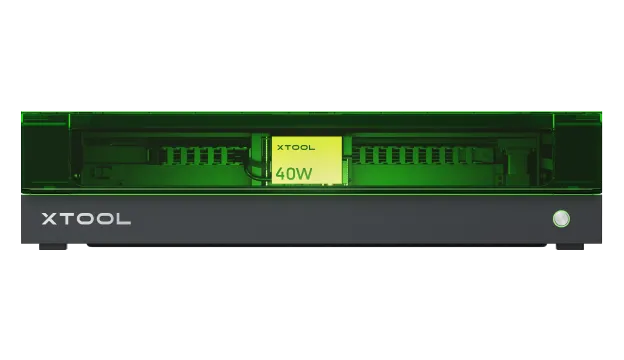
xTool S1 40W
- Laser
- Diode (blue)
- Power
- 40W optical
- Work area
- ~19.6 × 12.6 in (498 × 319 mm)
Best suited for
Craft makers and small shops working with basswood, birch plywood, cherry, and leather who want an enclosed Class 1 desktop diode setup.
An enclosed 40W optical diode laser with a generous ~19.6 × 12.6 in work area. xTool states one-pass cutting figures up to 18 mm cherry wood and 15 mm basswood plywood under optimal conditions. For craft woodworkers who want high optical power without moving to a full CO2 cabinet, it is a capable and versatile option.
$1,000–$2,000 class
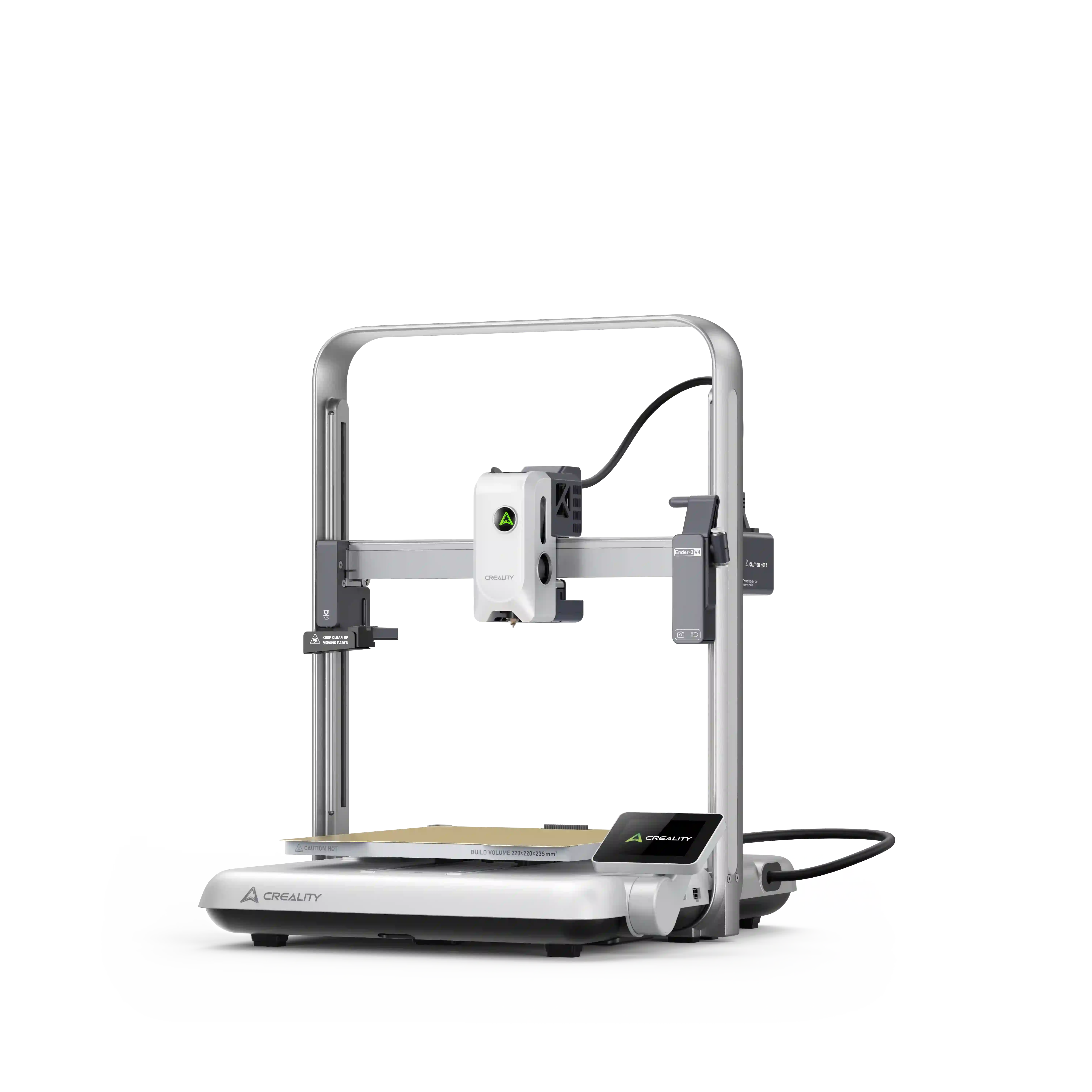
Creality Falcon2 Pro 40W
- Laser
- Diode (blue)
- Power
- 40W optical
- Work area
- ~400 × 415 mm
Best suited for
Budget-conscious woodworkers and makers needing a large ~400 × 415 mm bed for wooden signs, boxes, and decor items.
Creality's enclosed 40W diode machine provides a spacious 400 × 415 mm work area and a published spot size of 0.08 × 0.12 mm. Creality states maximum single-pass cutting capability up to 20 mm for soft basswood. It offers a cost-effective path to high diode optical power in a Class 1 enclosed package.
$2,000–$3,000 class
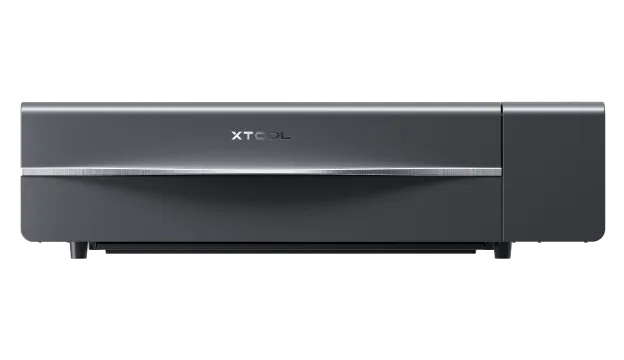
xTool P2S
- Laser
- CO2
- Power
- 55W CO2
- Work area
- ~23.6 × 12 in bed (AutoPassthrough for long boards)
Best suited for
Small woodworking businesses, sign makers, and creators producing acrylic and wood hybrid products, custom boxes, or intricate fretwork.
The xTool P2S pairs a 55W CO2 laser tube with a ~23.6 × 12 in bed, dual cameras, and automatic passthrough for long boards. CO2 glass tubes emit at a 10,600nm wavelength that wood absorbs rapidly, yielding noticeably faster cut speeds and smoother edges than diode lasers on thicker plywood and solid wood.
$3,000–$4,000 class
OMTech Maker AF2028-80
- Laser
- CO2
- Power
- 80W CO2
- Work area
- ~20 × 28 in bed (pass-through capable)
Best suited for
Dedicated woodshops, cabinet makers, craft manufacturers, and sign businesses cutting 1/4 in to 1/2 in wood stock regularly.
OMTech's 80W cabinet CO2 laser features a large ~20 × 28 inch work bed, autofocus, motorized Z-axis, and pass-through doors. For woodworkers who need to slice through 1/4 in (6 mm) and 3/8 in (10 mm) plywood routinely with minimal pass counts, an 80W CO2 cabinet laser delivers high throughput and industrial workspace capacity.
Diode vs CO2 Lasers for Woodworking
When working with wood, diode and CO2 lasers both perform well, but they fill different roles based on wavelength, optical power, and spot geometry.
Diode lasers operate in the visible blue spectrum (~455nm). Wood absorbs blue diode light effectively, making diodes excellent for surface engraving, dark burning, and cutting thin plywoods up to 1/4 in (6 mm) with 20W–40W modules. Diodes are solid-state, compact, and require no liquid cooling systems.
CO2 lasers emit in the far-infrared spectrum (~10,600nm). Organic materials like wood absorb 10,600nm radiation with near-total efficiency. This optical absorption allows CO2 beams to cut through solid wood, dense plywood, and MDF substantially faster than diodes while producing minimal edge charring when paired with proper air assist.
Because this guide focuses specifically on wood, fiber lasers (1064nm) are omitted from main consideration — bare fiber lasers pass through organic wood fibers without creating clean cuts or dark marks.
- Diode Lasers (20W–40W): Best for craft engraving, detailed surface art, and cutting wood up to 1/4 in (6 mm). Lower machine cost, low maintenance, compact desktop footprint.
- CO2 Lasers (45W–80W+): Best for production cutting, thicker stock (1/4 in to 1/2 in+), clear acrylic/wood hybrid projects, and high linear speed. Higher cost and larger footprint.
- Air Assist: Essential for both laser types when working with wood. Air assist clears combusted smoke from the cut path, prevents flare-ups, and keeps wood edges light.
What Types of Wood Can You Laser?
Wood species react differently under a laser beam depending on density, resin content, grain structure, and adhesive composition:
- Basswood: Lightweight, soft, and fine-grained with very low resin. Basswood is the gold standard for laser cutting and delicate engraving because it cuts cleanly with minimal charring.
- Baltic Birch Plywood: Composed of thin, void-free birch plies. Excellent for structural cutting, boxes, and ornaments. Cut quality depends heavily on whether exterior-grade or interior-grade glue was used.
- Maple & Cherry: Dense hardwoods that produce smooth, dark, high-contrast surface engravings. Ideal for cutting boards, personalized plaques, and premium giftware.
- Walnut: Rich dark hardwood that engraves with subtle, sophisticated contrast. Requires careful power tuning to avoid over-burning subtle detail.
- MDF (Medium-Density Fiberboard): Uniform density makes MDF cut consistently without grain interference, but internal binders generate heavy sticky smoke requiring robust ventilation and air assist.
- Bamboo: Fibrous and dense. Engraves with attractive color variation due to natural sugars caramelizing under heat. Excellent for coasters and kitchenware.
Wood-Specific Safety, Adhesives, and Air Assist
Achieving clean, safe wood results requires understanding physical safety and environment management beyond raw wattage:
- Air assist is not optional for wood: Cutting wood without pressurized air assist results in excessive edge charring, heavy soot deposition, and increased fire risk from trapped embers. A strong air jet blows away flammable vapors at the focal point.
- Plywood glues and fumes: Construction plywoods often contain exterior resins (such as phenol-formaldehyde) that resist laser cutting and release harsh fumes. Stick to laser-grade Baltic birch or craft plywoods with interior resin bonds.
- Never laser treated or painted wood without verification: Pressure-treated lumber, older painted items, or mystery coated woods can release toxic gases including arsenic or chlorine compounds when vaporized. Process only clean, untreated wood or certified laser-safe blanks.
- Fire safety and constant supervision: Wood debris and sap build-up inside the honeycomb bed create real ignition risks. Keep a suitable fire extinguisher in your shop, clean resin off your work bed regularly, and never leave a running laser unattended.
- Smoke and sap management: Vaporized wood resin deposits sticky sap on laser lenses and mirrors. Regular optical cleaning with isopropyl alcohol is mandatory to prevent lens cracking from burnt sap.
Software and Workflow for Woodworking
In laser woodworking, software bridges vector CAD/SVG design files and physical machine execution. LightBurn has become the industry benchmark for woodworkers due to its advanced layer controls — allowing you to assign different power, speed, and pass settings for vector engraving, raster shading, and final outline cutting within a single job.
Manufacturer applications like xTool Creative Space (XCS) and Creality Falcon Design Space offer simplified drag-and-drop design tools and built-in material preset libraries. These native apps simplify initial setup for beginners, especially when using integrated camera positioning to align designs onto natural wood grain.
For batch production, LightBurn's grid array features and barcode/variable text tools allow woodworkers to lay out dozens of ornaments or tags across a full wood sheet in seconds.
Workspace, Footprint, and Ventilation
Wood processing produces voluminous, fragrant smoke that will rapidly coat walls and irritate lungs if not managed properly. An enclosed laser with ducting to an outside wall or roof vent is the most reliable setup for a home shop.
If venting outside is impossible, an inline HEPA and activated carbon air purifier can scrub wood smoke particles and resin odors, though carbon filters require regular replacement when cutting MDF or pine regularly.
Measure your workbench depth carefully. High-power diode machines with protective enclosures and CO2 cabinets require 24 to 36 inches of clearance, plus extra room behind the unit for exhaust hose routing.
See Wood Laser Cutting in Practice
Seeing how diode and CO2 lasers process wood side by side clarifies cut speed and edge finish differences. The independent third-party video below demonstrates real-world material testing across laser types.
Which Laser Type Should You Buy for Wood?
Select your wood laser based on project scope, stock thickness, and budget rather than chasing maximum spec sheets.
If you primarily engrave cutting boards, leather patches, and wooden gifts or cut thin 1/8 in (3 mm) craft plywood, a 20W to 40W enclosed diode laser like the xTool S1 40W or Creality Falcon2 Pro 40W gives you safety, precision, and low maintenance at an accessible cost.
If you cut 1/4 in (6 mm) to 3/8 in (10 mm) wood daily, make large wooden signage, or produce high-volume batch items, step up to a 55W to 80W CO2 laser like the xTool P2S or OMTech 80W. CO2 beams cut wood significantly faster with cleaner edges, saving hours of sanding during production.
Keep reading
- Best Laser Engravers for Small Business
- Laser Engraving & Cutting Hub
- Editorial Policy
- Affiliate Disclosure
More laser guides are being researched — including Best laser engravers for beginners, Types of laser engravers and How much laser power do you need. We publish researched content deliberately rather than as thin placeholder pages, so those links activate only when each article is complete.