Buying Guide
Best Laser Engravers for Small Business: Choosing the Right Machine for What You Sell
The best laser engraver for a small business depends on what you make and sell. Compare diode, CO2, and fiber machines by material, work area, software, and price.
Digital Workshop Guide may earn a commission if you purchase through certain links on this page, at no additional cost to you. Affiliate relationships do not determine our factual conclusions or recommendations. Read the full Affiliate Disclosure.
If you are buying a laser engraver to start or grow a small business, the first instinct — shopping by wattage — is the wrong one. A 40W diode, a 55W CO2, and a 20W fiber laser are not three steps on a single ladder. They are three different tools, each built around a different wavelength, a different set of materials, and a different kind of work.
The central question is not "which laser is best?" but "which laser is best for what I actually plan to sell?" A business engraving wood signs and leather goods has very different needs from one cutting clear acrylic signage, and both differ from a shop marking metal tags, tools, or jewelry. This guide compares the current machines that small businesses consider most often, organized by the kind of work they suit.
Digital Workshop Guide has not personally tested, owned, or measured these machines. The assessments below are based on manufacturer specifications, documented material compatibility, software support, enclosure and safety design, work area, warranty information, available accessories, and clearly identified third-party demonstrations — not on hands-on testing we have not done. See our Editorial Policy for how we work.
Quick recommendations: if you make X, start here
Before the detailed comparison, here is a quick way to orient. Match what you plan to make to the machine category that suits it:
- Wood signs, leather goods, coated products, general craft personalization: Consider an enclosed diode machine. Diode lasers handle wood, leather, paper, and coated surfaces well, and an enclosed design simplifies ventilation and safety for a home or small shop.
- Clear acrylic signage and heavier cutting: Look closely at CO2. CO2 lasers engrave and cut clear acrylic cleanly and process a wider range of materials than diodes, which makes them better suited to signage and production cutting.
- Metal jewelry, tools, tags, and deep metal marking: Look at fiber- and IR-capable systems. Only a 1064nm fiber (or IR) laser marks bare metal reliably; diode and CO2 lasers alone generally cannot engrave uncoated metal.
- Portable and on-site personalization: Prioritize footprint, workflow, speed, and material requirements over raw power. A compact, enclosed, fast machine that fits your event setup often beats a larger cutter you cannot transport.
Compare the machines at a glance
The table below summarizes the 5 machines by laser type, best-fit use, working area, and approximate price class. Use it to narrow the field, then read the individual profiles for the trade-offs that matter to your work.
| Machine | Laser Type | Best For | Work Area | Price Class |
|---|---|---|---|---|
| xTool S1 40W | Diode | Wood, leather, coated crafts; enclosed diode work | ~19.6 × 12.6 in | $1,000–$2,000 class |
| xTool P2S | CO2 | Acrylic signage, cutting, larger sheets | ~23.6 × 12 in | $2,000–$3,000 class |
| xTool F1 Ultra | Fiber + diode | Metal marking, jewelry, tags, on-site work | ~220 × 220 mm (8.7 in) | Premium $5,000+ class |
| Creality Falcon A1 Pro | Diode (IR module option) | Startup craft; lower-cost enclosed diode | ~268 × 358 mm | Under $1,000 class |
| Glowforge Pro HD | CO2 | Integrated workflow, passthrough cutting | Pro Passthrough (long material) | Premium $5,000+ class |
Price classes are approximate and descriptive — not temporary sale prices. Confirm current pricing and regional availability with the manufacturer. Working areas are approximate and drawn from manufacturer documentation.
How we evaluated these machines
Digital Workshop Guide has not personally tested these machines. We have not owned, operated, measured, or reviewed them hands-on, and we do not claim to. This comparison is a research-based assessment, not a hands-on test. It is based on:
- Manufacturer-published specifications (laser type, optical power, work area, speed, wavelength)
- Documented material compatibility and the materials each machine is designed to process
- Software support, including manufacturer software and third-party options like LightBurn and LaserGRBL
- Enclosure and safety design relevant to a small-business or home workspace
- Work area and form factor, including passthrough or batch-production options where documented
- Warranty coverage as stated in current manufacturer documentation
- Available accessories (air assist, rotary attachments, exhaust, conveyors)
- Price positioning, described as an approximate class rather than a temporary sale price
- Clearly identified third-party demonstrations and comparisons, attributed as such
Where we reference third-party information, we identify it as such. See our Editorial Policy for how we approach research and publishing.
The machines, in detail
Each profile below opens with a quick scan — what the machine is best suited for, its laser type and work area, a short assessment, and a link to the manufacturer. Select View full details on any machine to expand its full specifications, considerations, and trade-offs. You can keep several open at once to compare.
$1,000–$2,000 class
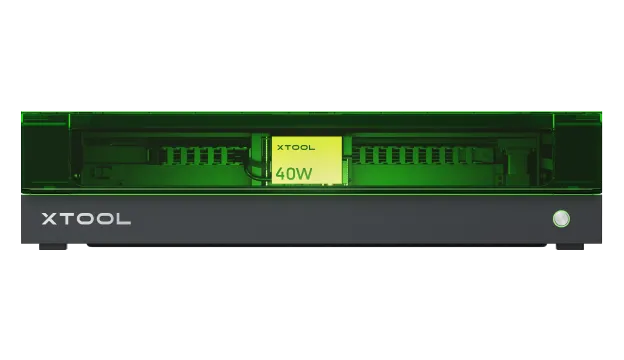
xTool S1 40W
- Laser
- Diode (blue)
- Power
- 40W optical
- Work area
- ~19.6 × 12.6 in
Best suited for
Small businesses focused on wood signs, leather goods, paper goods, and coated-product personalization who want an enclosed machine for a cleaner, safer workspace.
An enclosed 40W diode that covers the craft-personalization work most small businesses start with — wood, leather, and coated materials — in a cleaner, safer package than an open gantry. It is not a cutter for clear acrylic or a marker for bare metal, but for its lane it is a capable, well-rounded option.
$2,000–$3,000 class
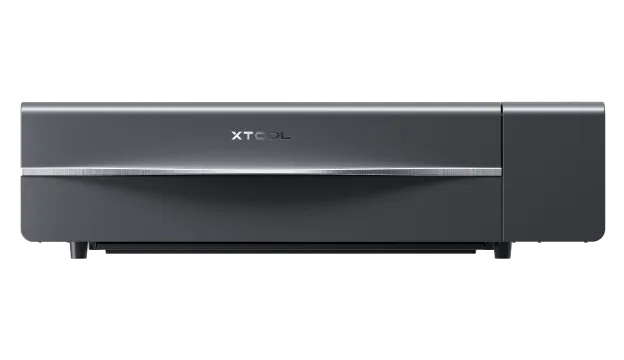
xTool P2S
- Laser
- CO2
- Power
- 55W CO2
- Work area
- ~23.6 × 12 in bed
Best suited for
Small businesses focused on acrylic signage, cutting thicker materials, and running larger sheet projects where CO2's broader material range matters.
A 55W CO2 that does what diodes cannot — cutting and engraving clear acrylic cleanly — with a larger bed, dual cameras, and passthrough for long material. It costs more and takes more space, but for a signage- or cutting-focused shop it is the right category of machine.
Premium $5,000+ class
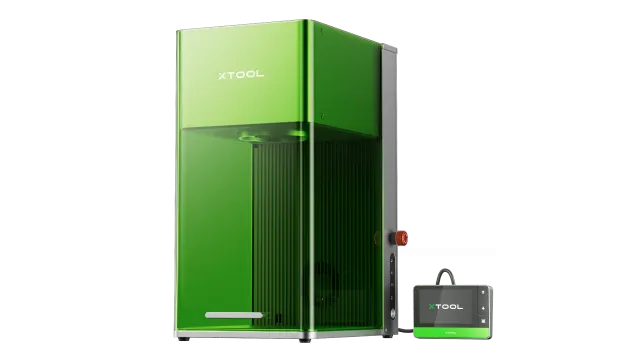
xTool F1 Ultra
- Laser
- 20W fiber + 20W diode
- Power
- 20W 1064nm / 20W blue
- Work area
- ~220 × 220 mm (8.7 in)
Best suited for
Shops whose products center on metal — jewelry, tools, tags, tumblers — and businesses that need on-site or batch personalization, plus occasional non-metal work.
A dual-source machine pairing a 20W fiber laser for bare-metal work with a 20W diode for everything else. It is the right tool when metal marking is a core product line — but its smaller bed and premium price mean it solves a different problem than a large CO2 cutter.
Under $1,000 class
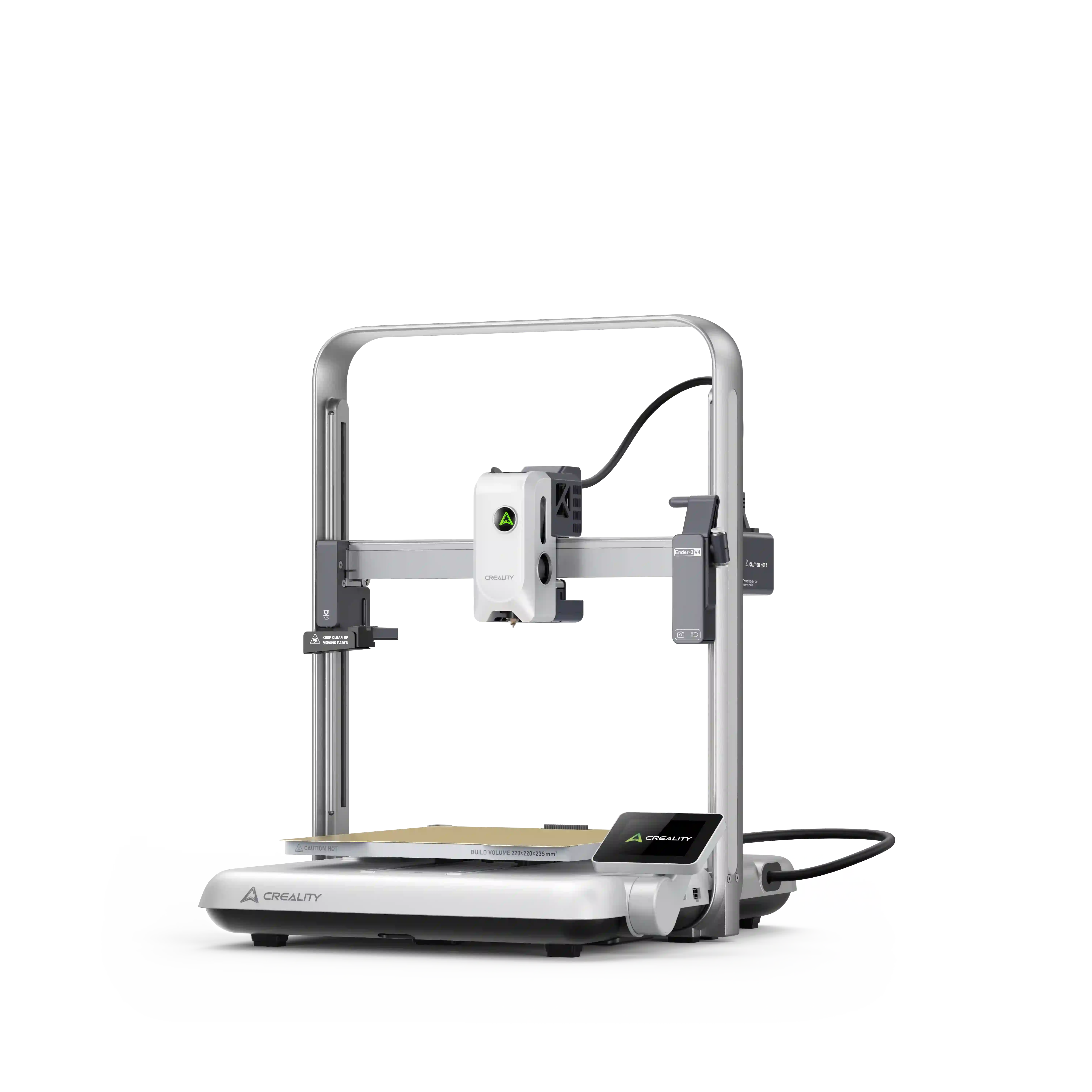
Creality Falcon A1 Pro
- Laser
- 20W diode (2W IR module option)
- Power
- 20W diode
- Work area
- ~268 × 358 mm
Best suited for
Startups and small shops testing the market with craft personalization who want an enclosed, Class 1 design at a lower entry price.
An enclosed 20W diode at the lower end of the price range — a reasonable starting point for a shop proving out a product line before committing to a production machine. Its optional 2W IR module is for light metal marking, not a substitute for a real fiber laser.
Premium $5,000+ class
Glowforge Pro HD
- Laser
- CO2
- Power
- 45W
- Work area
- Pro Passthrough (long material)

Best suited for
Small businesses that value a polished, camera-assisted, largely self-contained workflow and the ability to cut long material through Pro Passthrough.
A 45W CO2 built around an integrated, camera-assisted software experience and passthrough for long material. It commands a premium price for that workflow — which is worth paying only if the ease of use and ecosystem matter to how your shop actually runs.
Diode vs CO2 vs Fiber for a Small Business
These three laser types differ by wavelength, and wavelength determines which materials a laser can actually process. Understanding that one difference prevents the most common buying mistake.
Diode lasers emit blue light. They engrave and cut wood, leather, paper, cardboard, and many coated materials well, and they are the most affordable enclosed desktop option. They generally cannot cut clear acrylic and cannot mark bare metal without a marking agent.
CO2 lasers emit a longer infrared wavelength that a much wider range of materials absorb, including clear and colored acrylic, wood, leather, paper, and some other organics. That makes CO2 the better choice for signage, cutting, and a broader material range — at a higher price and with a larger footprint.
Fiber (1064nm) lasers emit a wavelength that bare metal absorbs. That is what makes them the right tool for metal jewelry, tools, tags, and deep metal marking — work the other two types cannot do. Fiber systems cost more and usually have a smaller working area, because they solve a different problem.
- Diode: Best for wood, leather, paper, and coated crafts. Affordable and enclosed options exist. Not for clear acrylic or bare metal.
- CO2: Best for acrylic signage, cutting, and a wide material range. Higher cost and larger footprint. Not for bare metal.
- Fiber (1064nm): Best for metal marking, deep engraving, and limited thin-metal cutting. Premium price, smaller work area, metal-focused.
- Dual-laser systems: Combine a fiber and a diode (or CO2) source so one machine covers metal and non-metal work — at a premium price and usually a smaller bed.
What Are You Planning to Sell?
The product you sell is the single best guide to the laser you need. These common small-business products map cleanly onto laser types:
- Wood signs: A diode or CO2 laser handles engraving and cutting. An enclosed diode is often enough for personalized signs; CO2 adds cutting headroom.
- Personalized gifts: Wood, leather, and coated items suit an enclosed diode. Mixed materials may push you toward a dual-laser or CO2 system.
- Acrylic signs: Clear acrylic needs a CO2 laser. A diode cannot cut or cleanly engrave clear acrylic.
- Tumblers: Coated/tumblers mark with a diode; bare stainless steel marking needs a fiber or IR-capable laser. A rotary attachment is usually required.
- Jewelry: Metal jewelry needs a fiber laser. Non-metal jewelry elements may use a diode or CO2.
- Metal tags and tools: Bare metal marking requires a 1064nm fiber or IR source. This is the defining reason to choose a fiber-capable system.
- Leather goods: Diode and CO2 both engrave and cut leather well. Enclosed designs help manage smoke and odor.
- Craft-fair personalization: On-site work favors a compact, enclosed, fast machine you can transport — often a diode or a small fiber for metal items.
- Batch production: Higher speed, a larger bed, or a conveyor/batch ecosystem reduce per-piece time. CO2 and fiber systems often lead here.
Hidden Costs Beyond the Laser
The machine's sticker price is only part of what a small business actually spends. Budget for these from the start:
- Ventilation and exhaust: Lasers generate smoke and fumes. You need exhaust to the outside or a dedicated air filtration system sized to your machine and materials.
- Air filtration: Where outside exhaust is not possible, an inline air filtration system captures particulates and odors. Not all materials are safe to filter — confirm compatibility.
- Air assist: Directed air at the cut point reduces charring and flare risk and improves cut edges. Some machines include it; others require it as an add-on.
- Honeycomb and work surfaces: A honeycomb bed or knife-edge supports material and protects the machine base while allowing air flow. Budget for it if it is not bundled.
- Rotary attachments: Engraving tumblers, cups, and cylinders requires a rotary attachment. Confirm compatibility and whether it is included.
- Risers: Raising the material or adding a riser base changes focal distance and enables thicker material — a small but real cost.
- Replacement and consumable components: Diode modules, CO2 tubes, and lenses are consumables with finite lifespans. CO2 tube replacement is a significant long-term cost.
- Software: Some machines require paid software (e.g., a LightBurn license) beyond the manufacturer app. Factor licensing into your total.
- Materials: Acrylic, wood, leather, and metal blanks add up, especially while you dial in settings. Plan for material during learning.
- Maintenance: Lens cleaning, alignment, rail lubrication, and periodic calibration keep output consistent. Time and occasional parts are costs.
- Fire safety: A laser is an ignition source. Keep a suitable fire extinguisher nearby, never leave a running laser unattended, and follow the manufacturer's safety procedures.
- Workspace: Footprint, ventilation routing, power, and a fire-safe surface all shape where a machine can live. Measure before you buy.
Software Matters
For a small business, software is workflow — it affects how fast you can turn a customer request into a finished piece. Manufacturer apps like xTool Creative Space (XCS), Falcon Design Space, and Glowforge Print are designed to be approachable and to match their hardware's features (cameras, conveyors, curved-surface modes). They are often the fastest path from design to first job.
LightBurn is the most common third-party alternative. It offers finer control over cut settings, layers, and production workflows, and it is a one-time license rather than a subscription for many setups. Where a machine supports LightBurn, it gives an operator room to grow beyond the manufacturer app. LaserGRBL is a free, lighter alternative some diode machines support.
The trade-off is approachability versus control. Manufacturer software lowers the barrier to a first sale; LightBurn lowers the ceiling of what you can produce efficiently at scale. If a single software workflow matters to your shop, confirm current LightBurn or LaserGRBL support for a specific machine before buying, since compatibility can change.
Workspace and Ventilation
Wattage is the spec buyers obsess over; physical fit and fume management are the ones that determine whether a machine is usable in your space. A 40W laser you cannot ventilate is not useful, no matter how capable the optics.
Start with the machine's physical dimensions and whether an enclosed design fits your bench or shelf. An enclosed machine simplifies safety and ventilation but is taller and less open than a gantry-style diode. Measure your intended location, including clearance for material loading and a passthrough slot if the machine supports one.
Then plan ventilation. Cutting and engraving produce smoke, particulates, and sometimes hazardous fumes depending on the material. You need either exhaust ducting to the outside or a certified air filtration system sized to your machine. Never assume a desktop machine is "safe indoors" — safe operation depends on the materials you process and your ventilation, not on the machine alone.
Finally, plan power and fire safety. Higher-power CO2 machines can draw more current than a thin home circuit expects, and any laser needs a suitable fire extinguisher nearby and a clear, fire-safe work surface. Follow the manufacturer's documented safety procedures, and do not leave a running laser unattended.
See the Differences in Practice
Reading about wavelength differences helps, but seeing the machines run makes the trade-offs concrete. The third-party video below offers a hands-on look at how diode, CO2, and fiber machines differ in practice.
Which Laser Type Should You Buy?
There is no universal winner, and any guide that crowns one is working backwards from a sales target. The right choice depends on what you sell.
If your products are wood, leather, paper, and coated personalization, an enclosed diode like the xTool S1 40W (or the lower-cost Creality Falcon A1 Pro to start) covers the work at the lowest practical cost.
If your products are acrylic signage, heavier cutting, or larger sheet work, a CO2 laser like the xTool P2S — or the Glowforge Pro HD if you value its integrated workflow and passthrough — fits the material range a diode cannot reach.
If your products are metal jewelry, tools, tags, or on-site metal personalization, a fiber-capable system like the xTool F1 Ultra is the category that can actually do the work.
If you genuinely need both metal and non-metal production from one machine, a dual-laser system earns its premium price — but only then. Buy the laser type that matches what you sell, the space you have, and the budget you can sustain including ventilation, accessories, and consumables.
Keep reading
More laser guides are being researched — including Best laser engravers for wood, Best laser engravers for beginners, Types of laser engravers and How much laser power do you need. We publish researched content deliberately rather than as thin placeholder pages, so those links activate only when each article is complete.