3D printer value guide
Are 3D Printers Worth It? Costs, Use Cases & Who Should Buy One
3D printers have become much easier to use over the last few years. Capabilities that once demanded constant manual tuning — automatic bed leveling, reliable first layers, enclosed chambers, and integrated software — are now common even on affordable machines. But easier to use is not the same as worth owning for everyone.
Buying a 3D printer still makes sense only if the machine solves problems, supports a hobby, enables creative or professional work, or provides enough enjoyment to justify its cost, space, and the ongoing workflow it requires. For some people, a 3D printer becomes one of the most useful tools they own. For others, it becomes an expensive machine sitting unused on a desk.
The goal of this guide is to help you determine which group you are likely to fall into — before you spend anything. We look at the real cost of ownership, what you can actually make, the time and learning involved, when a printer pays for itself (and when it doesn't), and a practical decision checklist.
Digital Workshop Guide has not personally tested or owned the printers discussed here. Our guidance is based on 3D-printing fundamentals, manufacturer documentation, and documented market positioning — not on independent performance measurements, ROI studies, or measured savings. See our Editorial Policy for how we research workshop technology.
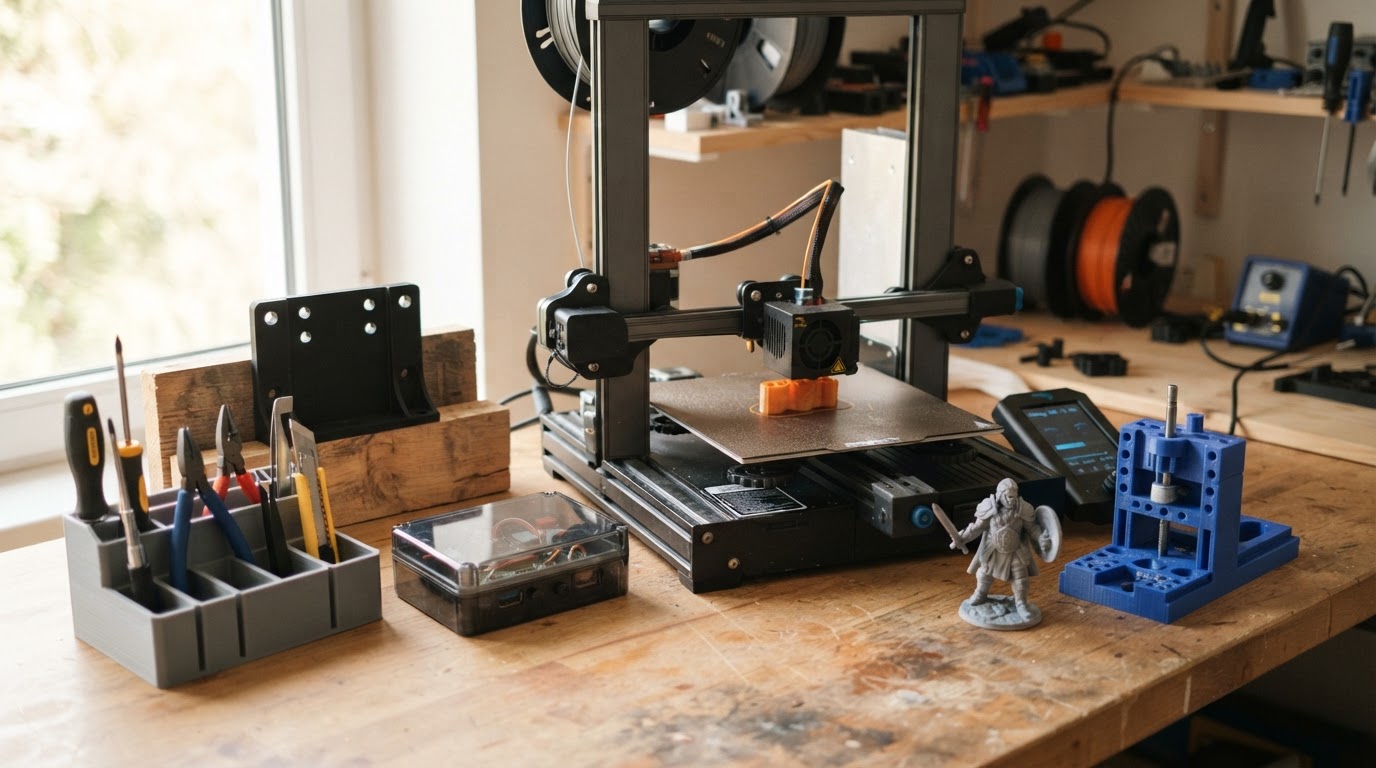
Quick Answer: Are 3D Printers Worth It?
There is no universal yes or no. A 3D printer is a tool, and a tool is worth it when it fits the work you actually do. The lists below are a starting point, not absolute rules.
A 3D printer can be worth buying if you regularly:
- You design or build things and want to iterate on physical parts quickly.
- You regularly need custom parts, adapters, brackets, or replacement components.
- You repair household items and want to fabricate hard-to-source small parts.
- You prototype ideas — product concepts, enclosures, mounts, or fixtures.
- You make models, miniatures, or terrain for tabletop gaming or display.
- You work with electronics or robotics and need custom housings and mounts.
- You enjoy hands-on, mildly technical hobbies and the process of making.
- You create educational projects, STEM demonstrations, or engineering models.
It may not be worth buying if:
- You only need one or two occasional prints and have no recurring use.
- You dislike troubleshooting and have no patience for a learning curve.
- You have no realistic projects in mind — just a vague interest in the idea.
- You expect push-button manufacturing with no setup, slicing, or maintenance.
- Your workspace is severely limited and can't accommodate a printer and materials.
- A local library, makerspace, or online printing service would meet your needs.
If most of the first list resonates and few of the second do, a printer is likely worth it for you. If the opposite is true, read the buy-vs-service section before deciding.
The Real Cost of Owning a 3D Printer
The machine price is only one part of what you spend. A realistic ownership budget includes initial setup, ongoing consumables, and a set of optional upgrades that many owners eventually add.
Initial purchase
- The printer itself — the single largest upfront cost.
- Basic setup equipment: a scraper, tweezers, flush cutters, and isopropyl alcohol for bed cleaning.
- A starter spool or two of filament (or a bottle of resin) — often included, sometimes not.
- A basic build surface treatment or spare build plate if the printer's stock surface is marginal.
- A dedicated, stable surface or table that can absorb minor vibration.
Ongoing costs
- Filament or resin — the main recurring material expense.
- Replacement nozzles, extruder parts, and consumable components that wear over time.
- Build surfaces and adhesion aids (glue, tape, replacement PEI sheets).
- Maintenance parts: PTFE tubes, screws, belts, and similar service items.
- Failed prints — wasted material from inevitable misprints, especially while learning.
- Electricity for long print runs, which adds up over many-hour prints.
- Resin-specific consumables: nitrile gloves, paper towels, IPA or wash solvent, and release film.
Optional costs
- A filament dryer to keep hygroscopic filaments (PETG, TPU, nylon) printable.
- An enclosure for printing temperature-sensitive materials like ABS and ASA.
- Extra build plates so you can swap parts out and keep printing.
- Upgraded nozzles (hardened or ruby-tipped) for abrasive filaments.
- Storage systems — sealed bins and desiccant to keep filament dry.
- Finishing tools: sandpaper, primer, paint, and post-processing supplies.
- Paid design or slicing software, though capable free options exist.
These categories overlap with our dedicated cost guide, which breaks down exact price tiers and per-print economics in more detail.
Read the full 3D printer cost guide →
Cost Categories at a Glance
This table summarizes where FDM and resin ownership costs differ and how necessary each category typically is.
| Cost category | FDM | Resin | Necessity |
|---|---|---|---|
| Machine | Wide range, often lower entry cost | Often comparable, sometimes lower for detail | Required |
| Material | Inexpensive filament per gram | Higher per-gram cost, varies by type | Required (ongoing) |
| Consumables | Nozzles, build surfaces, adhesion aids | Gloves, IPA, release film, paper towels | Required (ongoing) |
| Post-processing | Support removal, optional sanding | Wash and cure station or equivalent | Resin: required; FDM: optional |
| Ventilation | Needed for ABS/ASA; optional for PLA | Needed for handling and fumes | Material-dependent |
| Storage | Dry bins for hygroscopic filament | Dark, sealed resin storage | Recommended |
Resin ownership carries more handling and consumable overhead than FDM. That doesn't make resin worse — it makes the workflow different, and worth understanding before buying.
What Can You Actually Make?
The value of a 3D printer is tied directly to what you'll print. If you can't picture specific, recurring projects, the machine may sit idle. These are real, common use cases — not a promise that a printer can make anything.
Household repairs
- Replacement knobs, feet, and handles for appliances and furniture.
- Brackets and clips that have broken or gone missing.
- Drawer and cabinet organizers sized to a specific space.
- Adapters that join two mismatched parts or standards.
- Small replacement parts that are no longer available to order.
Workshop
- Jigs and fixtures that guide repeated cuts or drilling.
- Tool holders and organizers for a pegboard or drawer.
- Templates for marking repeatable shapes.
- Dust-management adapters connecting a shop vac to a tool.
- Custom clamps and workholding helpers.
Electronics & robotics
- Project enclosures and project boxes for boards and wiring.
- Brackets and mounts for sensors, cameras, and displays.
- Prototypes to test fit before fabricating a final part.
- Sensor and component housings for custom builds.
Hobbies
- Tabletop miniatures and terrain (a strength of resin printing).
- Scale models and display pieces.
- Cosplay components, props, and armor parts.
- Board game accessories, inserts, and organizers.
- RC, drone, and model vehicle parts.
Home organization
- Drawer dividers and desk organizers.
- Cable management clips and channels.
- Custom holders for tools, pens, and chargers.
- Storage containers sized to a specific shelf.
Education
- Physical models of molecules, cells, and structures.
- Demonstrations of mechanical and engineering principles.
- STEM project components and simple machines.
- Engineering prototypes for student design work.
Creative work
- Sculptural and decorative objects.
- Custom-designed gifts and personalized items.
- Prototypes of products you intend to make or sell.
- Artistic pieces combining form and function.
What a 3D printer is not suited for
- Safety-critical load-bearing parts — printed plastic is not a substitute for certified hardware.
- High-temperature parts near heat sources — most filaments and resins deform well below metal temperatures.
- Food-contact surfaces unless using specifically rated, properly processed materials.
- Parts under sustained high load or friction without considering material and geometry limits.
- Electrical or pressure-containing components that require certified materials.
- Anything requiring the strength, finish, or precision of machined metal.
Can a 3D Printer Save You Money?
A printer can save money — but not on every object, and not always as much as it first appears. The honest answer depends on what you print and how often.
Where a printer can save money
- Replacement parts that are unavailable or expensive to source.
- Custom adapters and connectors that would otherwise require a special order.
- Organizers and storage sized to a space where nothing off-the-shelf fits.
- Workshop fixtures and jigs that would cost real money to have made.
- Prototypes that let you validate a design before paying for production.
- Repeated small components where per-unit cost matters.
Costs that reduce the savings
- Material cost — filament and resin aren't free, and large prints use a lot.
- Failed prints — wasted material, especially while you're learning.
- Machine depreciation over its useful life.
- Your time — designing, slicing, monitoring, and post-processing.
- Design effort if you're creating custom parts rather than downloading models.
- Electricity for long prints and heated beds or enclosures.
- Opportunity cost — the hours spent printing could be spent on other work.
The value of a 3D printer is not purely financial. For many owners, customization, immediate access, and the satisfaction of making are worth more than the few dollars saved on any single print. If you're evaluating only on dollar savings, be honest about the full cost — not just the material in the finished part.
The Time Cost
Buying guides often ignore the time a 3D printer demands. Time is a real cost, and it's the most common reason an owned printer goes unused.
- Learning slicing software and understanding how settings affect results.
- Finding or evaluating models to print from online libraries.
- Designing your own parts in CAD when nothing suitable exists.
- Initial printer setup, calibration, and dialing in a material.
- Troubleshooting failed prints and tuning settings to fix them.
- Routine maintenance: cleaning, leveling, and replacing worn parts.
- Material management — drying filament, storing resin, swapping spools.
- Post-processing: removing supports, sanding, washing, and curing resin.
Modern printers reduce this workload substantially compared to a few years ago — automatic leveling, better first-layer adhesion, and smarter software all help. But they don't eliminate the time investment. Expect a real learning period, and budget your time as well as your money.
How Much Technical Knowledge Do You Need?
The knowledge bar has dropped, but it hasn't disappeared. There's a spectrum, and where you land on it affects how much you'll enjoy ownership.
Modern printers increasingly automate
- Automatic bed leveling on most modern consumer printers.
- Calibration routines built into the printer's firmware.
- Filament runout detection and resume-from-power-loss features.
- Remote monitoring via cameras and companion apps.
- Automatic error detection and print-pause on some machines.
Still useful to understand
- How slicing works and what infill, supports, and speed do to a print.
- Which materials suit which jobs and what each requires.
- Part orientation and how it affects strength and surface quality.
- When and how to use supports, and how to minimize them.
- Basic maintenance: cleaning the bed, leveling, and nozzle care.
- Recognizing common print failures and their causes.
You do not need to become a mechanical engineer to use a modern 3D printer. But expecting zero learning is unrealistic. If you enjoy figuring out how tools work, the learning curve is part of the fun. If you find that frustrating, factor it into your decision.
Do You Need to Know CAD?
No — not necessarily. But how much design you're willing to learn dramatically changes what a 3D printer can do for you.
Model libraries
You can print for years using only existing models. Sites like Printables, MakerWorld, and Thingiverse host millions of ready-to-print files — organizers, brackets, replacement parts, miniatures, and decorative objects. For many owners, this is enough.
Parametric and customization tools
Some models are parametric or customizable: you adjust a few dimensions in a web interface or a spreadsheet-like tool and the model regenerates to your size. This lets you adapt a design to your exact need without learning full CAD.
Designing your own parts
Learning basic CAD — even a free, beginner-friendly tool — is what turns a 3D printer from a model-reproducer into a problem-solver. When you can design a custom bracket, a replacement part, or a part that fits a specific gap in your home, the printer becomes genuinely useful rather than just fun. You don't need to be an expert; a few hours of tutorials covers most practical parts.
This isn't a CAD software roundup. The point is that willingness to learn even basic design is the single biggest factor in whether a printer stays useful long-term.
FDM vs Resin for Value
The technology you choose changes the ownership proposition. Here's the short version for the value decision — the full comparison lives in our dedicated guide.
FDM often makes sense for
- Functional parts and household or workshop use.
- Larger objects that wouldn't fit on a resin printer's small build plate.
- Prototypes where strength and size matter more than fine detail.
- General hobby use with lower ongoing material and consumable cost.
Resin often makes sense for
- Miniatures and highly detailed models.
- Small objects where surface finish and fine detail are the priority.
- Display pieces, jewelry, and figures.
Resin adds a real workflow: handling uncured resin with gloves, washing prints in solvent, curing them under UV light, and managing fumes and waste. That's extra time, consumables, and workspace planning on top of the printing itself. It's worth it for detail work — just know what you're signing up for.
Read the full FDM vs resin comparison →
When a 3D Printer Is Probably Worth It
These situations change the value proposition in a printer's favor. You don't need all of them — even one strong, recurring match is a good sign.
You constantly need custom parts
If you regularly find yourself wishing for a bracket, adapter, or mount that doesn't exist, a printer pays for itself in problem-solving even when the dollar math is unclear.
You enjoy making and designing
If the process of designing, printing, and refining is part of the reward, the time cost becomes leisure rather than overhead — and the value calculation changes completely.
You work with electronics
Custom enclosures, mounts, and prototypes are a recurring need in electronics and robotics work, and printing them on demand beats waiting for a fabrication service every time.
You own a workshop
Jigs, fixtures, tool holders, and organizers are genuinely useful in a shop, and a printer becomes another workshop tool that earns its bench space.
You print miniatures or models
For tabletop gaming, model-making, and display work, a printer — especially resin — delivers a stream of objects you'd otherwise buy at a much higher per-piece cost.
You teach STEM
Physical models and student design projects make a printer a genuine educational tool with recurring, meaningful use throughout a school year.
You prototype products
If you design products to make or sell, fast physical iteration is one of the highest-value uses of a 3D printer and can justify the cost quickly.
You have a recurring use case
The common thread in every scenario above is recurrence. A printer used regularly almost always justifies itself; one used twice a year almost never does.
When You Probably Should Not Buy One
It's worth being honest about the cases where a printer is likely to disappoint. Telling someone not to buy is part of useful guidance.
You only need one or two objects
If you have a single project in mind and no expectation of recurring use, a printing service or library will almost always be cheaper and faster overall.
You have no specific projects in mind
A vague interest in 3D printing without real, named projects is the most common path to an unused machine. If you can't list things you'd actually print, wait.
You don't want another technical hobby
3D printing involves setup, tuning, and troubleshooting. If that sounds like a chore rather than an interesting challenge, the ownership experience may frustrate you.
You have severe space limitations
A printer, its materials, its post-processing gear, and its ventilation all need room. If you can't dedicate a stable, ventilated workspace, ownership becomes a constant friction.
You expect zero maintenance
Even the easiest modern printer needs bed cleaning, occasional leveling, and consumable replacement. Expecting a completely maintenance-free appliance will lead to disappointment.
A printing service would be cheaper
For infrequent printing, the total cost of a machine plus materials plus your time often exceeds what a service charges for the same part. Do the honest comparison.
A library or makerspace already provides access
If you have free or low-cost access to a printer through a library, school, or makerspace, try it first. Many people discover their real usage pattern without buying anything.
Buy vs Use a Printing Service
Owning isn't the only way to get 3D-printed parts. For some people, outsourcing is the better decision — and recognizing that is part of choosing well.
Owning a printer makes more sense when
- You print frequently — weekly or more.
- You iterate on designs and need fast turnaround between versions.
- You need immediate access rather than waiting for shipping.
- You're experimenting and want to try many small prints cheaply.
- You're learning and the process itself is part of the value.
- You produce repeated parts where per-unit cost matters.
Outsourcing may make more sense when
- You print rarely — a few times a year or less.
- You need specialized materials or processes your printer can't run.
- You require industrial-quality output beyond a desktop machine.
- You have a single project and no expectation of recurrence.
- You want to avoid the equipment, workspace, and learning investment.
Owning vs Outsourcing, Compared
This comparison frames the decision by factor rather than by a single break-even number.
| Factor | Owning a printer | Using a service |
|---|---|---|
| Upfront cost | Machine, setup, and initial materials | None — pay per part |
| Per-part cost | Low once you own the machine | Higher per part, no fixed cost |
| Turnaround | Immediate, on your schedule | Days, depending on the service |
| Iteration speed | Fast — reprint in minutes | Slow — each version ships separately |
| Material range | Limited to what your printer runs | Broad — including industrial processes |
| Learning investment | Required and ongoing | None |
| Workspace needed | Significant | None |
How Long Until a Printer Pays for Itself?
There is no universal break-even number, and anyone offering one is guessing. The honest answer is that it depends entirely on what you print.
A hobbyist printing decorative models may never financially pay back the printer — and that's fine. The value there is enjoyment, creativity, and a steady stream of objects that would cost more to buy individually. Measured purely in dollars, it may never break even; measured in satisfaction, it may pay for itself in the first month.
Someone who regularly replaces unavailable household parts, fabricates workshop fixtures, or produces components for their work can derive real financial value much faster. A handful of parts that would each cost $20–$60 to source or have made can add up to the price of an entry printer surprisingly quickly.
The mistake is treating payback as a single number you can look up. It's a function of your specific usage: how often you print, what you'd otherwise pay for those objects, and how much you value the customization and immediacy a printer provides.
A more useful question than 'when does it pay for itself?' is 'what would I actually print in the next year, and what would those things cost or be worth to me otherwise?' Answer that honestly and the payback question mostly answers itself.
We don't publish fabricated ROI figures or break-even timelines. The reasoning above is the most honest guidance: your payback depends on your usage, and creative or recreational value is real value even when it isn't financial.
Illustrative FDM Ownership Example
This is a clearly labeled illustration of how a first year of FDM ownership might look for a practical hobbyist. It is an example, not a measured or typical result.
| Item | Detail |
|---|---|
| Midrange FDM printer | An illustrative mainstream consumer machine |
| Initial filament | A few spools of PLA and PETG to start |
| Basic accessories | Scraper, cutters, calipers, adhesion aids |
| Year filament | Steady use across the year, plus some waste |
| Replacement parts | A nozzle, a build surface, minor service items |
| Optional upgrades | A dry box and a spare build plate |
Example projects during the first year
- Desk and drawer organizers sized to a specific workspace.
- Replacement brackets and knobs for household repairs.
- Workshop jigs and tool holders for a bench.
- A few hobby and gift projects across the year.
The point isn't the exact numbers — it's that a practical user with recurring projects spreads the machine cost across many useful objects, while a user with no real projects spends the same and prints little. The same machine is worth it for one and not the other.
Illustrative Resin Ownership Example
A second illustration, this time for someone primarily printing miniatures and detailed models on a resin printer. Again, illustrative only.
| Item | Detail |
|---|---|
| Resin printer | An illustrative consumer MSLA machine |
| Initial resin | A couple of bottles of standard resin |
| Wash and cure | A wash/cure station or equivalent setup |
| Consumables | Nitrile gloves, IPA or wash solvent, paper towels |
| Maintenance | Release film (FEP) replacement, vat care |
| Failed-print allowance | Some wasted resin while dialing in settings |
Example projects during the first year
- Tabletop miniatures for a gaming group.
- Display models and figures.
- Terrain pieces and scatter objects.
- A few gifts and custom figures across the year.
Resin ownership carries more consumable and handling overhead than FDM. For a dedicated miniatures painter, that overhead is clearly worth it; for someone who only wants the occasional part, FDM or a printing service is usually the better call.
Decision Checklist
This is the single most useful section on the page. Work through it honestly before buying.
A 3D printer is more likely to be worth buying if you can answer YES to several:
- Can I name at least five things I realistically want to print?
- Will I use it more than a few times per year?
- Do I enjoy learning new tools, or does that feel like a chore?
- Would customization — parts sized to my exact need — be genuinely useful to me?
- Do I have appropriate, ventilated workspace for a printer and its materials?
- Am I willing to perform basic maintenance and troubleshooting?
- Would rapid iteration help my hobbies or work?
- Would learning basic CAD benefit me, or am I happy printing existing models?
If most of your answers are YES, a 3D printer is likely worth it for you. If most are NO, consider using a printing service, library, or makerspace first — you can always buy later once your usage pattern is clear.
What Should You Spend on Your First Printer?
Rather than prescribing one number, think in price classes and what each tradeoff means for the ownership experience.
Very inexpensive entry machines
The lowest-priced printers can absolutely produce useful parts, but they often need more hands-on tuning, may have smaller build volumes, and can demand more troubleshooting time. The cheapest machine isn't always the least expensive ownership experience if it costs you hours of frustration.
Mainstream consumer printers
The mid-range is where most owners land. These machines balance price with reliability, automatic features, decent build volume, and a smoother learning curve. For a first printer that you want to actually use regularly, this class is usually the sweet spot.
Premium and prosumer machines
Higher-end machines add speed, enclosure, multi-material capability, and build quality — useful if you know you need them, but overkill for a first printer if you're still discovering your usage pattern. Price doesn't automatically equal reliability, so buy capability you'll use, not status.
The right first spend is the one that matches your confidence in your usage. If you're unsure, start lower and upgrade once you know what you actually need. If you're confident in recurring use, a mid-range machine often saves money over time compared to a cheap one you fight with.
Frequently Asked Questions
Keep reading
- How much does a 3D printer cost? →
- 3D printer accessories: what you actually need →
- FDM vs resin 3D printing →
- Best 3D printers: how to choose →
- 3D printers for beginners →
- Best 3D printers for miniatures →
- Best 3D printers for schools & classrooms →
Digital Workshop Guide does not claim hands-on testing or ownership of equipment unless explicitly stated. This guide is based on 3D printing fundamentals, manufacturer documentation, and documented market positioning — not on independent performance measurements, ROI studies, or measured savings. Illustrative cost scenarios are clearly labeled examples, not real-world results.