Digital fabrication decision guide
Which Digital Fabrication Tool Should You Buy First?
A laser cutter, a CNC router, and a 3D printer can all turn a digital design into a physical object. That can make them look interchangeable when you're starting out. They are not.
A laser uses concentrated energy to cut, engrave, or mark compatible material. A CNC router uses a rotating cutting tool to physically remove material from a larger piece of stock. A 3D printer builds an object progressively from material rather than starting with a larger piece at all.
Those three approaches solve very different problems, work with different materials, and suit different projects, workspaces, and workflows. The best first machine is not necessarily the most capable one. It is the machine that best matches the projects you will actually make.
This guide reverses the usual shopping process. Instead of starting with wattage, rigidity, or build volume, it starts with a more useful question: what do you actually want to make?
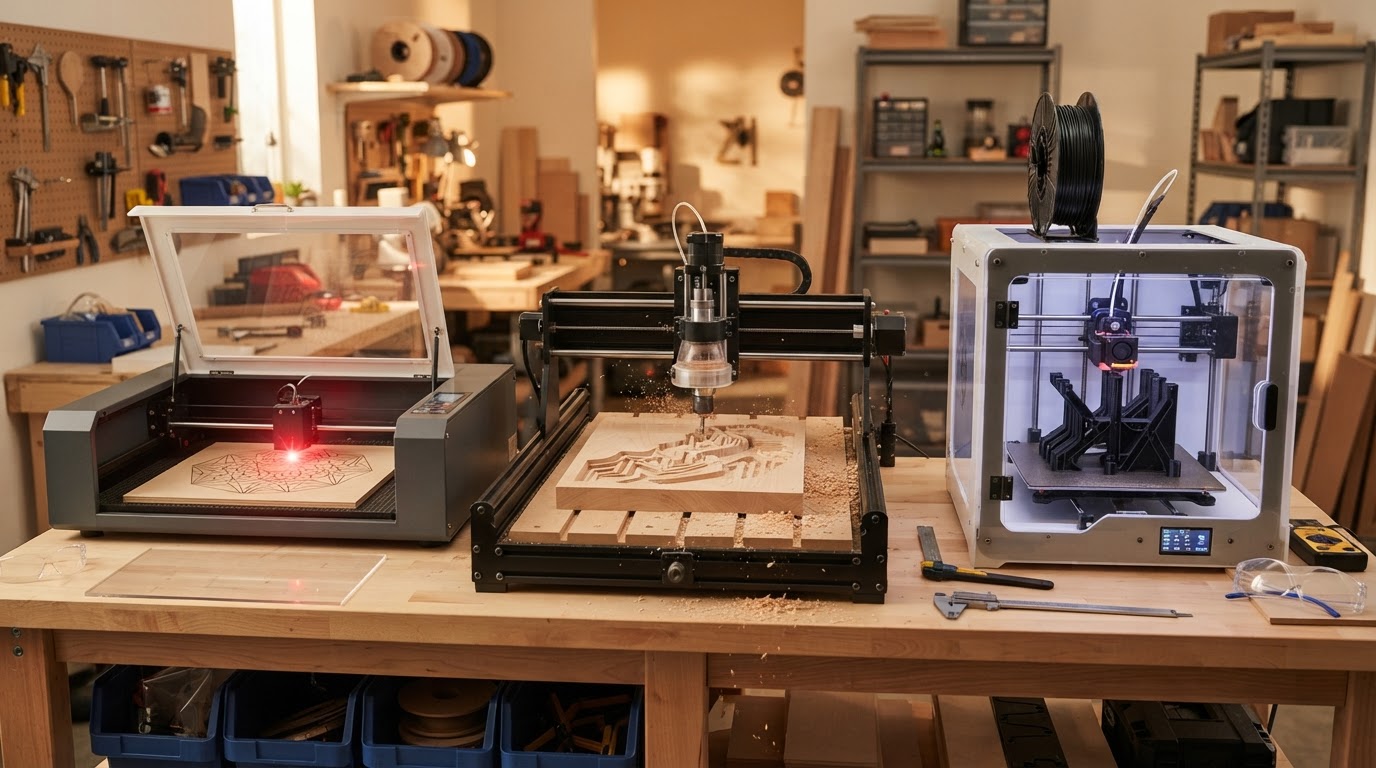
Quick decision summary
Before comparing specifications, get a rough sense of which technology leans toward your work. These are tendencies, not absolute rules — machine type, material, and setup all matter.
Start with a laser if you mainly want to make
- Personalized products and engraved gifts
- Signs, ornaments, and detailed flat designs
- Cut wood and acrylic projects (where compatible with the laser)
- Surface graphics, text, and photographs where appropriate
- Repeated personalized or batch products
Start with a CNC router if you mainly want to make
- Furniture components and cabinetry parts
- Dimensional wooden signs and relief carvings
- Pockets, joinery, and thicker wood projects
- Jigs, templates, and larger sheet-based components
- Appropriate aluminum parts on a capable machine
Start with a 3D printer if you mainly want to make
- Prototypes and custom enclosures
- Brackets, adapters, and organizers
- Miniatures, models, and terrain
- Electronics and robotics parts
- Complex three-dimensional geometry and low-volume custom plastic parts
None of these lists is absolute. A capable CNC router can machine aluminum; a resin printer can produce extraordinary detail; a laser can cut intricate flat parts. The point is to start from your projects, not from a machine category.
The first question: what do you want to make?
Most buying frustration comes from choosing a machine before defining the projects. Group what you want to make by intent first — the technology usually follows.
Personalized products
Likely lean: laser
- Engraved gifts, awards, and ornaments
- Custom text and graphics on flat stock
- Batch personalization for a small business
Woodworking and furniture
Likely lean: CNC
- Cabinet panels, furniture components, and joinery
- Dimensional carving and relief work
- Sheet goods and larger flat parts
Prototypes and functional plastic parts
Likely lean: 3D printer
- Iterating geometry and testing fit
- Custom enclosures, brackets, and adapters
- Complex shapes that are hard to machine
Signs
Depends on the sign
- Flat engraved or cut signs often lean laser
- Dimensional or V-carved signs often lean CNC
- Material and depth usually decide this
Miniatures and models
Likely lean: 3D printer
- Tabletop figures and terrain
- Highly detailed small objects
- Resin printing often excels here
Jigs and fixtures
CNC or 3D printing
- Size, load, and material decide which fits
- Larger or load-bearing jigs often suit CNC
- Complex or small fixtures often suit 3D printing
Mechanical parts
Depends on material and geometry
- Material, geometry, and loads drive the choice
- Flat metal parts often suit a capable CNC
- Complex plastic mechanisms often suit 3D printing
Aluminum parts
Often CNC, with caveats
- A sufficiently rigid CNC router can machine aluminum
- A CNC mill is built for heavier metal work
- Typical desktop 3D printing is not solid-metal manufacturing
The project determines the technology more reliably than any spec sheet. If you can't name five things you genuinely want to make, define that list before shopping.
Project-first decision table
Use this as practical guidance, not a universal machine specification. Fit depends on machine type, material, tooling, and setup.
| I want to make… | Laser | CNC router | 3D printer | Best starting choice / why |
|---|---|---|---|---|
| Personalized wooden gifts | Excellent | Possible | Poor fit | Surface engraving on flat wood is a core laser workflow. |
| Engraved tumblers | Excellent | Poor fit | Poor fit | Rotary engraving on cylindrical objects is a laser application. |
| Intricate plywood ornaments | Excellent | Good | Poor fit | Fine 2D cutting of thin sheet goods suits a laser well. |
| Flat acrylic lettering | Excellent | Good | Poor fit | Clean cut acrylic edges are a strong laser application (laser type dependent). |
| Dimensional wooden sign | Possible | Excellent | Poor fit | Depth, pockets, and V-carving are CNC territory. |
| Furniture component | Poor fit | Excellent | Poor fit | Larger stock, joinery, and profiles favor a CNC router. |
| Cabinet panel | Possible | Excellent | Poor fit | Sheet goods and pockets are a CNC strength. |
| Wood relief carving | Poor fit | Excellent | Poor fit | True dimensional carving requires subtractive depth. |
| Workshop jig | Possible | Good | Good | Size, load, and geometry decide between CNC and 3D printing. |
| Electronics enclosure | Possible | Possible | Excellent | Complex internal geometry and integrated mounts favor 3D printing. |
| Robot bracket | Poor fit | Possible | Excellent | Custom 3D geometry for mounts is a core 3D-printing use. |
| Custom adapter | Poor fit | Possible | Excellent | One-off adapters with complex fit are ideal for 3D printing. |
| Drawer organizer | Possible | Good | Excellent | Custom compartment geometry prints efficiently. |
| Miniature figure | Poor fit | Poor fit | Excellent | Fine detail at small scale is a resin-printing strength. |
| Terrain or model piece | Poor fit | Possible | Excellent | Volumetric organic shapes suit additive manufacturing. |
| Prototype housing | Possible | Possible | Excellent | Fast iteration on complex geometry favors 3D printing. |
| Replacement plastic part | Poor fit | Possible | Excellent | Reproducing an obsolete plastic part is a common 3D-printing use. |
| Aluminum bracket | Possible | Good | Poor fit | Machining aluminum needs a capable CNC and correct tooling. |
| Large decorative wall panel | Good | Excellent | Poor fit | Large flat work area favors CNC; surface detail can favor laser. |
| Custom cutting board engraving | Excellent | Possible | Poor fit | Surface personalization on a finished board is a laser job. |
Ratings like 'Excellent', 'Good', 'Possible', and 'Poor fit' describe practical suitability for a typical machine in that category, not a guarantee. A specific machine, material, or setup can shift the result.
How the three processes differ
The fundamental difference between these technologies is how they create geometry. That single difference drives most of the practical tradeoffs.
Laser — energy-based cutting and engraving
- A focused beam applies energy to cut, engrave, or mark compatible material
- No cutting-tool contact with the work
- Primarily a 2D / 2.5D surface and through-cut process
- Fine detail on flat work; kerf and heat-affected edges
- Ventilation and fume management are major considerations
CNC router — subtractive machining
- A rotating cutting tool physically removes material from stock
- Cutting forces require workholding and rigidity
- Handles pockets, profiles, joinery, and dimensional carving
- Tool diameter limits inside corners and fine detail
- Produces chips and dust; noise and dust collection matter
3D printer — additive manufacturing
- Material is deposited or cured progressively to build the object
- No stock to machine away; low waste for complex geometry
- Handles complex volumetric and internal geometry well
- Constrained by build volume and support strategy
- Layer orientation affects strength, finish, and detail
For deeper A-vs-B detail, read our dedicated comparisons rather than this overview: laser vs CNC, CNC vs 3D printer, and CNC mill vs CNC router.
Material should be your second question
After project type, ask what you will make it from. The three technologies interact with materials in fundamentally different ways — and 'laser' is not one universal machine (CO2, diode, and fiber differ substantially), nor is every CNC router equally rigid, nor is every 3D printer the same process.
Wood
- Laser: Strong for compatible engraving and many cutting applications, depending on laser type, power, and material thickness.
- CNC: Excellent for profiles, pockets, carving, joinery, thicker material, and dimensional woodworking.
- 3D printer: Does not replace actual woodworking; wood-filled filament is a composite printing material, not equivalent to machining lumber.
Acrylic
- Laser: A strong application for appropriate laser technology — clean edges on compatible acrylic.
- CNC: Can machine acrylic stock with correct tooling, feeds, and workholding.
- 3D printer: Can create plastic parts, but it is a fundamentally different process and material system, not cut acrylic sheet.
Plastics
- Laser: Some plastics can be processed; others release hazardous fumes. Material compatibility must always be verified before laser processing.
- CNC: Machines many plastic stocks effectively with appropriate tooling and chip/heat management.
- 3D printer: Creates plastic parts additively from filament or resin — a different material ecosystem from machined stock.
Aluminum
- Laser: Depends heavily on laser technology and whether the task is marking versus actual cutting; typical desktop diode/CO2 lasers do not cut aluminum.
- CNC: Often the most relevant of the three for actual subtractive machining — on a sufficiently rigid machine with correct tooling.
- 3D printer: Typical desktop FDM/resin printing is not conventional solid-metal manufacturing; metal-filled filament is not a solid metal part.
Leather and similar materials
- Laser: Attractive for compatible cutting and engraving of leather goods.
- CNC: Possible but rarely the right tool for leather work.
- 3D printer: Not a conventional approach for leather.
Never laser an unknown plastic. Some materials release hazardous or corrosive fumes when heated. Always confirm a material is safe and appropriate for the process before using it.
Material compatibility at a glance
A starting point, not a definitive chart. 'Laser' varies by technology (diode, CO2, fiber); 'CNC router' varies by rigidity and tooling; '3D printer' includes both FDM and resin. Always verify a specific material against a specific machine.
| Material | Laser | CNC router | 3D printer | Important consideration |
|---|---|---|---|---|
| Plywood | Good | Excellent | Poor fit | Laser cuts thin ply cleanly; CNC handles thicker stock and pockets. |
| Hardwood | Good (engraving) | Excellent | Poor fit | Dimensional hardwood work is a CNC strength. |
| MDF | Good | Excellent | Poor fit | MDF produces fine dust when machined — dust collection matters. |
| Acrylic | Excellent (type dependent) | Good | Poor fit | Clear acrylic generally needs CO2; diode lasers typically can't cut it. |
| Common printable thermoplastics | Varies / verify safety | Good | Excellent | FDM prints PLA, PETG, ABS/ASA, TPU; verify any plastic before lasering. |
| Aluminum | Marking only (typical desktop) | Good (capable machine) | Poor fit | Machining aluminum needs rigidity, slow speeds, and correct tooling. |
| Brass | Marking only (typical desktop) | Possible (capable machine) | Poor fit | Soft metal machining depends on rigidity and setup. |
| Steel | Specialized systems only | Poor fit (typical router) | Poor fit | Serious steel machining is outside typical router/printer scope. |
| Leather | Excellent | Poor fit | Poor fit | Ventilation required; verify finish and safety. |
| Foam | Varies / verify safety | Good | Poor fit | Some foams release hazardous fumes when lasered — verify first. |
| Resin printing materials | Poor fit | Poor fit | Excellent (resin) | Photopolymer resins cure with light; handling and ventilation required. |
This table foreshadows a future material compatibility database. For now, treat it as a quick orientation and verify each material against your specific machine.
Project geometry
The shape you need can determine the machine before price does. Each process has a natural geometry it handles well.
Laser tends to excel at
- 2D profiles and intricate flat geometry
- Surface engraving and fine graphics
- Repeated flat parts from sheet material
- Internal corners and fine detail that a round cutting tool can't reach
CNC tends to excel at
- Pockets, profiles, and joinery
- Relief carving and dimensional material removal
- Larger flat and dimensional parts
- Features requiring real depth in stock material
3D printing tends to excel at
- Complex volumetric geometry
- Integrated features and internal geometry where printable
- Custom enclosures and irregular shapes
- Prototypes with shapes hard to machine subtractively
Geometry can settle the decision on its own. If your part needs true internal passages or enclosed cavities, 3D printing is often the only practical option of the three; if it needs deep pockets in hardwood, CNC is the natural fit.
Project size
Work envelope shapes what you can make. The three technologies orient around size differently.
Laser
Often oriented around a flat work area — large enough for signs, panels, and sheet goods, with depth limited by laser power and material.
CNC router
Can offer large X/Y work areas relative to cost, especially for sheet goods, furniture components, and panels.
3D printer
Constrained by build volume, but efficient for complex volumetric objects that fit inside that envelope.
Someone building furniture has a very different size requirement from someone printing robotics brackets. Match the work envelope to your typical part, not to an impressive specification.
Workspace
Where the machine will live can rule a technology in or out before you ever compare specs. Each process has different real-world demands.
Laser
- Ventilation and exhaust are major considerations
- Smoke and fumes must be managed for the specific material
- Fire awareness and enclosure considerations matter
- Air assist where applicable helps manage the cut
CNC router
- Significant mechanical and spindle noise
- Chips and dust require dust collection
- Physical workholding and a larger footprint in many cases
- Debris management is part of every job
3D printer
- FDM: generally smaller footprint, with filament storage and material-specific ventilation considerations
- Resin: liquid chemical workflow with washing, curing, and PPE
- Moving and hot components require basic safety awareness
- Resin handling needs ventilation and workspace planning
By environment
- An apartment may suit a small enclosed FDM printer or a well-ventilated laser more than a noisy, dusty CNC.
- A spare room can work for FDM or a vented laser, but CNC noise and dust travel.
- A garage begins to open up CNC routing and larger lasers with proper ventilation.
- A dedicated workshop can support any of the three with appropriate controls.
No machine is automatically safe just because it is small. Ventilation, dust, noise, and chemical handling each need real planning for the specific machine and material.
Workspace decision table
A compact comparison of the real ownership demands across the three technologies.
| Consideration | Laser | CNC router | 3D printing |
|---|---|---|---|
| Noise | Lower cutting noise | Significant | Low (FDM) / low (resin) |
| Dust | Minimal | Significant — dust collection needed | Minimal |
| Smoke / fumes | Major consideration | Minimal | Material-dependent (FDM); resin fumes need ventilation |
| Chemical handling | Minimal | Coolant/lubricant where used | Resin requires gloves and ventilation |
| Ventilation | Essential | Helpful for dust | Needed for some filaments and all resin |
| Typical debris | Smoke and offcuts | Chips and dust | Supports, failed prints, resin waste |
| Machine footprint | Moderate | Often larger | Generally smaller |
| Post-processing | Cleaning residue | Sanding and finishing | Support removal, washing/curing (resin) |
| Fire awareness | Important | Lower | Lower |
| Best environment | Vented room or workshop | Garage or workshop | Desk, spare room, or workshop |
These are general tendencies. A specific machine and material can shift any row.
Learning curve
Each technology has its own workflow. The easiest machine to learn is often the one whose workflow matches your existing interests.
Laser workflow
- Design or import 2D artwork
- Set material and power/speed settings
- Focus and position the work
- Cut or engrave
CNC workflow
- CAD design
- CAM toolpaths
- Select tooling and workholding
- Zero and machine
3D printing workflow
- Model or download a 3D file
- Slice with orientation and supports
- Prepare the machine
- Print and post-process
A laser can feel approachable for someone already comfortable with 2D graphics. 3D printing introduces slicing and material troubleshooting. CNC introduces physical machining concepts like workholding, tooling, and feeds and speeds. None is impossibly hard, and none is zero-effort.
Design skills
The design work each machine needs is different, and that can matter as much as the machine itself.
- 2D vector design: Often important for laser workflows — drawing profiles, text, and engraving artwork.
- CAD and CAM: Important for CNC — modeling parts and generating toolpaths are core to the workflow.
- 3D CAD, mesh, and slicing: Important for 3D printing — creating or preparing 3D models and orienting them for print.
Downloadable files can reduce the initial barrier for all three. But learning to create original designs dramatically expands what each machine can do, and is usually what turns a machine from a toy into a tool.
Cost — look beyond the machine
Machine prices vary enormously, so compare ownership categories rather than a single sticker price. A cheaper machine that can't produce your intended projects is not a bargain.
Laser
- Machine
- Ventilation and exhaust
- Air assist where applicable
- Cooling where applicable
- Replacement optics and parts where applicable
- Materials
CNC router
- Machine
- Tooling and bits
- Workholding and spoilboards
- Dust collection
- Materials
- Maintenance
3D printer
- Machine
- Filament or resin
- Storage and drying where appropriate
- Replacement nozzles and build surfaces
- Resin washing and curing where applicable
- Accessories and failed-print consumables
- How much does a CNC router cost?
- How much does a 3D printer cost?
- 3D printer accessories you actually need
Evaluate total workflow cost, not machine price alone. A lower-cost machine that needs substantial accessories or cannot produce the intended projects may be worse value than a more capable one.
Small business use
Each technology suits different product categories. Demand, product selection, marketing, and margins matter far more than simply owning the equipment.
Laser
- Personalization, gifts, and awards
- Signs and ornaments
- Engraved and branded products
- Batch personalization
CNC router
- Signs and cabinetry components
- Furniture parts and dimensional products
- Jigs and carved products
- Larger or thicker components
3D printer
- Prototypes and custom components
- Specialized accessories and replacement parts
- Models and miniatures
- Low-volume product production
Best laser engravers for small business
Owning a machine does not create a profitable business. A clear product, a real customer, and a workable margin come first.
If your priority is…
A fast way to orient when you know what matters most to you.
- Personalization: Strongly consider a laser — Surface engraving and custom graphics are a core laser strength.
- Woodworking: Strongly consider a CNC router — Profiles, pockets, and joinery are CNC territory.
- Prototyping: Strongly consider a 3D printer — Fast iteration on complex geometry favors additive.
- Fine surface graphics: Often a laser — Detailed engraving and text on flat stock suit a laser.
- Deep material removal: CNC — True depth and pockets require subtractive machining.
- Complex 3D geometry: 3D printer — Volumetric and internal geometry are an additive strength.
- Large sheet material: Often CNC or laser — Depending on operation, material, and machine.
- Miniature detail: Often resin 3D printing — Fine detail at small scale is a resin strength.
- Aluminum machining: Capable CNC — Subtractive metal machining needs rigidity and tooling.
- Low-waste geometric prototyping: Often 3D printing — Additive builds only the geometry you need.
Which is easiest for a beginner?
There is no universal winner. The easiest machine to stay motivated with is usually the one producing projects you genuinely want.
A beginner who already knows 2D graphics may find laser workflows intuitive, because the design step is close to what they already do.
A beginner interested in CAD, electronics, or product design may naturally fit 3D printing, because modeling and iterating parts is the whole point.
A beginner interested in woodworking may be far happier learning CNC, because the output is the furniture and signs they actually want to make.
Buying the 'easiest' technology for a project type you don't care about is a reliable way to end up with an unused machine.
Match the workflow to your interests, not to an abstract difficulty ranking.
Which gives you the most versatility?
'Versatility' depends on how you define it — no single machine wins on every definition.
Laser
A wide variety of personalization and flat-material workflows.
CNC router
A wide variety of subtractive woodworking and dimensional projects.
3D printer
Extraordinary geometric flexibility for parts that fit the build envelope.
A machine can be theoretically versatile and still be wrong for your projects. Versatility is only useful if it covers the work you actually intend to do.
Should budget determine your first machine?
Budget matters, but buying the cheapest technology that doesn't fit your projects is not economical.
A lower-cost machine that requires substantial accessories, or that cannot produce the intended projects, can be worse value than a more capable machine at a higher price.
Compare total workflow cost — machine, tooling, ventilation, dust collection, consumables, and materials — rather than the sticker price alone.
If two technologies fit your projects about equally, budget becomes a reasonable tiebreaker. If only one technology fits your projects, budget should not override that fit.
The cheapest machine that produces nothing you want is the most expensive one you can buy.
Don't buy the machine first — choose the projects first
Before shopping, do this practical exercise. It is a much better starting point than comparing specifications without a use case.
The exercise
- Write down the first ten things you genuinely expect to make.
- Be specific — 'a bracket' is less useful than 'a mount for a 30mm fan in a project box'.
- Include the projects you're most excited about, not just the ones that seem easy.
- If you can't list ten real projects, that itself is useful information.
Classify each project by
- Material — wood, plastic, acrylic, aluminum, resin, etc.
- Dimensions — approximate size of each part.
- Flat vs dimensional geometry.
- Engraving vs cutting vs machining vs printing.
- Strength requirements.
- Required detail.
- Workspace requirements.
Then count which technology fits the most important projects. That count is a far better guide than any spec comparison.
Ten-project scorecard
A simple decision aid you can do with paper and pencil. Score each of your ten projects against each technology, then add it up.
Scoring scale
- +2 — The technology is an excellent fit
- +1 — Workable
- 0 — Technically possible but awkward
- -1 — Poor fit
How to run it
- List your ten projects down the left side.
- Add three columns: Laser, CNC, 3D printer.
- Score each cell using the scale above.
- Total each column.
- The highest total is your strongest starting technology.
This is a decision aid, not a scientific measurement. It's designed to be simple enough to do in a few minutes — and structured so it could later become an interactive tool.
Want help applying this?
Try the interactive Which Machine Do I Need? selector — answer a few questions about your projects, materials, and workspace and it points you toward the technology category that fits.
When your first machine probably should be a laser
A laser is a strong first choice when your projects look like this.
- Mostly flat projects and personalization
- Engraving and intricate cut designs
- Signs, gifts, and suitable materials
- Comfortable managing ventilation and fumes
- Laser engraving hub
- Best laser engravers for beginners
- Types of laser engravers
- How much laser power do you need?
When your first machine probably should be a CNC router
A CNC router is a strong first choice when your projects look like this.
- Woodworking and larger stock
- Sheet goods, pockets, and joinery
- Carving and dimensional projects
- Willing and able to manage noise and dust
When your first machine probably should be a 3D printer
A 3D printer is a strong first choice when your projects look like this.
- CAD, product design, and prototyping
- Complex geometry and custom plastic parts
- Enclosures, robotics, and electronics
- Miniatures, models, and smaller dimensional objects
- 3D printing hub
- 3D printers for beginners
- Best 3D printers
- FDM vs resin 3D printing
- Are 3D printers worth it?
What if two machines score about the same?
When two technologies fit your projects similarly, the dedicated comparisons help you break the tie.
- Laser vs CNC router: Read the laser vs CNC comparison
- CNC router vs 3D printer: Read the CNC vs 3D printer comparison
- CNC router vs CNC mill: Read the CNC mill vs router comparison
If laser vs 3D printer is still unresolved: lasers favor flat, subtractive-like energy processing and personalization, while 3D printing favors additive geometry, prototyping, and complex plastic parts. Material, workspace, and whether you want to personalize flat goods or build volumetric objects usually settle it.
When owning more than one makes sense
These technologies complement each other. Many workshops eventually route each component to the process best suited to it — but you do not need all three to start.
- CNC + laser: Machine a wooden product, then laser-engrave branding, serial numbers, or personalization.
- CNC + 3D printing: Machine structural components and print custom mounts, jigs, and adapters.
- Laser + 3D printing: Laser-cut enclosure panels and print brackets and connectors.
- All three: A small digital workshop can route each component to the process best suited to it.
Choose the first machine based on the strongest immediate use case. Adding a second machine later, once you've outgrown the first, is usually a better path than buying two at once.
Frequently Asked Questions
Keep reading
- Material Compatibility Database
- Laser Cutter vs. CNC Router
- CNC Router vs. 3D Printer
- CNC Mill vs. CNC Router
- Laser engraving hub
- CNC routers hub
- 3D printing hub
Digital Workshop Guide does not claim hands-on testing or ownership of equipment unless explicitly stated. This decision guide is based on the documented principles of laser, CNC, and 3D-printing processes and general material and workflow fundamentals — not on independent benchmarks, production-speed measurements, or business results. Machine-specific capability depends on machine type, rigidity, tooling, material, and setup.